web
You’re offline. This is a read only version of the page.
close
Skip to main content

Announcements

News and Announcements icon
Community site session details

Community site session details

Session Id :
Power Platform Community / Forums / Power Automate / Flow did not terminate...
Power Automate
Answered

Flow did not terminate and I can't cancel it

(0) ShareShare
ReportReport
Posted on by 11
I have two different flows for two lists in SharePoint set up almost identical. If we receive a response, the flow should terminate immediately. Otherwise, it moves on to the parallel branch and checks for responses and sends reminder emails. 
Example of it working correctly:
 
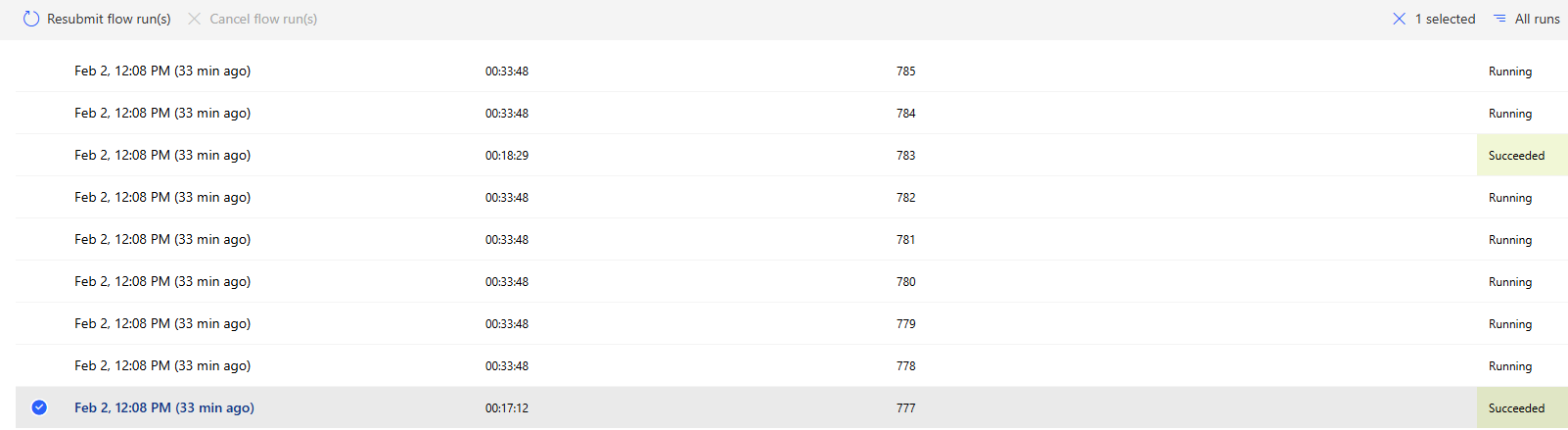
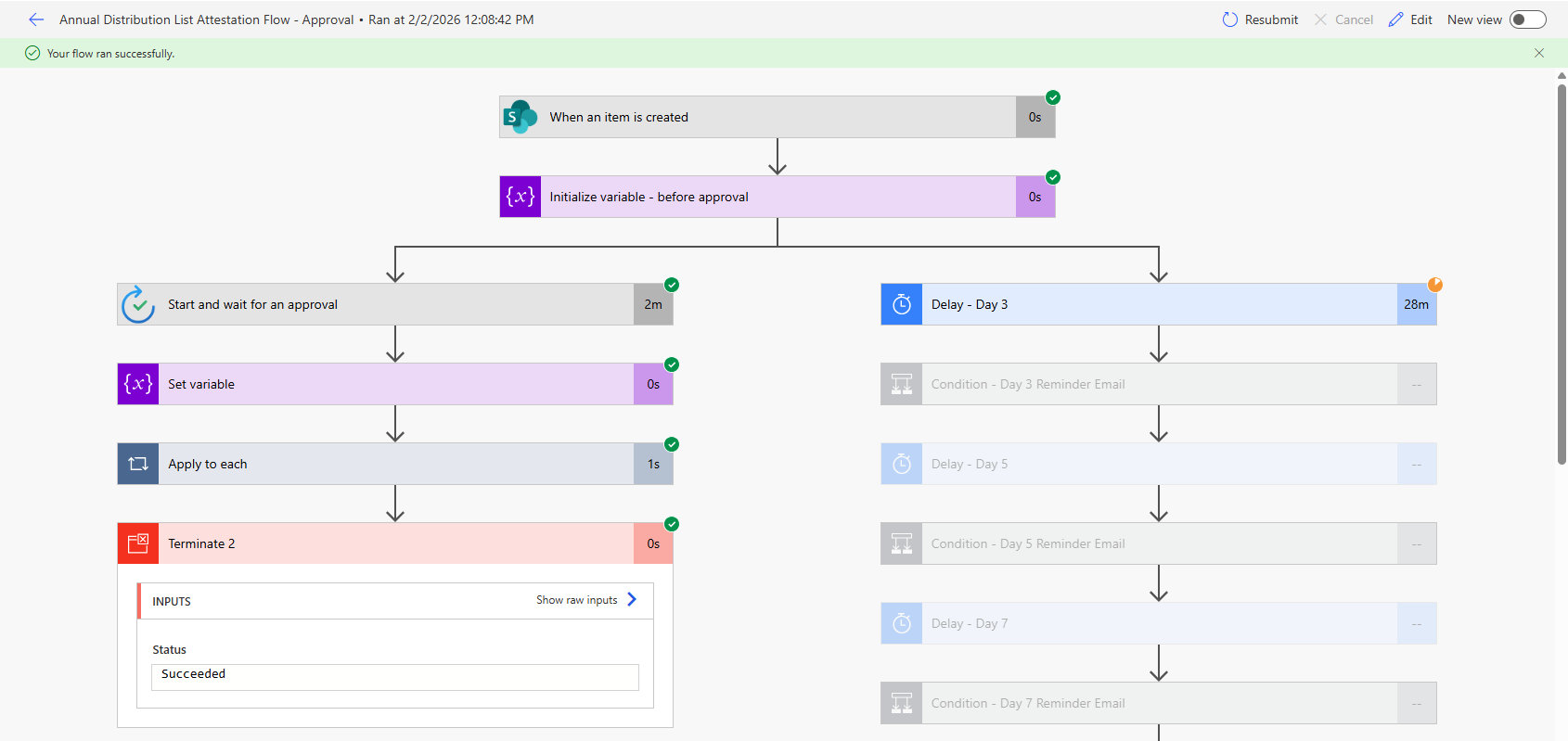
However, today I see all the runs that show as Succeded and show the terminated action completed successfully but the counter is still active on the parallel branch. We do not want those reminder emails going out because they have already responded. The cancel button is grayed out on all of these runs.
 
What would have caused this and how else can this be cancelled?
Categories:
I have the same question (0)
  • Suggested answer
    Pstork1 Profile Picture
    69,556 Most Valuable Professional on at
    The fact that its a parallel branch and not a branch based on a condition means it will always run.  When doing an approval with reminders you need to put some kind of a check in the reminder branch to finish it up when the approval is completed.  Please Note: that any delays you put in the reminder side will still need to finish before the branch completes.  So for this kind of flow I normally use a counter with an outer and inner loop in the reminder.  The inner loop has a short duration.  That way when the approval is complete I can max out the counter so it checks for the completion of the approval after the next loop.

    ----------------------------------------------------------------------------------
    If this Post helped you, please click "Does this answer your question" and give it a like to help others in the community find the answer too!

    Paul Papanek Stork, MVP
    Blog: https://www.dontpapanic.com/blog
     
  • SL-21111327-0 Profile Picture
    11 on at
    Thanks Paul! That makes sense. Looks like the parallel branch finally got cancelled. Just took about an hour before that happened. I've never noticed it takes one hour to cancel that branch once a response is received, but upon reviewing my first screenshot there and then a few of my other successful runs in my other flow, it seems that's how it has always worked (it just takes an hr for some reason). I appreciate your response though. Definitely some good insights to have when setting up these type of flows.
  • Verified answer
    David_MA Profile Picture
    14,956 Super User 2026 Season 1 on at
    If the row you have highlighted in your screen shot is the one you are trying to cancel, the reason you cannot cancel it is because the flow run has completed. You can only cancel flows that are running. In this screen shot you posted:
     
    The terminate action ended the flow with succeeded. While the icon of the delay action may appear that it is running, it is not as it ends when the flow was terminated. It still shows running since that was the status of the action at the time the flow was ended by the terminate action.

Under review

Thank you for your reply! To ensure a great experience for everyone, your content is awaiting approval by our Community Managers. Please check back later.

Helpful resources

Quick Links

Season of Sharing Community Challenge Launch!

Jump in, show your community spirit, and win prizes!

Kudos to our 2025 Community Spotlight Honorees

Expanding mentorship, skilling, and AI innovation

Congratulations to the May Top 10 Community Leaders!

These are the community rock stars!

Leaderboard > Power Automate

#1
Valantis Profile Picture

Valantis 377

#2
11manish Profile Picture

11manish 279

#3
David_MA Profile Picture

David_MA 234 Super User 2026 Season 1

Last 30 days Overall leaderboard