web
You’re offline. This is a read only version of the page.
close
Skip to main content

Announcements

News and Announcements icon
Community site session details

Community site session details

Session Id :
Power Platform Community / Forums / Power Automate / I want to set up a flo...
Power Automate
Answered

I want to set up a flow that goes from a SharePoint List to Excel

(1) ShareShare
ReportReport
Posted on by 8
Hello I'm pretty new / beginner to Power Automate and I'm trying to setup a SharePoint (SP) list to automatically take the current list and then update if i add new list elements to the SP.
 
Right now my flow doesn't update, but sometimes I'm able to get the 1st row to update, but there are 7 elements in my list.

I've posted the Flow, SharePoint list and Excel Document.
 
Flow:
This is my formular in the condition: int(length(outputs('List_rows_present_in_a_table')?['body/value']))
 
Excel document: 
 
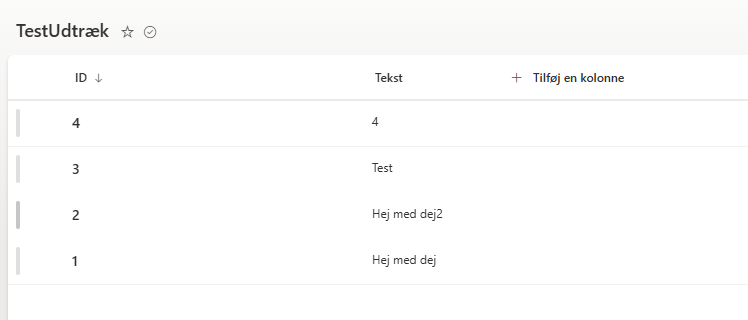
SharePoint List:
Categories:
I have the same question (0)
  • Suggested answer
    chiaraalina Profile Picture
    2,425 Super User 2026 Season 1 on at
     
    Almost there. You need a Filter in the List rows present in a table action and use ID from SharePoint in the Add a row into a table. And the trigger should be When an item is created or modified.


    Let me know if it worked!
  • Chilladin Profile Picture
    8 on at
    Hello @Chiaraalina,
     
    I tried to change the ID's and such, but when I ran it this happened: 
     
    Could the reason for it failing be the "For each 1" and "For each" Boxes? Cause I don't see them on your pictures. 
     
  • Chilladin Profile Picture
    8 on at
    @chiaraalina I think i didnt at you correctly I'll try this message, my bad.
  • Verified answer
    chiaraalina Profile Picture
    2,425 Super User 2026 Season 1 on at
     
    Yes, please remove them, and do exactly how I did. It worked for me!
     
    Let me know!
  • Chilladin Profile Picture
    8 on at
    @chiaraalina, thank you for the help and solution! :)

Under review

Thank you for your reply! To ensure a great experience for everyone, your content is awaiting approval by our Community Managers. Please check back later.

Helpful resources

Quick Links

Season of Sharing Community Challenge Launch!

Jump in, show your community spirit, and win prizes!

Kudos to our 2025 Community Spotlight Honorees

Expanding mentorship, skilling, and AI innovation

Congratulations to the May Top 10 Community Leaders!

These are the community rock stars!

Leaderboard > Power Automate

#1
Valantis Profile Picture

Valantis 377

#2
11manish Profile Picture

11manish 279

#3
David_MA Profile Picture

David_MA 234 Super User 2026 Season 1

Last 30 days Overall leaderboard
