web
You’re offline. This is a read only version of the page.
close
Skip to main content

Announcements

News and Announcements icon
Community site session details

Community site session details

Session Id :
Power Platform Community / Forums / Power Automate / Add row to Excel not f...
Power Automate
Unanswered

Add row to Excel not fully working

(0) ShareShare
ReportReport
Posted on by 29
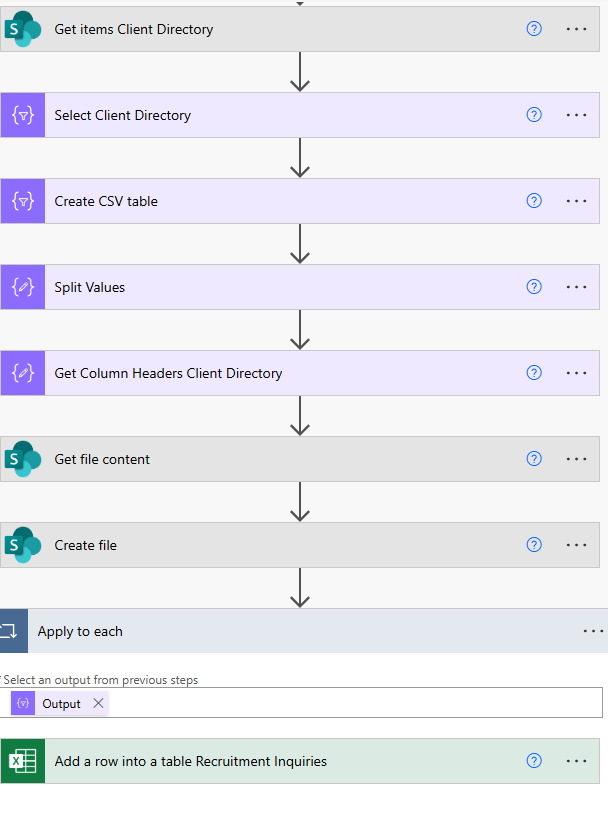
I have a flow, I know is setup correctly.  I can even see in the raw inputs on the Add a row step that it's pulling all the date requested, however, when it attempts to write to each row it randomly skips data.  I've used this exact flow before with no issues.  I've triple checked the setup and all the fields are mapped correctly.  As I mentioned after you run it if you look at the raw inputs it shows the correct data, for example below "Age" is clearly grabbed, however, when it's placed into the excel row it skips this field and doesn't write it.

Categories:
I have the same question (0)
  • André Arnaud de Calavon Profile Picture
    679 on at
    Hi NotSwanky,

    It is hard to find the root cause if you just share the top level of the flow. Can you show which fields you mapped for the Excel row and tell about the Excel cell format and the data format linked to each column?

Under review

Thank you for your reply! To ensure a great experience for everyone, your content is awaiting approval by our Community Managers. Please check back later.

Helpful resources

Quick Links

Season of Sharing Community Challenge Launch!

Jump in, show your community spirit, and win prizes!

Kudos to our 2025 Community Spotlight Honorees

Expanding mentorship, skilling, and AI innovation

Congratulations to the May Top 10 Community Leaders!

These are the community rock stars!

Leaderboard > Power Automate

#1
Valantis Profile Picture

Valantis 377

#2
11manish Profile Picture

11manish 279

#3
David_MA Profile Picture

David_MA 234 Super User 2026 Season 1

Last 30 days Overall leaderboard