Hello!
I'm in need of desperate help!
I have a Power Automate flow that transfers a whole row from one list (the parent list) to another (the child list) - this is done by a manual trigger by entering an acronym into a column. However, whenever this flow is tiggered, instead of transferring the row just once, it duplicates the rows so there are multiple rows of the exact same item by separating the people tagged within the child list - screenshot below:
I need the row from the parent list, once triggered, to transfer over exactly without any duplications or separations. Please help!
This is the PowerAuto flow:
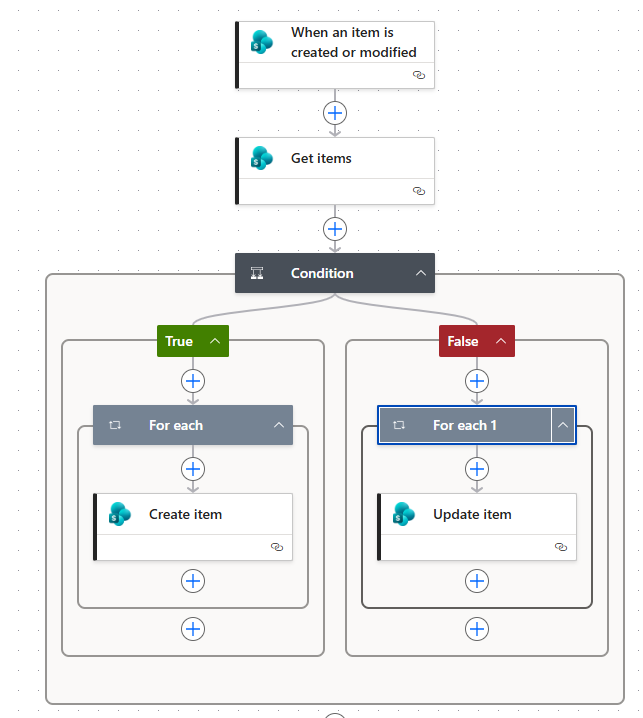
The parent list:
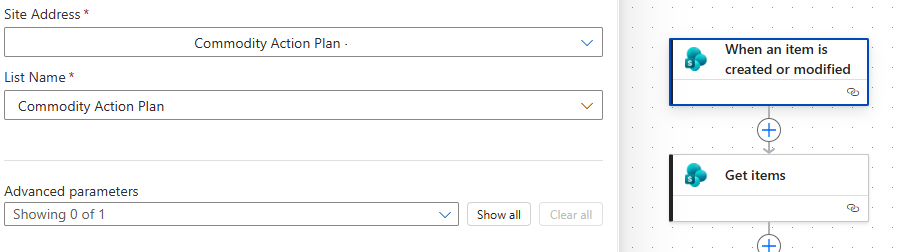
**********************************************************************************
Getting items from parent list with trigger "CI" in column "SGP_Plan"
**********************************************************************************
Condition (after many attempts this was the condition that worked)
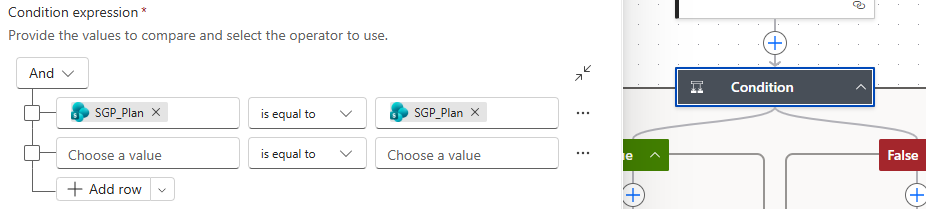
**********************************************************************************
For Each (the only selection allowed that worked):

Child List - with 'advanced parameters' matching up with columns from both lists:
Thank you so much!


