web
You’re offline. This is a read only version of the page.
close
Skip to main content

Announcements

News and Announcements icon
Community site session details

Community site session details

Session Id :
Power Platform Community / Forums / Power Automate / Power Automate flow in...
Power Automate
Suggested Answer

Power Automate flow intermittently failing at create file action

(1) ShareShare
ReportReport
Posted on by Microsoft Employee
Issue:- 
 

Power automate flow intermittently failing at create file action with error 

DownloadAttatchmentV1.Run failed: { "error": { "code": 502, "source": "5c245fb8-1571-e797-ba33-db69905a6411.08.common.usa002.azure-apihub.net", "clientRequestId": "13290e7e-8f54-4aaf-8fc1-24467a283a4b", "message": "BadGateway", "innerError": { "error": { "code": "NoResponse", "message": "The server did not receive a response from an upstream server. Request tracking id '08584278665633826531642938024CU15'." } } } }.

I have checked the below things already :- 


+++ Checked SharePoint site is connected or not.

+++ Tried in different browsers still facing the same issue

+++ It is happening with all the files types, jpg, png, pdf

+++ Collected network traces for both successful and failed run
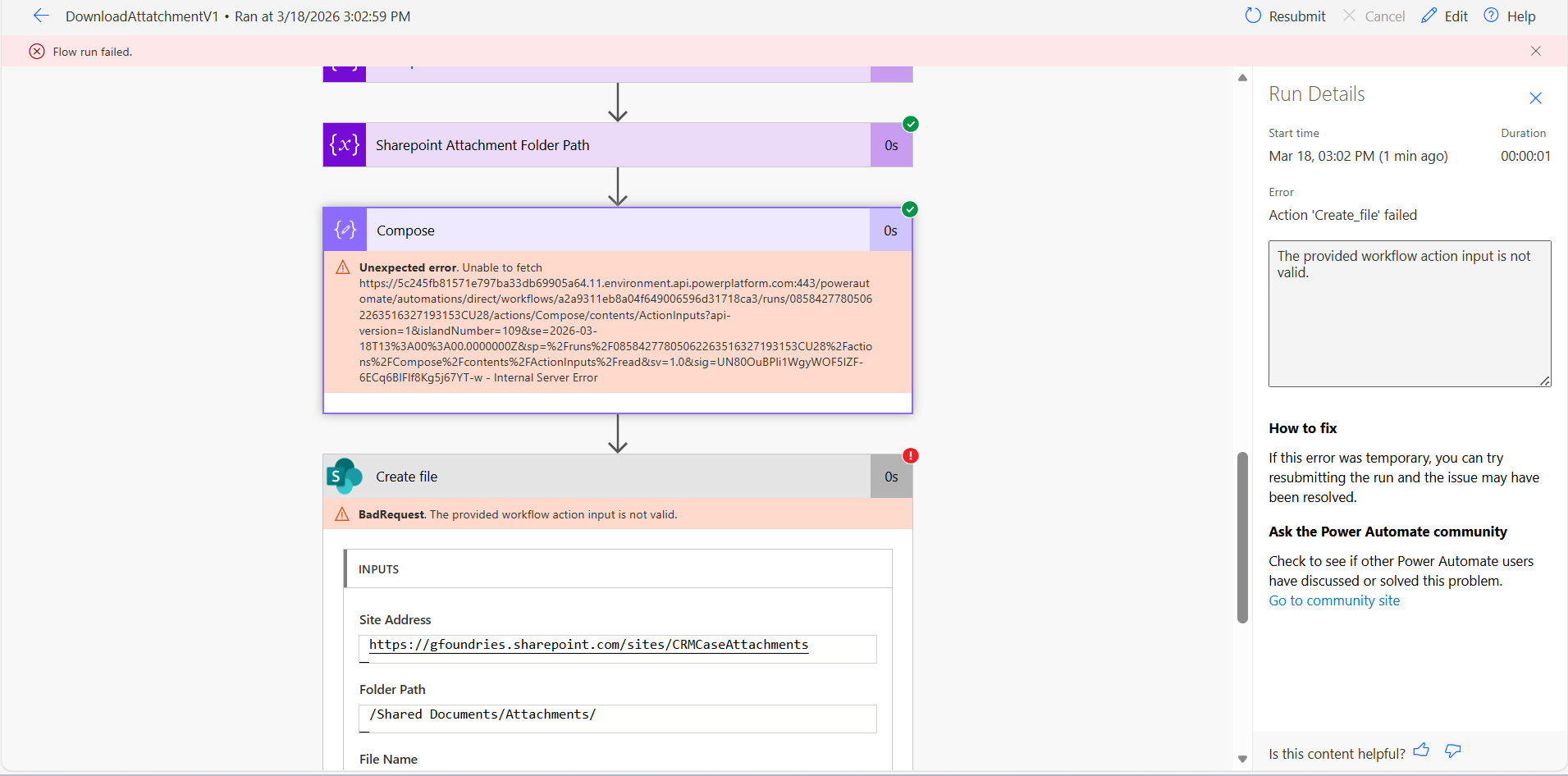


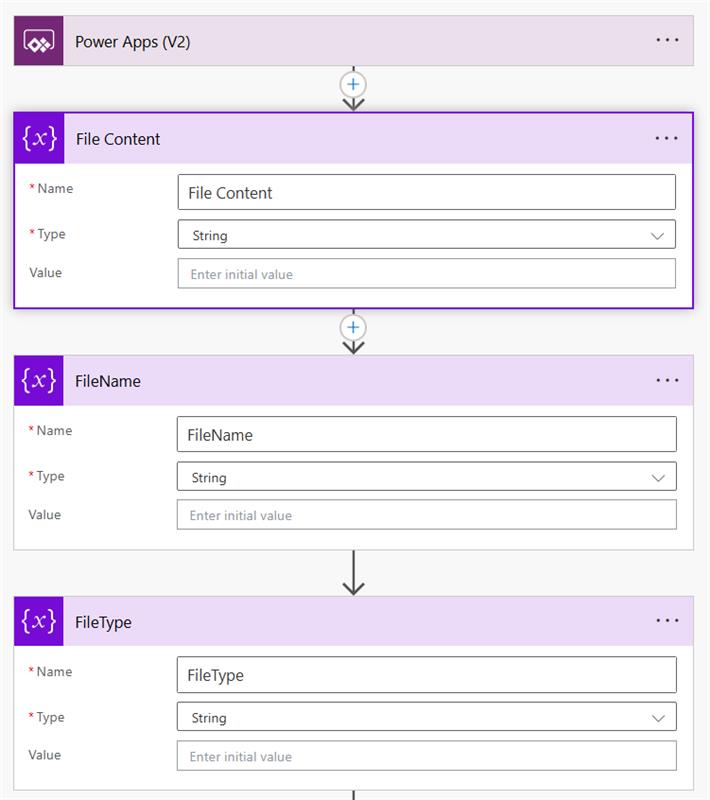
Backend telemetry:


For the Failed Run


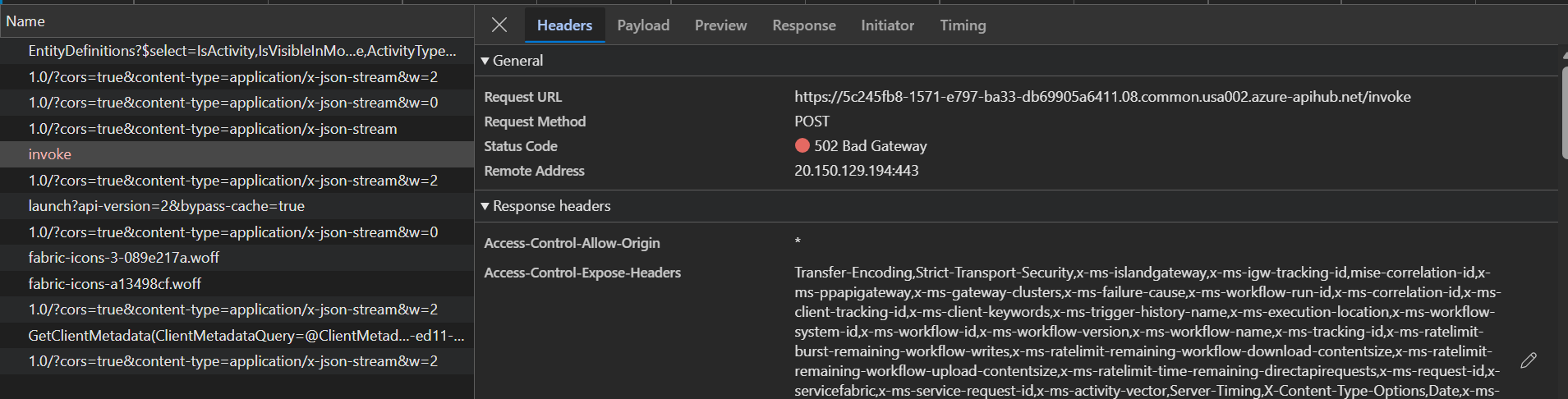
+++ From the network trace, we can see that the invoke call for the flow is failed with 502 error.


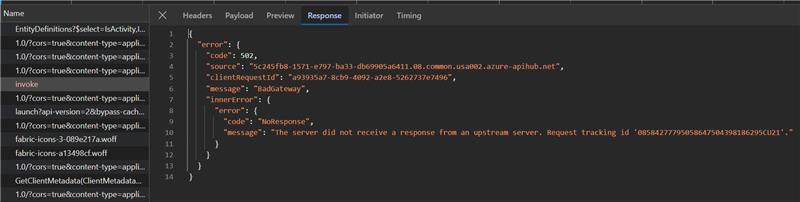
If we look at the response for this call, we can see that there is no response from server.
Since the call is going through APIM, Checked the APIM logs using the client request id.
 

or the Failed Run

From the network trace, we can see that the invoke call for the flow is failed with 502 erro

If we look at the response for this call, we can see that there is no response from server.

Categories:
I have the same question (0)
  • CU27030035-0 Profile Picture
    105 on at
    Does the account you are using to run the flow have 2 factor authentication turned on ?
    I had a similar issue a while back and the time out was because it was trying to text someone a code to put in for two factor authentication 
  • Suggested answer
    11manish Profile Picture
    3,333 on at
    The error you’re seeing (502 BadGateway – NoResponse) in Microsoft Power Automate is typically a temporary connector or backend issue, not a problem with your configuration.

    Key understanding
    The failure occurs when SharePoint (or an upstream service) does not respond in time
    Since it is intermittent and affects all file types, it is most likely due to:
    • Timeout or slow response
    • Connector throttling
    • Temporary service instability
    Recommended actions
    • Enable Retry Policy (Exponential) on the Create file action
    • Add a small delay (2–5 seconds) before creating the file
    • Ensure the file content is valid before writing
    • Disable concurrency if the flow runs in parallel

    This is a transient platform/connector issue, and the best approach is to make the flow more resilient using retries and slight delays.
  • Suggested answer
    Haque Profile Picture
    3,653 on at
    Hi @AK-16030901-0, 
     
    What happnes intermittently - very tough to find the root cause! 
     
    Apart from backend telemetry, let's concentrate someother items. 
     
    1. Is the attachemtn very large - the connector may timed out?
    2. Some connectors (preview ones) - sometimes reuturns 502 even for a small file.
    3. Network issue - transiet connectivity issue between PA and the service.
    4. Throttling one of the cause for inttemitten connectivity - upstream serivce like Outlook/Sharepoint throttle request if too many requests in a short time.
     
     
    Let's add a combinatin of gurar rails 
     
    1. Introduce Retry policyCreate file action, open Settings → enable Retry Policy.
    2. Comporess file - Let's consider filtering/compressing before download, apply condition to skip files above a certain size.
    3. Avoid Throttling - A short Delay (5–10 seconds) before the Create file action may reduce upstream throttling.
    4. Introduce Concurrency Control -  Are you looping through multiple attachments? Then set Concurrency Control in the Apply to each to Off (process sequentially). Parallel downloads can overwhelm the connector.
     
     Finally, it's always good to have evidence! Let's add a Compose action before Create file to log the file name and size. This helps identify if failures correlate with specific files.


    I am sure some clues I tried to give. If these clues help to resolve the issue brought you by here, please don't forget to check the box Does this answer your question? At the same time, I am pretty sure you have liked the response!
  • Haque Profile Picture
    3,653 on at
    Hi @AK-16030901-0, 
     
    I was just following up, still having the issue?

Under review

Thank you for your reply! To ensure a great experience for everyone, your content is awaiting approval by our Community Managers. Please check back later.

Helpful resources

Quick Links

Season of Sharing Community Challenge Launch!

Jump in, show your community spirit, and win prizes!

Kudos to our 2025 Community Spotlight Honorees

Expanding mentorship, skilling, and AI innovation

Congratulations to the May Top 10 Community Leaders!

These are the community rock stars!

Leaderboard > Power Automate

#1
Valantis Profile Picture

Valantis 377

#2
11manish Profile Picture

11manish 279

#3
David_MA Profile Picture

David_MA 234 Super User 2026 Season 1

Last 30 days Overall leaderboard