web
You’re offline. This is a read only version of the page.
close
Skip to main content

Announcements

News and Announcements icon
Community site session details

Community site session details

Session Id :
Power Platform Community / Forums / Power Automate / Power Automate Workflo...
Power Automate
Answered

Power Automate Workflow Approver Groups

(1) ShareShare
ReportReport
Posted on by 12
Good Day to you, I am requesting some help online with regards to my power automate workflow approver.
 
i am currently building a simple travel request workflow from power automate linking Microsoft forms <> SharePoint <> outlook 
 
we have different countries in Asia pacific supported by different groups of admin users and also different staff has different approving manager. I would like to know how do I setup this in the power automate workflow and also configure the approval to be as such
 
Look Up Singapore users to respective country admin a
look up Malaysia users to respective country admin b
how do I create this workflow and at which stage should I be including my workflow?
 
appreciate guidance and screenshots or step by step guide if possible 🤗
839f7c7f-a9f6-4ad...
76f25ea4-93c4-4cb...
f723a7e9-a2fd-4c8...

Your file is currently under scan for potential threats. Please wait while we review it for any viruses or malicious content.

I have the same question (0)
  • Verified answer
    Expiscornovus Profile Picture
    33,891 Most Valuable Professional on at
     
    Are the countries stored in the profiles of the user/Entra? If that is the case you could lookup the country via a Get user profile (v2) action by using the Responders' Email field of the Get response details action.
     
    Below is an example of that approach


    Happy to help out 😁

    I share more #PowerAutomate and #SharePointOnline content on my Blog, LinkedIn, Bluesky profile or Youtube Channel
  • Verified answer
    Haque Profile Picture
    3,653 on at

    @CU27022257-0,

    Let's setup some prerequisites for creating the flow:

    You have mentioned travel request WF is needed so that approval can granted from high-officials/managers.  You have MS forms, SharePoint and Outlook. Apparently, it seems you will submit the request from MS Form, users/approver are in the SP and email will be sent to respective email address for approval. Also, I am assuming country (Which country the employee will travel) list is there in the SharePoint list.


    Step-1: Select the trigger "When a new response is submitted" in the power automate. When a travel request form is submitted, it will Trigger the flow.
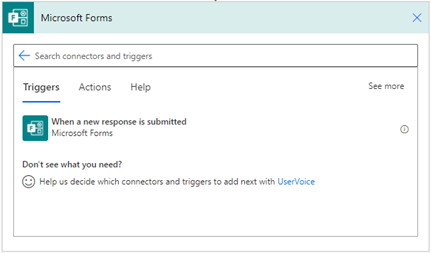
    Screenshot of the Microsoft Forms trigger in the Power Automate canvas.

    Step-2: Assuming form has been submitted with Name, designation, country to travel, travel start date and end date with email address. In this case we will use Get response details action to retrieve form's data. Most specifically what we need is country name and the requester email.
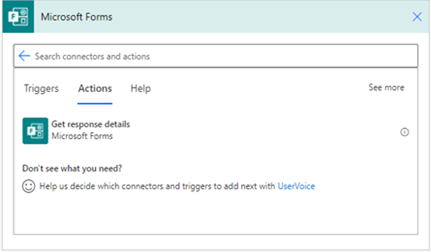
    Screenshot of the Microsoft Forms action in the Power Automate canvas.

    Step-3: I assume in SP/Dataverse, you have a mapping countries to admin group users, if not please do that mapping in any SP list. Once done, we can do a lookup  for country vs admin, for this we can leverage Get items (SharePoint) filtered by the country from the form, from there we can extract admin. Trick to consider -  if these mapped users are your approving manager - extract approver manager's email to send for approval. 

    Step-4: Compose approval recipients - Combine the admin group and approving manager emails into a single string (semi-colon separated) or array for approval. The screenshot below - is a sample of email addresses (in your case these will be retrieved from SP list or User group)
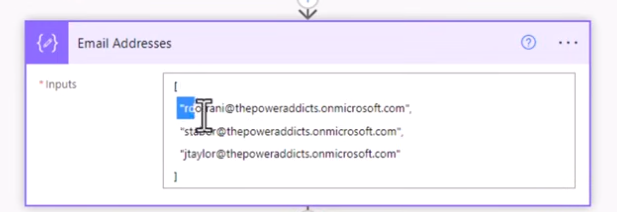
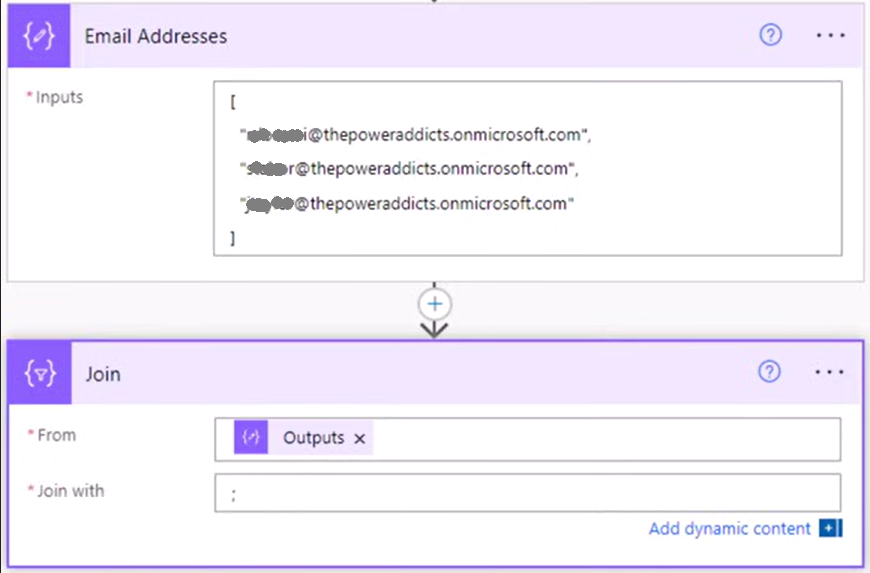
     

    Using join data operation to with semicolon(;). 

    Step-5: Let's  use "Start and wait for an approval" action and then pick up the composed recipients (semicolon separated) and set the Assigned to field dynamically.
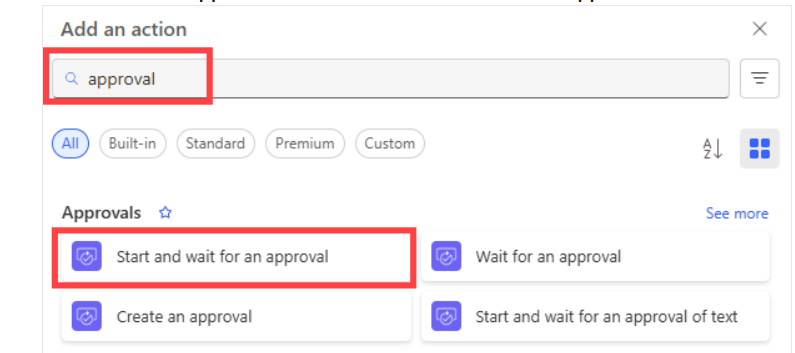
    Step-6: Additional check you can put is If approved, proceed with the workflow (e.g., update SharePoint list, send confirmation). If rejected, notify requester or take alternate action.


    I would suggest before starting a production grade WF, try this one for a play-around practice.

    One more is here.


    I am sure some clues I tried to give. If these clues help to resolve the issue brought you by here, please don't forget to check the box Does this answer your question? At the same time, I am pretty sure you have liked the response!
  • Verified answer
    David_MA Profile Picture
    14,956 Super User 2026 Season 1 on at
    There are multiple ways you can do this as you can see from the replies so far. It is just a matter of what works best for you. This is usually how I handle something like this:
    1. I create a list in the SharePoint site where the requests are submitted, which we call a DOA (Delegation of Authority) list.
    2. The list contains the approvers and other criteria.
    3. The list is added as a lookup, and when a request is submitted, the requester chooses the option appropriate for their request, so it goes to the correct set of approvers. In your case, it sounds like the requester would choose the country.
    4. When you add the list as a lookup, be sure to include the ID value as an option.
    5. When the flow runs, you use the get item action and pull the row with the approvers based on the ID of the country choice drop-down.
    6. Break inheritance on the list so that everyone has read access except the site owners. Then the process owners become responsible for updating the names when approvers change.
    This is one example from one of my processes and from something a bit more complicated than you are asking to do:
    '
    You said you are using Microsoft forms, so this will be a bit harder. You'll need to use a Get items action with a filter query on the country field. As long as you set the country field to be unique in the SharePoint list, and the Microsoft Forms form has the same options, it should return one row with the correct approvers. When you go to get the e-mail address of the approver from the people field, it will put the action into an apply to each, which should be fine if one row is returned. You can set a variable in the apply to each with the e-mail address and use the variable in the approval action or e-mails. If you only have on possible approver, be sure to set the to only allow one name. It gets even more complicated if the people field allow multiple names. However, it is entirely possible to make this work with multiple names as well if you need to send it to multiple people for a first to respond approval.
  • Verified answer
    Haque Profile Picture
    3,653 on at
    Hi @CU27022257-0,
     
    I was following up on this, is this issue resolved?
  • Assisted by AI
    CU27022257-0 Profile Picture
    12 on at
    Thanks for all your suggestions and feedback.. the country admin route was resolved and the approval systems was setup.. 
     
    some of the fields (eg date and time was not mapped properly from the ms form to the sharepoint) there was an error during the create item.. should the field of ms form be the same as the Sharepoint list? 
    number field in ms form and number field in sharepoint list?
     
     
    There was another requirement and that would be mapping the sharepoint list to a form “Microsoft form” at the end of each approval to mapped all the approvers name and also the items filled. And trigger at the end of the form to 
     
    how do I do this?

Under review

Thank you for your reply! To ensure a great experience for everyone, your content is awaiting approval by our Community Managers. Please check back later.

Helpful resources

Quick Links

Season of Sharing Community Challenge Launch!

Jump in, show your community spirit, and win prizes!

Kudos to our 2025 Community Spotlight Honorees

Expanding mentorship, skilling, and AI innovation

Congratulations to the May Top 10 Community Leaders!

These are the community rock stars!

Leaderboard > Power Automate

#1
Valantis Profile Picture

Valantis 377

#2
11manish Profile Picture

11manish 279

#3
David_MA Profile Picture

David_MA 234 Super User 2026 Season 1

Last 30 days Overall leaderboard
