web
You’re offline. This is a read only version of the page.
close
Skip to main content

Announcements

News and Announcements icon
Community site session details

Community site session details

Session Id :
Power Platform Community / Forums / Power Automate / Group Child Records by...
Power Automate
Suggested Answer

Group Child Records by Parent Name in Power Automate – How to Reduce Execution Time?

(0) ShareShare
ReportReport
Posted on by 16

I want to achieve the following:

  1. Group all child records (Table B) by their respective ParentName (from Table A).
  2. Display child records below their corresponding ParentName.
  3. Continue processing for the next parent name and its related child records.

Issue:

The current flow I have created takes a long time to complete when processing large data sets. This is impacting performance significantly.

Flow Details:

  • I am using [brief description of actions in the flow, e.g., "Filter array," "Apply to each," etc.].
  • The number of parent records in Table A is approximately [number].
  • The number of child records in Table B is approximately [number].

Screenshots:
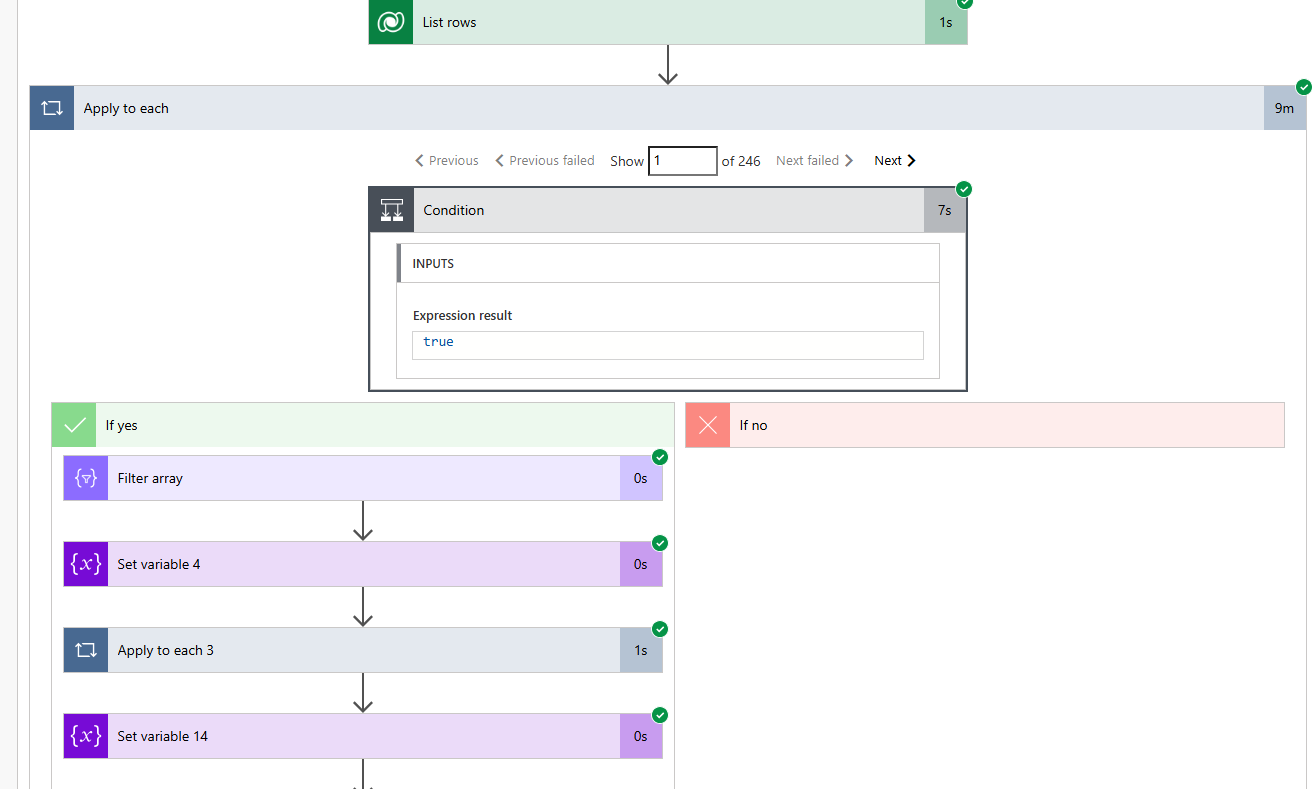
Question:

Can anyone suggest a better approach or optimization techniques to:

  1. Reduce the execution time of this grouping process?
  2. Make the flow more efficient for large datasets?

Any insights or alternative methods are highly appreciated! 😊

Thanks in advance!

Flow 2.png
Flow 1.png
fLOW 4.png
Categories:
I have the same question (0)
  • lbendlin Profile Picture
    8,701 Super User 2026 Season 1 on at
    What's the expected output of the flow? Is that something you can do directly in Dataverse?
  • Suggested answer
    Zdenka_Cech Profile Picture
    101 on at
    Hi there, 
    I suggest to use Select action for both parent and child tables. In select just add fields/columns you want to process. 
    From Parent Select output create an array of unique of 'Parent' values.
    Then you can loop in Do-Until action the parent unique values and use Filter action of the selected 'Child table' and continue with your actions on filtered child items.
    Maybe  you would like to create an objects and use select action with Coalesce as discussed here https://www.youtube.com/watch?v=R_bD8nAoJ8Y then you can continue on actions.
    Depending on what is the output you want to achieve.
     
    *Z
  • Gowtham_TheCute Profile Picture
    16 on at
    @lbendlin At the end I want to produce the html with my desired format then converting into pdf like rthis below

Under review

Thank you for your reply! To ensure a great experience for everyone, your content is awaiting approval by our Community Managers. Please check back later.

Helpful resources

Quick Links

Introducing the 2026 Season 1 community Super Users

Congratulations to our 2026 Super Users!

Kudos to our 2025 Community Spotlight Honorees

Congratulations to our 2025 community superstars!

Congratulations to the April Top 10 Community Leaders!

These are the community rock stars!

Leaderboard > Power Automate

#1
Vish WR Profile Picture

Vish WR 959

#2
Valantis Profile Picture

Valantis 872

#3
Haque Profile Picture

Haque 589

Last 30 days Overall leaderboard



