web
You’re offline. This is a read only version of the page.
close
Skip to main content

Announcements

News and Announcements icon
Community site session details

Community site session details

Session Id :
Power Platform Community / Forums / Power Automate / Dynamic Word Template ...
Power Automate
Unanswered

Dynamic Word Template Populating

(0) ShareShare
ReportReport
Posted on by 50
Hey,

I am trying to make a flow that gets triggered in a power app, and then with Information from the Power app it fills a word template and gives back a PDF of the filled template.
This is the flow:
Get File Info is a "Get files (properties only)", Temp word is a create a file in onedrive. There is also a delete file afterwards but I have removed it for now to see the docx it produces.

The Flow gets a Form Number and the inputs from the power app. It gets the corresponding form from the Document Library of a sharepoint site (FormNumber eq '@{triggerBody()?['text']}').

Since there will be mutliple forms in the future it has to be dynamic, The "Populate a word template" has the Sites' Documents and the file is: 
first(outputs('Get_File_Info')?['body/value'])?['{DriveItemId}']   It gets the correct file, that is not the problem.

To fill the Template the DynamicFileSchema is: 
json(triggerBody()?['text_1'])    text_1 is the inputs it gets from the power app.

The problem is that nothing gets filled in. The Control controls in the Word Document are Plain text, Checkboxes or Dates not the old ones. The checkboxes are necessary since there are still people that like to print out the forms so I can not remove the checkboxes. I have tried manually selecting the form and filling it in simply inside the flow and that works (except the date, that did not show up but that's not the biggest issue).


I have a button in the power app which does the following:
// 1. Put everything into a list
ClearCollect(
    InputList,
    ForAll(
        FormQuestions.AllItems As Row,
        If(
            Row.FieldType.Value = "Choice",
            // Specialcase: Choice/Checkbox
            {
                // Look for the part in the Mapping after the ":" for example Yes:CheckboxInWordYes;No:CheckboxInWordNo
                Key: LookUp(
                    Split(Row.Optionsmapping, ";"),
                    StartsWith(Value, Row.SelectChoice.Selected.Value & ":"),
                    Mid(Value, Len(Row.SelectChoice.Selected.Value) + 2)
                ),
                Value: "true"
            },
            // Normal Case: Date or Text
            {
                Key: Row.FieldName,
                Value: If(
                    Row.FieldType.Value = "Date",
                    Text(Row.SelectDate.SelectedDate, "yyyy-MM-dd"),
                    Row.InputText.Text
                )
            }
        )
    )
);
 
// 2. Make list a flat JSON : {"Field": "Value", "Feld2": "Value2"}
UpdateContext({
    FinalJson: "{" &
                Concat(InputList, Char(34) & Key & Char(34) & ":" & If(Value = "true" || Value = "false", Lower(Value), Char(34) & Value & Char(34)), ",") &
                "}"
});
 
// 3. Start Flow and save result (PDF)
UpdateContext({
    PreviewFile: "data:application/pdf;base64," & CreatePDFPreview.Run(SelectedForm, FinalJson).pdfcontent
})

All the questions are in a gallery, there is a seperate list with every question of every form. A column has the form so the items of the gallery is just every question that has the selected form as it's form. It also has it's type (text,date,choice) and If it's a choice it has it's options and what checkbox they are mapped to. Here is an example in the power app:
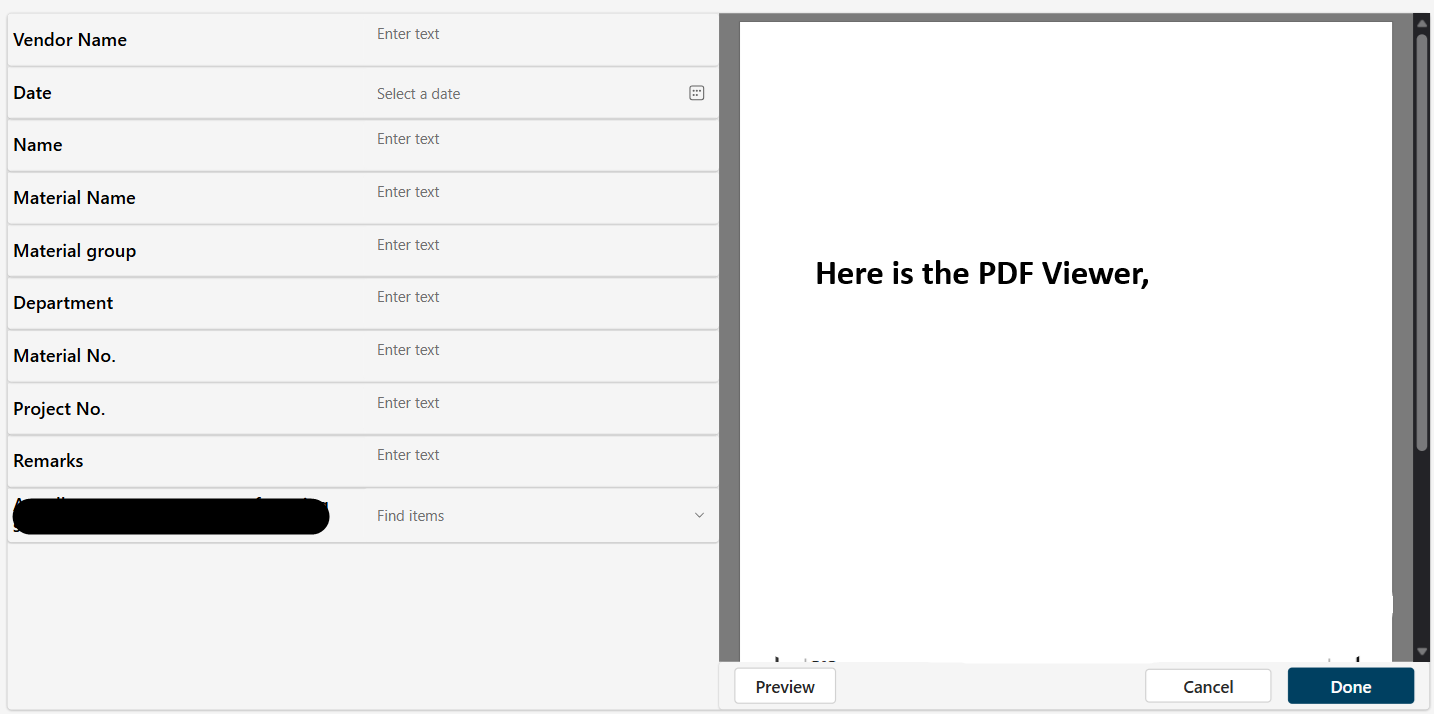
I simply cannot get it to fill the Template. If something is unclear, what is probably the case, please let me know. 🙏
Categories:
I have the same question (0)
  • David_MA Profile Picture
    14,956 Super User 2026 Season 1 on at
    How are you populating the Word template? I do not see the Populate a Word template action in the screen shot of your flow unless it is the one named Fill Form. If so, please share a screen shot of how it is configured.
     
    You are also correct that the Populate a Word template action only supports plain text control fields. If you need more advanced Word document creation, I would look into actions from Encodian, but they require a subscription and API key. Of you need a checkbox on the form, simply use <Windows>+<.> to open the emoji picker and insert a box. For example: ▢🔲⏹️.
  • DK-03030714-0 Profile Picture
    50 on at
    Hi @David_MA
    I actually did not know that Populate a word template option can not do checkboxes or dates. I decided to bite the bullet and do one "online version" of the template with a dropdown instead of the checkboxes. And I switched the Date content control to a text. In the Power app it is still a date selection but a text gets put into the flow.

    FIll Form is the Populate here it is:
    The file expression is: 
    first(outputs('Get_File_Info')?['body/value'])?['{DriveItemId}']
     
    text_1 is the json inputs with what is selected from the power app.

    With the changes I have also simplified that in the power app it now is this:
     
    // 1. Put everything into a list
    ClearCollect(
        InputList,
        ForAll(
            FormQuestions.AllItems As Row,
            {
                Key: Row.FieldName,
                Value:
                    If(
                        Row.FieldType.Value = "Choice",
                        Row.SelectChoice.Selected.Value,
                        Row.FieldType.Value = "Date",
                        Text(Row.SelectDate.SelectedDate, "yyyy/mm/dd"),
                        Row.InputText.Text
                    )
     
            }
        )
    );
     
    // 2. Make list a flat JSON : {"Field": "Value", "Feld2": "Value2"}
    UpdateContext({
        FinalJson: "{" &
                    Concat(InputList, Char(34) & Key & Char(34) & ":" &  Char(34) & Value & Char(34), ",") &
                    "}"
    });
     
    // 3. Start Flow and save result (PDF)
    UpdateContext({
        PreviewFile: "data:application/pdf;base64," & CreatePDFPreview.Run(SelectedForm, FinalJson).pdfcontent


    FinalJson is the text_1 that the flow gets.

    If something is still unclear please tell me
  • David_MA Profile Picture
    14,956 Super User 2026 Season 1 on at
    Based on your last post, it doesn't look to me like you are using the populate a Word template action to generate the Word file. You would not populate the template with any JSON code. If the method you are using is a valid method to create a Word document, it is not one I am familiar with and you'll need to wait for someone who is to reply.
     
    The Populate Word Template action would show all of the text fields in the Word template, and you would populate the values in the defined fields like this:
     
     
    It is usually a good practice to not rename the actions in a flow, but rather append the name instead. This way, when you post a question in the forums, or even when someone else needs to edit your flow, they easily know what action it is by the name. And like the process you show, once the template is populated I save it to Word and convert it to PDF before sending it via e-mail:

Under review

Thank you for your reply! To ensure a great experience for everyone, your content is awaiting approval by our Community Managers. Please check back later.

Helpful resources

Quick Links

Season of Sharing Community Challenge Launch!

Jump in, show your community spirit, and win prizes!

Kudos to our 2025 Community Spotlight Honorees

Expanding mentorship, skilling, and AI innovation

Congratulations to the May Top 10 Community Leaders!

These are the community rock stars!

Leaderboard > Power Automate

#1
Valantis Profile Picture

Valantis 377

#2
11manish Profile Picture

11manish 279

#3
David_MA Profile Picture

David_MA 234 Super User 2026 Season 1

Last 30 days Overall leaderboard
