In this article, let’s have a look at creating a Power Automate Flow for sending an email using the Email Template.
Let us consider a scenario: A company, Larence and Co. has an inquiry form on its website. On each submission, a new lead gets created in the CRM, and for each newly created lead, an email with a thank you message gets sent to the customer.
Step 1: Setup trigger for Power Automate
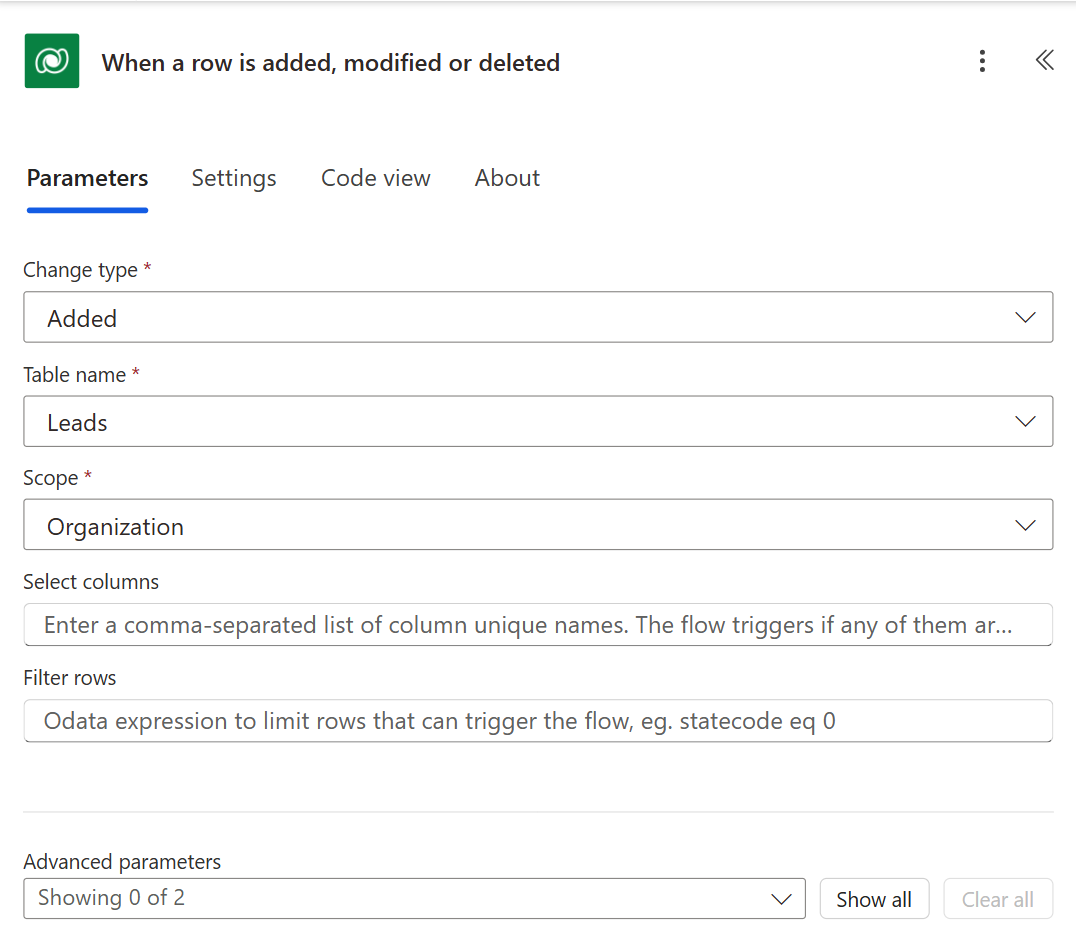
We will create a Power Automate Flow that will get triggered on the creation of the Leads record. For this, we will select the ‘When a record is created, updated, or deleted’ trigger and will select ‘Create’ as the trigger condition. If you want to learn more about scope, refer to this blog to know how to use Scope with Common Data Service in Microsoft Flow.
Step 2: Retrieve Email template
We will add the ‘List Records’ step to retrieve the Email Template by its name (Title). Let us suppose we are retrieving the below template...Read More





