In customer service operations, teams often struggle to get a clear understanding of case performance and SLA compliance in real time. Users usually need to open multiple records, review reports manually, and switch across screens just to identify which cases require immediate attention.
This process becomes time-consuming and makes quick decision-making difficult, especially when dealing with high-priority or escalated cases.
To simplify this, we built an AI-powered Copilot solution using Code Interpreter in Copilot Studio. The solution can analyze live case data, generate SLA dashboards, create visual insights, and even produce downloadable Excel reports directly from conversational queries.
Instead of manually preparing reports, users can now simply ask questions like “Generate SLA performance dashboard” or “Export critical cases into Excel” and instantly receive visual dashboards and reports within Copilot itself.
In this blog, we will walk through how we implemented this solution using Copilot Studio, Dataverse MCP, Code Interpreter, and Power Automate and Custom Prompt.
Step By Step Implementation of Agent :
Step 1: Prepare Sample Case and SLA Data in Dynamics 365
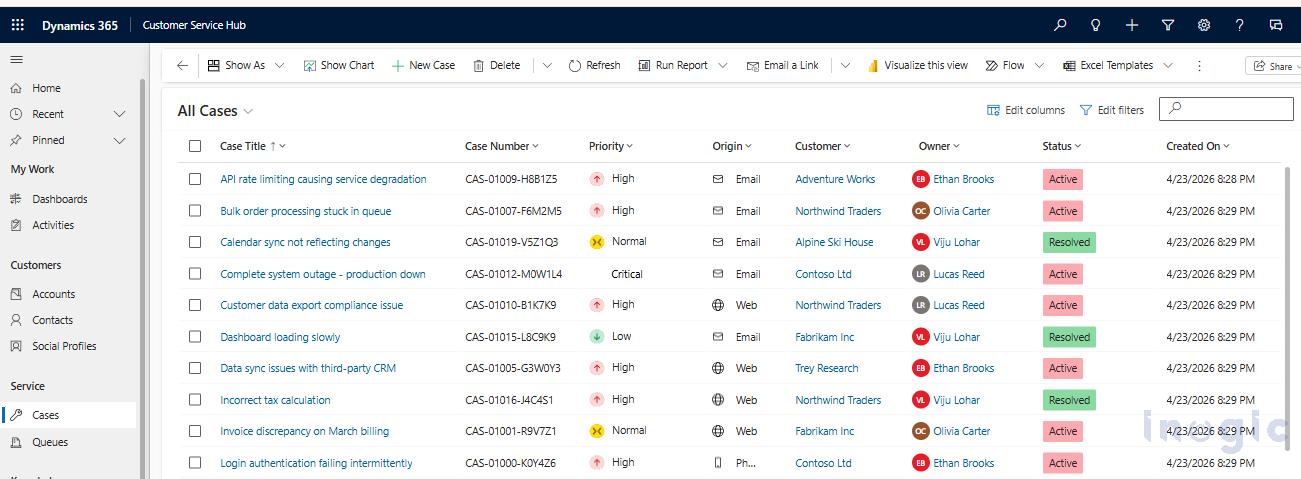
To demonstrate the complete SLA analytics scenario, we first prepared sample customer service case data inside Dynamics 365 Customer Service Hub. The data includes cases with different priorities such as Critical, High, Normal, and Low, along with various statuses like Active and Resolved.
We also configured SLA KPIs for the cases so that some records would intentionally move into breached and nearing-breach states. This helped us simulate a realistic customer service environment where managers need quick visibility into SLA performance and escalated cases.
Step 2: Create the Customer Service Bot and Configure Agent Instructions
After preparing the case and SLA data, we created a Customer Service Bot in Copilot Studio and configured detailed agent instructions. The agent was designed to understand customer service-related queries, retrieve real-time case data, identify SLA breaches, and provide operational insights dynamically.
Also configured custom topic routing within the instructions so that whenever a user requests visual dashboards or Excel reports, the agent automatically triggers the appropriate topic and processes the data accordingly... Read More


