While working with Power Pages across Development and UAT environments, one recurring risk becomes obvious, non-production portals can accidentally be switched to public access, exposing incomplete pages, test forms, and even sample data to external users.
To address this, Microsoft has introduced a tenant-level governance control that allows administrators to restrict whether non-production Power Pages sites can be made publicly accessible.
This feature acts as an additional security safeguard by ensuring that unfinished or testing websites are not unintentionally exposed to the internet. Below are the implementation details and how this governance setup works.
Use Case
Let us consider an example. For instance, you are creating a Power Pages website for a bank. The developer and his/her colleagues develop various modules of the website such as login pages, application forms for loans, and others. While developing, your colleague publishes the website by mistake. In this case, the website will be accessible to everyone who has the URL address. Everyone on the Internet will be able to visit the site just by using the link. In case this option is enabled, users will not be able to make the site public unless they have the required administrative permissions. This means even if someone tries to change the site visibility, it will be restricted and require proper admin approval. This adds an extra layer of security and helps prevent accidental exposure of the site
Note: When the feature is initially enabled, the policy set by default is ‘None’. Therefore, no site is visible externally.
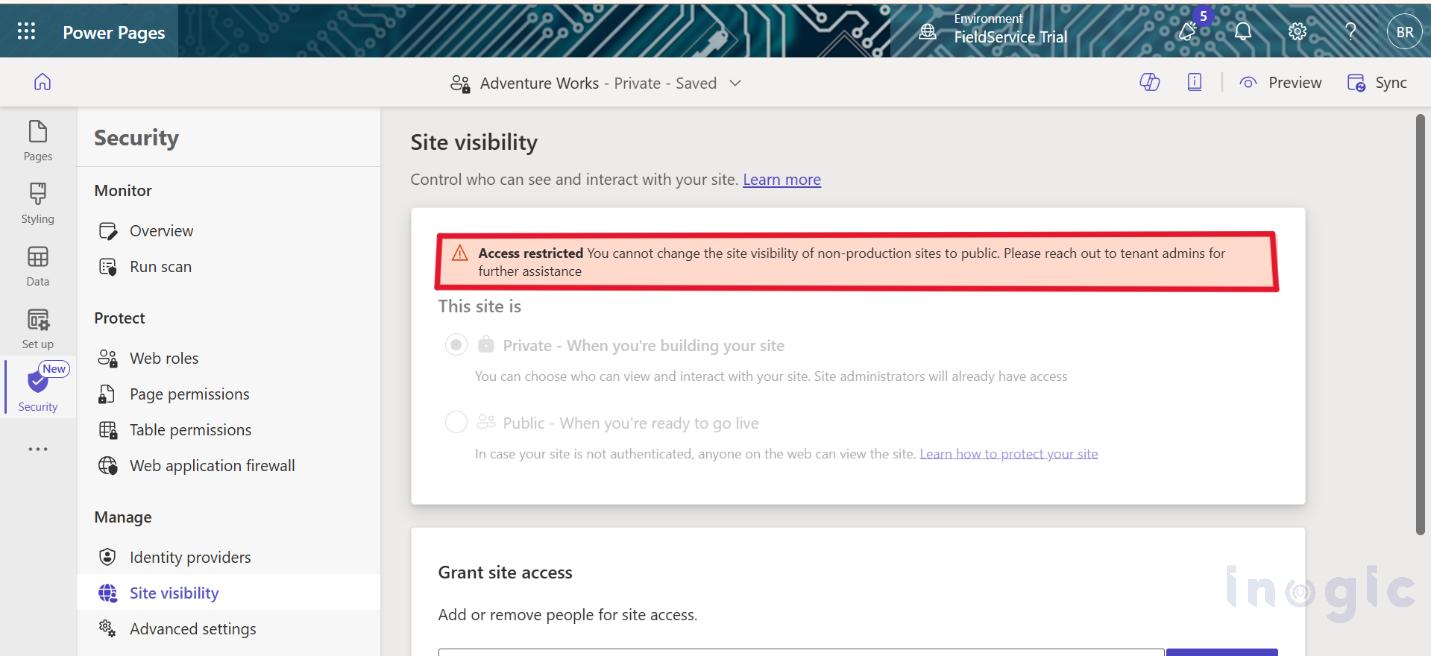
Step-by-Step Implementation
- Redirect and sign in to the Power Platform Admin Center.... Read More





