Problem Statement
Unable to open a Solution‑aware Canvas App in Edit Mode within Power Apps Studio.
While attempting to edit the application, the Studio initiates the loading sequence but subsequently displays the following error:
“Error opening file: There was an error opening the file.”
The issue occurs consistently across users and browsers.
App Name: 8DPS
App Type: Canvas App
App Location: Inside Solution
Power Apps Release (Latest Version)
Current Behavior
Application launches successfully in Run (Play) Mode.
Application consistently fails to open in Edit Mode.
Studio displays the file load failure message.
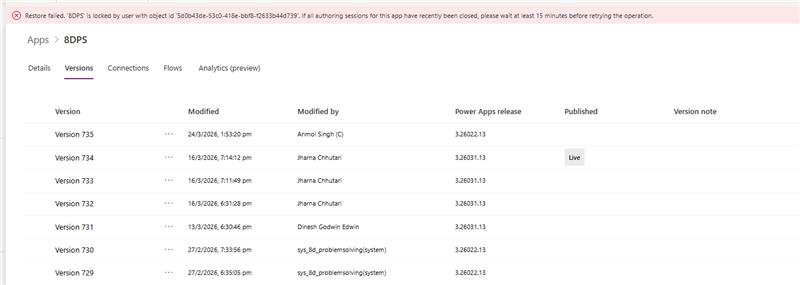
Maker Portal restore attempts initially failed due to active authoring lock on the app.
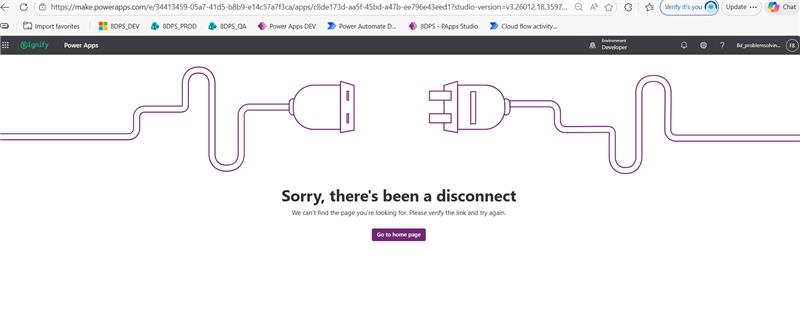
Studio runtime fallback attempts using explicit legacy authoring version also failed.
Troubleshooting Steps Performed
The following steps were attempted:
Portal‑Level Remediation
Verified that the app opens successfully in Run Mode.
Attempted to open the app across multiple browsers and systems.
Cleared browser cache and performed InPrivate session testing.
Restored previous published versions of the app.
Created a duplicate copy of the app using Save As.
Exported and imported the application package.
Attempted to remove and re‑add the app from the Solution.
Authoring Runtime Compatibility Attempt
Attempted to open the app in Edit Mode by explicitly forcing a lower Studio runtime via the URL parameter:
?studio-version=v3.25041.10.329841775
App continued to fail with identical load error.
Feature Configuration Check
App was identified to have Experimental Features enabled.
Unable to open the app in Studio to disable Experimental features due to edit‑mode load failure.
Restore Attempt
Restore to older published versions initially failed with error:
Restore failed. '8DPS' is locked by user with object id …
Indicates existence of an active backend authoring session lock.
Network Diagnostics
Developer Tools were used to capture network activity during Edit attempt:
No authorization (401), forbidden (403), or server errors encountered for:
Canvas App definition download
Authoring service calls
Solution layer resolution
App package appears to download successfully.
Only the following non‑blocking errors were observed:
Static UI resource fetch (PowerAppsWizards.json) returning 404
User profile photo fetch from Graph returning 404
Telemetry POST to Dataverse table msdfm_efforts returning 400
No failures were observed for calls retrieving the app definition or initializing the authoring session.
Given that:
The app is solution‑aware.
Experimental features were enabled.
App runtime is functional.
Restore and Save As did not resolve the issue.
Forced legacy Studio runtime fails.
Network calls succeed in retrieving the app definition.
This indicates a failure at the Client‑Side Authoring Deserialization Stage after successful download of the MSApp authoring package.


