web
You’re offline. This is a read only version of the page.
close
Skip to main content

Announcements

News and Announcements icon
Community site session details

Community site session details

Session Id :
Power Platform Community / Forums / Copilot Studio / Fundamentals of Autono...
Copilot Studio
Answered

Fundamentals of Autonomous Agents - New Employee Onboarding agent

(1) ShareShare
ReportReport
Posted on by 15
Hello, Im following Video 4 Power Automate Integration, but the instructions of the video do not exactly match the options that I have in Power Automate, like creating a Flow. So Im guessing Im selecting the correct Flows.
From the video under New Action there is an option New Power Automate flow.
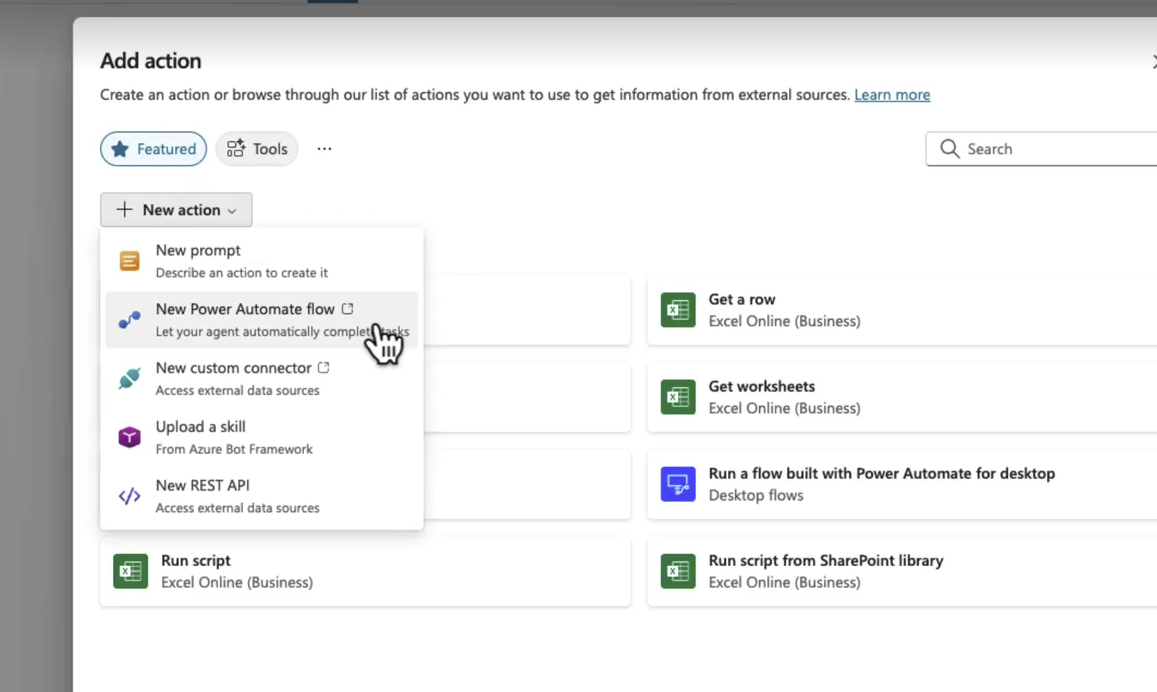
In Copilot Studio, if I search for Automate flow I find Create Flow
 
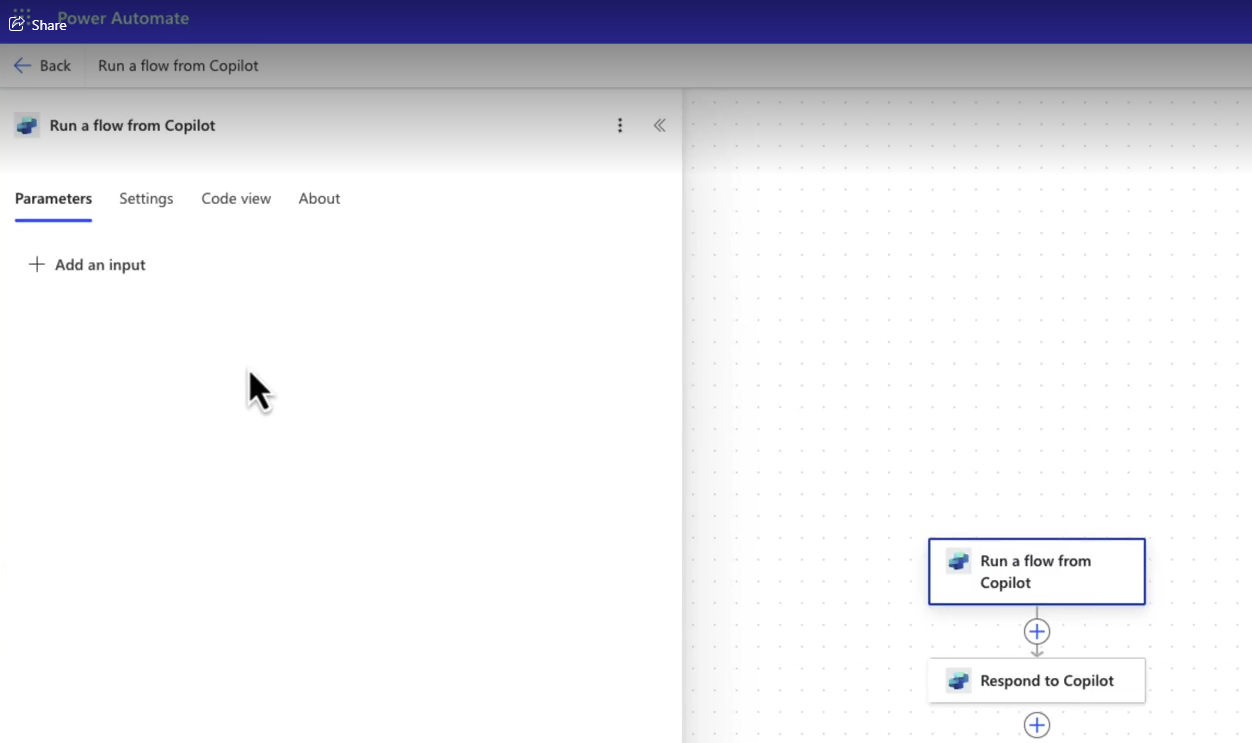
the confusion comes were in the video they talk about adding Inputs.
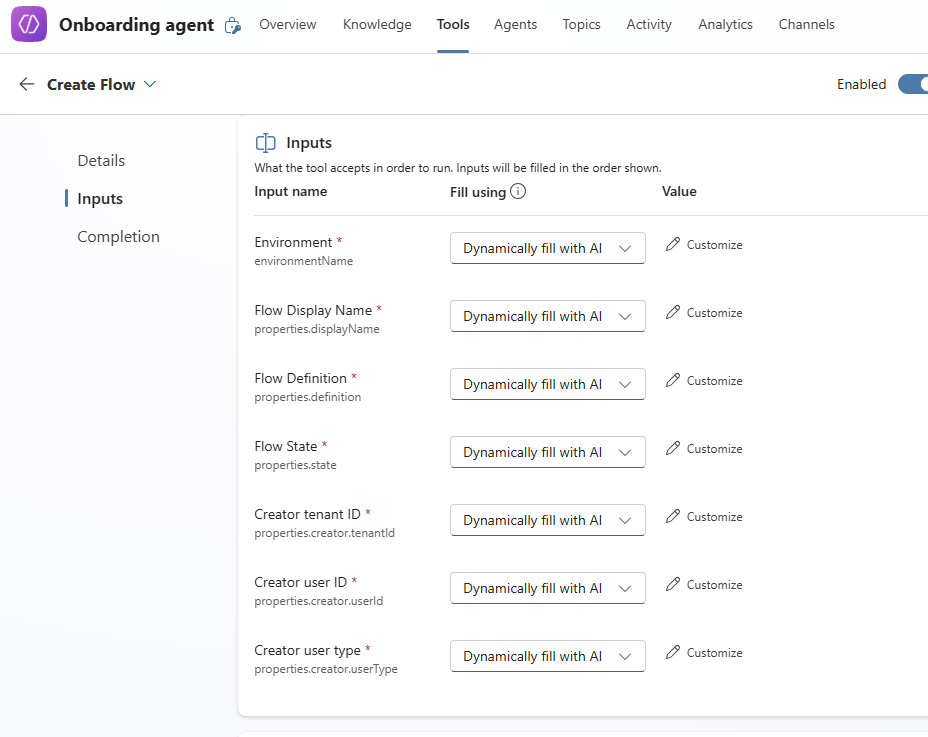
In Studio, inside the Create Flow tool, under Inputs, there are already predefined Inputs.
So my questions are:
1. Am I using the correct Tool/Action?
2. If yes, then what do I do with the predefined Inputs? Deleted/Edit/Keep and just add new ones?
3. If not, then where do I find the correct Flow?
 
It is a pity that the Training videos are not updated with the changes in the applications. Im spending so much time trying to figure out what to use where, especially when all this is very new to me.

Thank you for the help!
Categories:
I have the same question (1)
  • Verified answer
    AlterEgo Profile Picture
    15 on at
    I will answer my own question.
    What I did to get around this, was I went to Flows and I created the flow manually.
    I selected the trigger When an agent calls a flow, set it up as per the video
     
    Then in my Agent, Created a new Tool, selected the Flows .. and boom .. there was the Flow that I created
  • CU10091306-0 Profile Picture
    5 on at
    I had the same issue, I found the new version of this by doing the following:

    Navigate to Agent > Tools > + New Tool > Agent Flow

    This then gives you the pre-built flow, with the terminology Agent instead of Copilot.

Under review

Thank you for your reply! To ensure a great experience for everyone, your content is awaiting approval by our Community Managers. Please check back later.

Helpful resources

Quick Links

Introducing the 2026 Season 1 community Super Users

Congratulations to our 2026 Super Users!

Kudos to our 2025 Community Spotlight Honorees

Congratulations to our 2025 community superstars!

Congratulations to the March Top 10 Community Leaders!

These are the community rock stars!

Leaderboard > Copilot Studio

#1
Valantis Profile Picture

Valantis 599

#2
chiaraalina Profile Picture

chiaraalina 170 Super User 2026 Season 1

#3
deepakmehta13a Profile Picture

deepakmehta13a 118

Last 30 days Overall leaderboard



