web
You’re offline. This is a read only version of the page.
close
Skip to main content

Notifications

Announcements

Community site session details

Community site session details

Session Id :
Power Platform Community / Forums / Power Apps / Unintended Environment...
Power Apps
Answered

Unintended Environment creation

(0) ShareShare
ReportReport
Posted on by 96

Hello Power Platform Community,


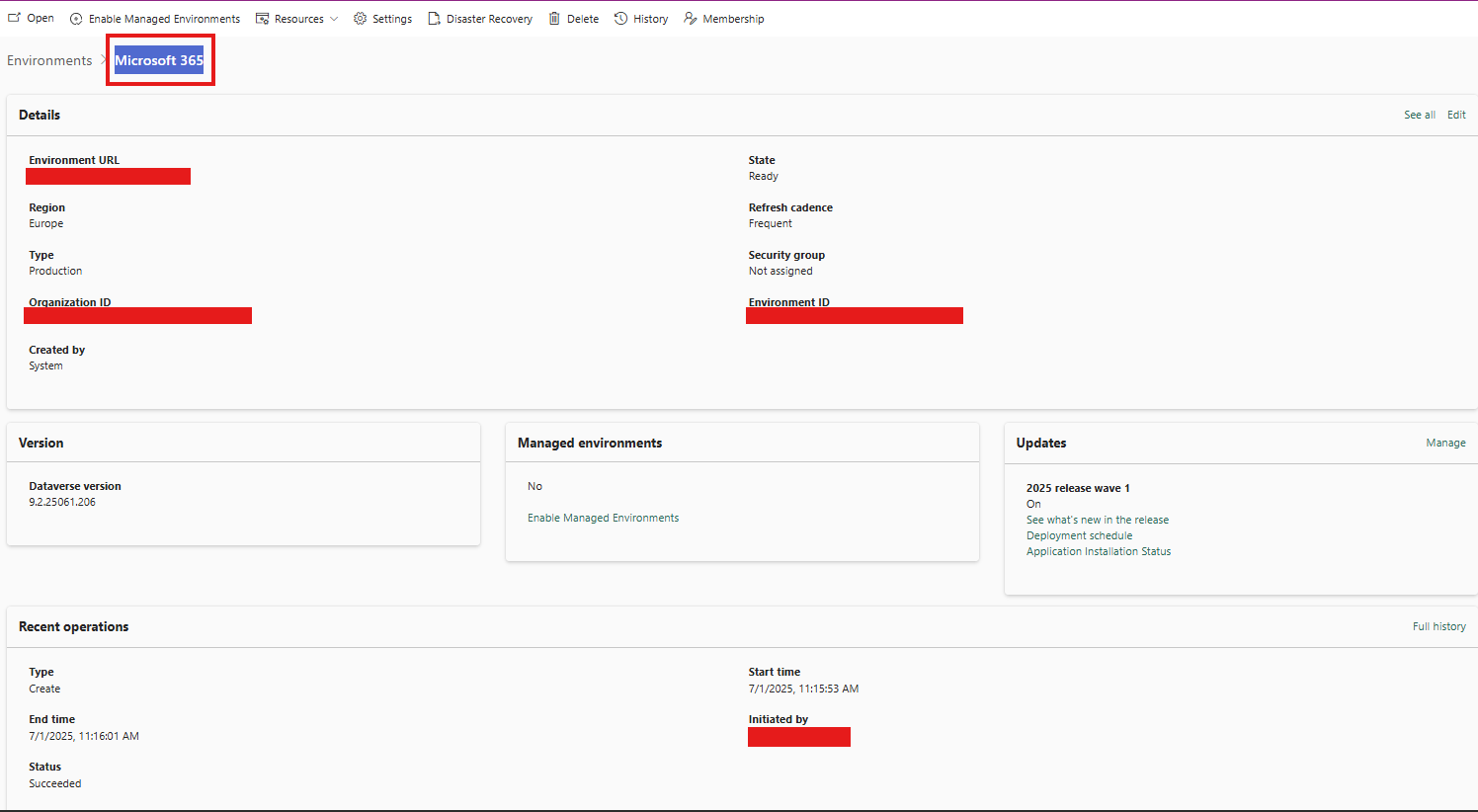
I’ve just discovered an environment called “Microsoft 365” that was automatically created last week. The Power Platform Admin Center shows it was provisioned by Mr. Lange—yet he doesn’t hold any Power Platform Admin or Environment Maker roles in our Azure AD. In our tenant settings, we’ve already restricted the creation of Production environments exclusively to members of our designated admin/security groups, so no one outside my core team should be able to spin up new instances.


Has anyone encountered a similar scenario? What might allow a non-admin user to trigger Default or Production environment provisioning, and how can we further lock this down?


Thanks in advance for your insights!


I have the same question (0)
  • Suggested answer
    Michael E. Gernaey Profile Picture
    53,433 Super User 2025 Season 2 on at
     
    There are only a few things
     
    1. They have permission, you just don't think so, whether they were added to a security group or role 
    2. They have provisioned a Teams Dataverse, not a regular dataverse
    3. There is some flow or other automation that created it, and that thing is running as Him
    4. Someone gave temp privs and then took them away
    5. Someone logged in as him and did it.
    6. It is some provisioned developer site and or some trial that isn't being blocked by your DLP / security privs as is.
     
    I do not see any others I can think of.
     
  • Dido Profile Picture
    2 on at
    Same production environment "Microsoft 365" at our tenant. Created by System
     
    Only 2 managed Solutions was added by system:
     
    msoaia_M365CopilotAutomationsAnchor
    msoaia_M365CopilotAutomations
     
     
  • Verified answer
    MiDer Profile Picture
    139 on at
    Could chime in here as well.

    Same environment displayName with , created by System and the account initiated that activity does not have any Azure AD administrative role assigned.
    Has happened now again, after we actively have deleted the environment - only difference is the account which is shown within the recent operations as 'initiated by'

    Neither any Canvas App or Cloud Flow is created within.
    System Administrator needs to be added to the environment manually by a Service Administrator to gain access, means not even the expected Azure AD administrative roles, which are usually added by default and granted direct environment permission roles are present.

    My assumption is that this activity is related to Copilot Studio, but have not managed yet to get any further details.

    <edit 7th of July>
    @Aikuido2, @Dido
    I am unsure if you are still chasing this topic, but my initial assumption seems to have been right.
    This environment is provisioned by default to host runtime for scheduled prompts.
    see: https://learn.microsoft.com/en-us/copilot/microsoft-365/scheduled-prompts-environment
    </edit>


    Reason for my assumption:

    Upon checking the org teams I could see three access teams and one owner team.
    All of those access teams relate to 'Internal Microsoft Copilot Studio Chatbotuser team for component collection {some GUID}
    The owner team shows the following description: 'Internal power virtual agents Chatbotmanager team for botId {some GUID}'

Under review

Thank you for your reply! To ensure a great experience for everyone, your content is awaiting approval by our Community Managers. Please check back later.

Helpful resources

Quick Links

Forum hierarchy changes are complete!

In our never-ending quest to improve we are simplifying the forum hierarchy…

Ajay Kumar Gannamaneni – Community Spotlight

We are honored to recognize Ajay Kumar Gannamaneni as our Community Spotlight for December…

Leaderboard > Power Apps

#1
WarrenBelz Profile Picture

WarrenBelz 739 Most Valuable Professional

#2
Michael E. Gernaey Profile Picture

Michael E. Gernaey 343 Super User 2025 Season 2

#3
Power Platform 1919 Profile Picture

Power Platform 1919 268

Last 30 days Overall leaderboard



