




 Share
Share Report
Background:
I monitor the training progression of employees and report back to my leadership team. This team is dispersed across Australia so central monitoring is required.
I currently do this via State Competency Trackers (SCT) which we link to our National Competency Tracker (NCT). This is currently done painfully using nested xlookup formulas. For each person, it is looking up 20 pieces of information from a file. Whenever we have new trainees, a new SCT is created, and the data now needs to feed into the NCT.
So Far:
I have used a "When a file is created or modified in a folder (deprecated)" trigger to find a file in a folder that is modified. I have successfully listed the rows present in the table (LinkNCT pictured below). In fact, I have gotten all the way to where the file is updating the NCT and then I encounter this:


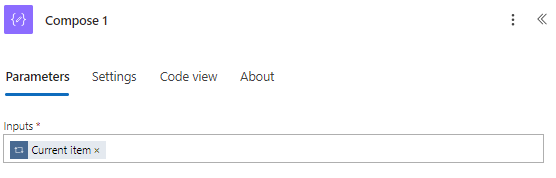 Output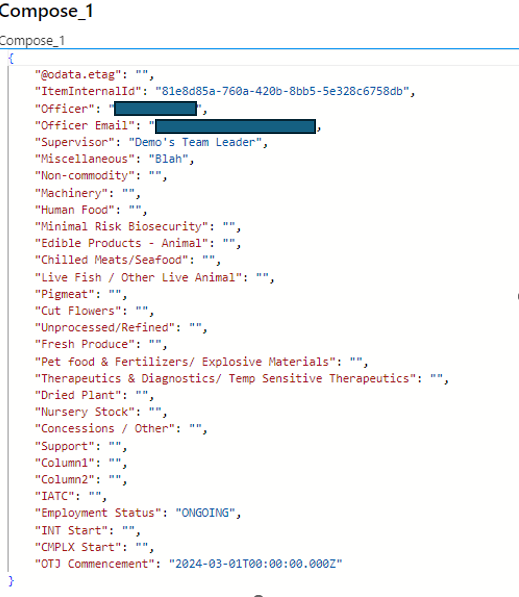
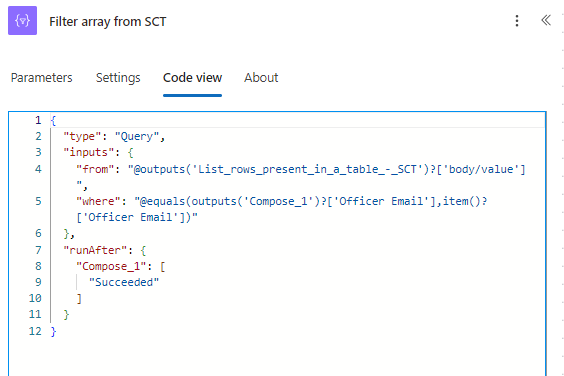 Output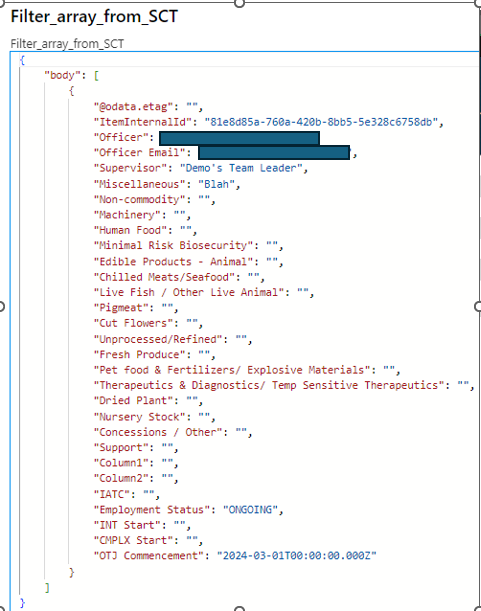
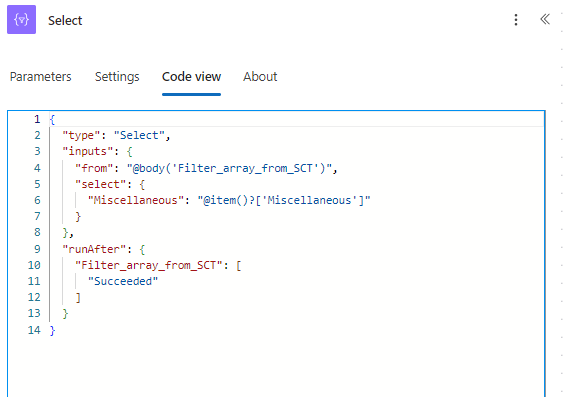 output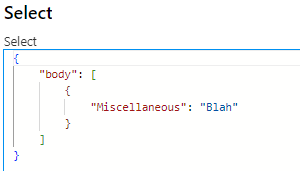

 Output

| {"Miscellaneous":"45629"} |
It has taken the header name and the value and given me both instead of just the Value. This is all the stuff I already have there that I have been trying to get the info I need. I will need to get information for the last 25 columns listed in the Compose 1 output. All are dates except for employment status.
Where am I going wrong?
Screenshot of where I am getting the data: (date format dd/mm/yyyy) (I put in "Blah" in case it was a date error, but it isn't)
Flow so far
Condition
True
Categories:
I have the same question (0)
 All responses (
 Answers (





 262
262


