




 1,297
1,297 Like
Like Share
Share
 Report
If you have been building agents in Microsoft Copilot Studio, you already know that building is only half the battle. The other half, and arguably the more important half, is making sure your agent actually works the way you expect it to before it reaches real users. That is where the Evaluation feature in Copilot Studio comes in. It lets you run structured tests against your agent to verify its behavior. But the moment you open the Evaluation tab and click “New evaluation,” you are presented with a choice under Data type: Single Response or Conversation (preview).
In this post, we will see different types of data type and when you should use each one, and also, we will walk through a real scenario where we will discover that picking the wrong data type can give you a passing result on a workflow that is completely broken.
Most agents handle two very different kinds of interactions. Sometimes a user just asks a quick question like “How many paid holidays do we get?” – the agent looks it up, responds, and that is it. Other times, a user says “I need to take some time off,” and the agent has to guide them step by step, collecting information along the way. These two types of interactions need fundamentally different testing approaches, and that is exactly why Copilot Studio gives you two data types.
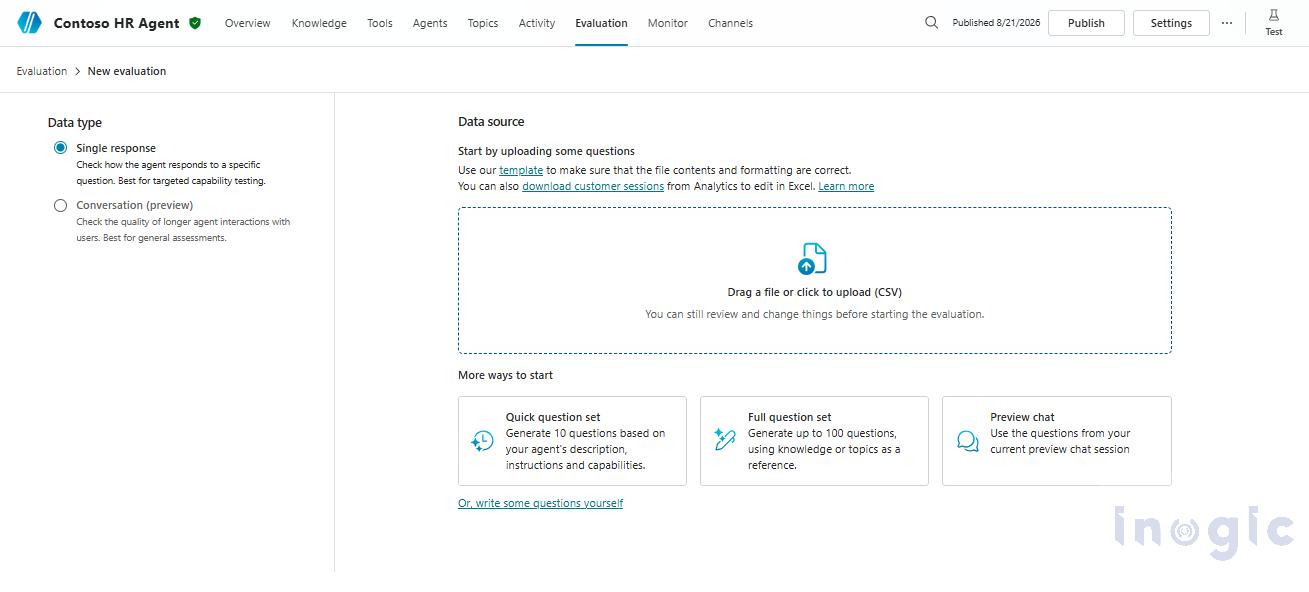
Single Response evaluation is like a pop quiz. You hand the agent a question, it gives you an answer, and then it completely forgets everything that just happened. The next question starts with a totally blank slate. This is perfect for testing Knowledge base retrieval, things like policy questions, FAQs, or factual lookups where each question stands on its own. You can include up to 100 test cases in a single evaluation run.
Conversation (preview) evaluation is like a job interview. The agent is tested over a continuous, multi-turn interaction where every response depends on what was said before. The agent must hold context, remember earlier inputs, and follow a logical flow from start to finish. This is essential for testing multi-step workflows where the agent collects information over several turns. You can include up to 50 conversations, with a maximum of 8 question-and-answer pairs per conversation.
| Feature | Single Response | Conversation (Preview) |
| Memory between questions | No, each question is isolated | Yes, full context is maintained |
| Best for testing | Knowledge base Q&A, factual accuracy | Multi-step workflows |
| Max test cases | 100 | 50 conversations (8 turns each) |
Now, let us see how this plays out with a real agent.
We built a simple HR assistant in Copilot Studio called Contoso HR Agent. We uploaded an Employee Handbook as a Knowledge source covering company policies like the 401(k) match, paid holidays, and pet policy. We also created a leave request workflow where the agent dynamically collects the leave type, start date, and end date from the user through natural conversation.
Now the real question: how do we properly evaluate this on a scale... Read More
*This post is locked for comments