




 1,297
1,297 Like
Like Share
Share
 Report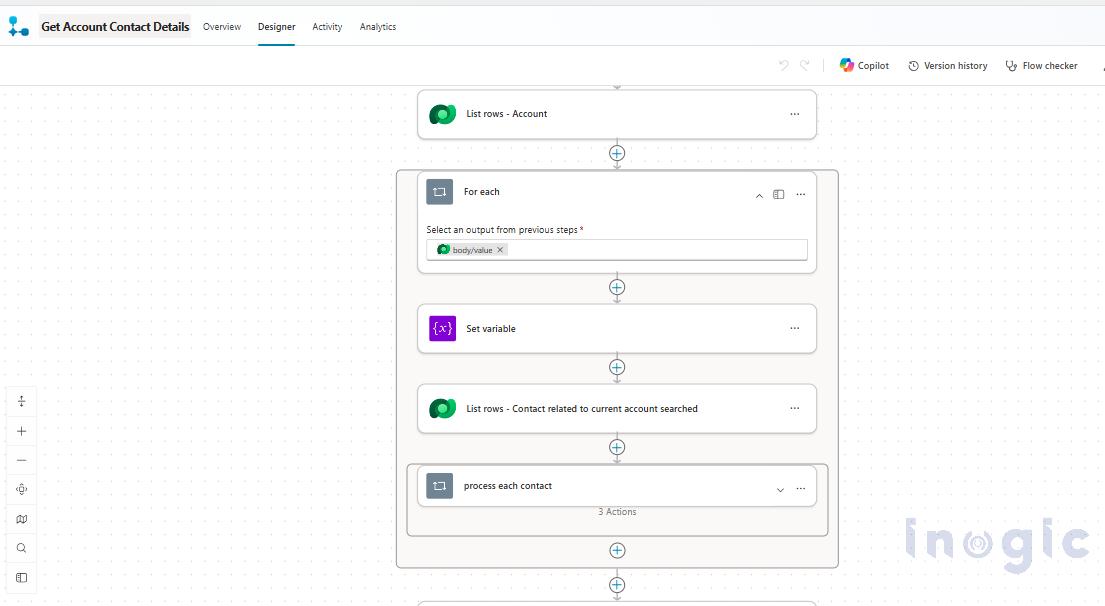
To demonstrate Express Mode, we first created a simple Copilot Studio agent and an Agent Flow named Get Account Contact Details. The flow accepts an Account name as input and uses Microsoft Dataverse to retrieve the corresponding Account and its related Contacts. It then processes the Contacts to determine the total count and collect their email addresses before returning the information to the agent.
Once the Agent Flow is completed, Express Mode (Preview) can be enabled in two ways.
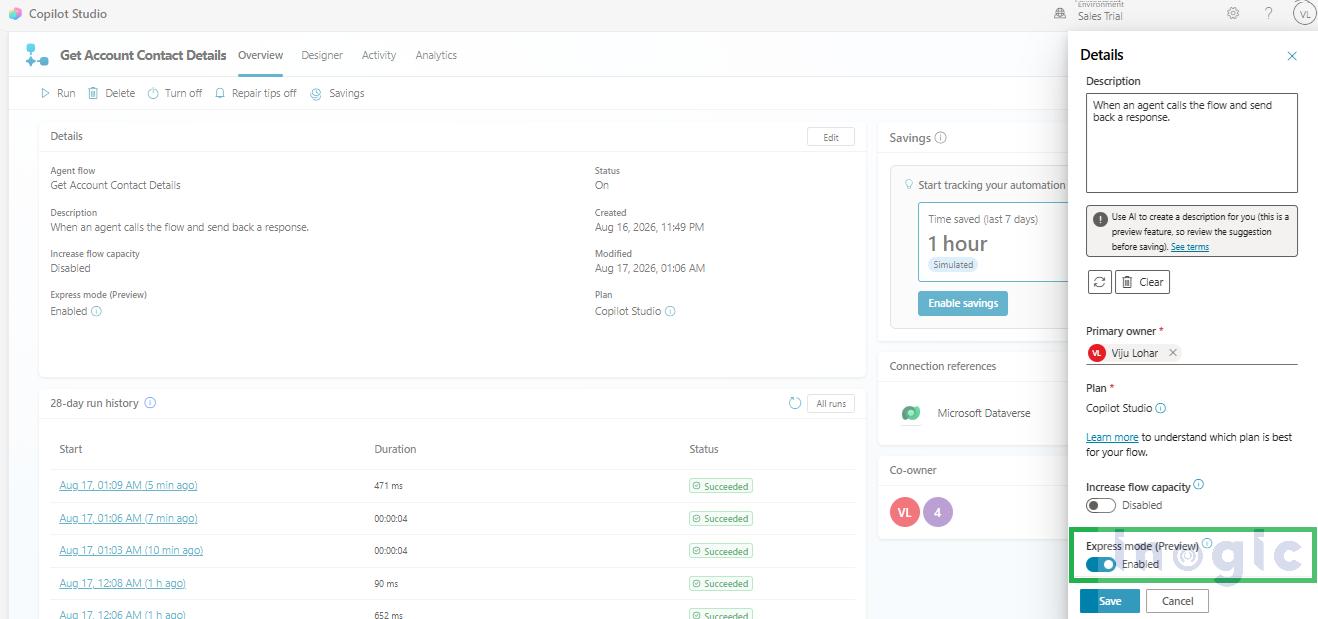
Method 1: Enable Express Mode from the Flow Overview
Open the Agent Flow and navigate to Overview. Click Edit, enable the Express Mode (Preview) toggle, and save the changes.
Method 2: Enable Express Mode from the Flow Trigger
Open the Agent Flow and select the When an agent calls the flow trigger. The Express Mode (Preview) toggle is available directly within the trigger configuration. Enable the toggle and save the flow... Read More
*This post is locked for comments