So, this is a bit of a weird one.
I have this system I built a system for tracking our employees expiring certifications. - Works Great
To do so, it creates a Root Folder (Employee Name L, F) > then 17 sub-folders for each cert/item
This is all great, the issue I am running into is that when I built the document library I changed the
Title column to say
Name (because the folder has the employee's name).
However, I think I already had another column hidden in the library with that same name.
So now, this weird thing has occurred where it set the
Name column as if it were the
title column (where I can't delete it or change any properties).
But when I go into the list settings, the
Name column simply
doesn't exist. Instead, there is a
Title Column.
The weird issue is that I can
UNHIDE the TITLE COLUMN. IT still exists by itself, AND it gives me the option to try and delete it, but whenever I try to, it says that it's not allowed because its a necessary column.
None of this would be an issue, except that the Power Automate Flows that manage the MetaData (the file properties of all the documents/folders)
ALSO cannot see the NAME COLUMN.
Instead, they see the TITLE COLUMN, which is technically the Title column, but actually isn't. This issue is further exacerbated by the fact that the
Name Column has the
Item Link as the Title Column Should.


Part of the issue being, when I try to reconcile the two columns by re-titling One to the other, it says that the name is already taken.
I'm at a loss for what to do here.
This wouldn't be an issue if I didn't need to update the
File Name using an automated flow. But because these two columns are swapped and mixed, the flow doesn't even recognize that the
Name column exists, it only sees the
Title column.
So if an employee's name was entered incorrectly the first time, the system flow can't update their file to correct their name.
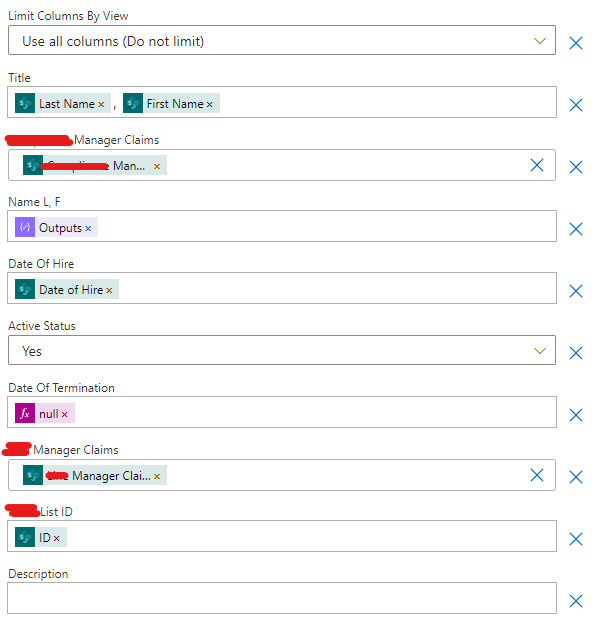
How can I reconcile these two columns without breaking all of the Power Automate system flows I've built? At this point, I don't even know how to unify the columns so that the
Title Column is ACUTALLY the Name Column.
Alternatively, is there another action in power automate that I should be using to update the Name of a document within the library?






