web
You’re offline. This is a read only version of the page.
close
Skip to main content
Community site session details

Community site session details

Session Id :
Power Automate - Building Flows
Unanswered

copy Comments from MS list Pane view to another MS list

(0) ShareShare
ReportReport
Posted on by 4
Hello,

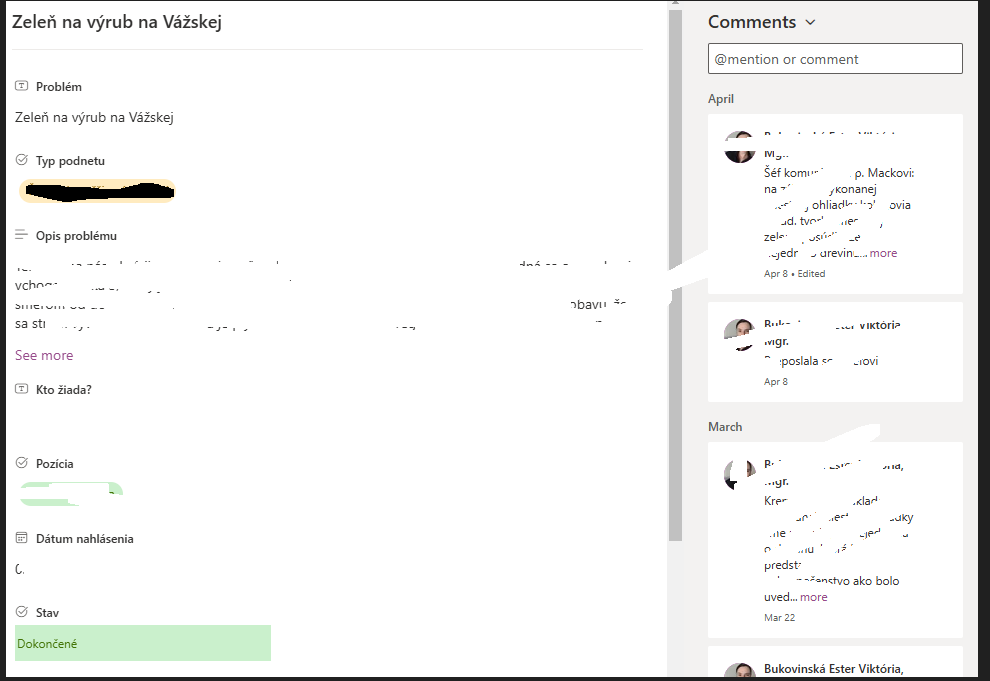
I got a flow for copying items from one list to another, but i cant figure out or find on WEB how to handle comment section, i would like to copy comments from Panel view as on screenshot to second MS list, but i cant find anything like "Comments" in "Get items" function and not even any column like "Comments" in "Create item" function.  It seems to be logical have this field same as for any other MS list predefined columns... like attachments, created by, modification time, etc.... 

Could you please help me with these? I have not find any solution for this and seems like basic function of copying one predefined column to other list. 
 
Thanks for any reply,

Ivan
I have the same question (0)
  • Expiscornovus Profile Picture
    32,859 Most Valuable Professional on at
    copy Comments from MS list Pane view to another MS list
    You can retrieve the comments by using the SharePoint REST API. The format of such a request would be:
    _api/web/lists/getbytitle('LISTNAME')/items('ITEMID')/Comments
     
    My suggestion would be to have a look at Damien Bird his blog who shared a lot of details about this method (both reading and creating these comments):
  • ChristianAbata Profile Picture
    8,949 Most Valuable Professional on at
    copy Comments from MS list Pane view to another MS list
    Hi, it's really well explained.
     

Under review

Thank you for your reply! To ensure a great experience for everyone, your content is awaiting approval by our Community Managers. Please check back later.

Helpful resources

Quick Links

Responsible AI policies

As AI tools become more common, we’re introducing a Responsible AI Use…

Chiara Carbone – Community Spotlight

We are honored to recognize Chiara Carbone as our Community Spotlight for November…

Leaderboard > Power Automate

#1
Michael E. Gernaey Profile Picture

Michael E. Gernaey 650 Super User 2025 Season 2

#2
Tomac Profile Picture

Tomac 341 Moderator

#3
developerAJ Profile Picture

developerAJ 256

Last 30 days Overall leaderboard



