I'm really new to Power Automate flows so appreciate any guidance you have.
I have a Power Automate flow that identifies duplicates in a Microsoft List. The process is:
- Person fills in Microsoft form
- Flow moves information from form to Microsoft list - the Title field being blank (employee ID)
- Administrator adds the employee ID (in the Title field) which is a number format
- Flow identifies any duplicates employee IDs (in the Title field) by identifying them in a column called 'Is Duplicate' - defaults to No but if it is a duplicate the flow returns the word 'Duplicate'
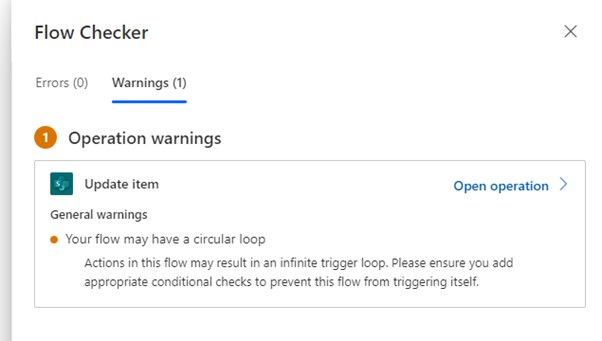
The flow works - see below/attached - but it has a warning ' actions in this flow may result in an infinite trigger loop. Please ensure you add appropriate conditional checks to prevent this flow from triggering itself'
How can I fix that?
I tried adding it to a schedule to run once a day but the flow got stuck/kept running at the 'sharepoint when an item is created or modified' point.
This is the FLOW:
- (sharepoint) when an item is created or modified (added site address and list name)
- (sharepoint) get items (added site address and list name), in the Filter Query I added
Title eq '(Title)'
- (condition) length(outputs('Get_items')?['body/value']) is greater than 1
- (if yes) (sharepoint) update item (added site address and list name) with ID and (is duplicate value = Duplicate)







 Share
Share Report
 All responses (
 Answers (
 14,605






