




 Share
Share Report
 48
48Hello, I'm hoping someone might be able to provide me with some guidance or pointers on where I've gone wrong with a flow I've set up that should send the data from a MS Form to a MS List.
For background, I'd originally created a solution that comprised of a number of forms and a number of associated lists that use PowerAutomate to send the data from the forms to the lists. These have been working fine for a couple of years now, but recently I've been asked to make some changes to the forms. Because the forms were actively being used, I thought the best thing to do was to create new forms to avoid any downtime. The same lists are being used, but it's meant having to set up new flows to accommodate the new forms.
I seem to be having difficulties with the new flows whereby some of the data from the forms is not being sent to the associated list. When I’ve been carrying out tests, the flow status is showing as Succeeded, however, I’m getting a number appearing in some of the fields in the list that doesn’t correspond to the data I’ve submitted on the forms.
The issue seems to relate to when I’ve created the new flows, whereby I’m struggling to map some of the fields on the forms into the fields in the list. The majority are fine, and I can find them, but there’s a certain few that don’t seem to appear when in the flow builder. For example, for fields that appear as expected I get the below pop up, which allows me to type the name of the field on the form to then map it to its corresponding field on the associated list.
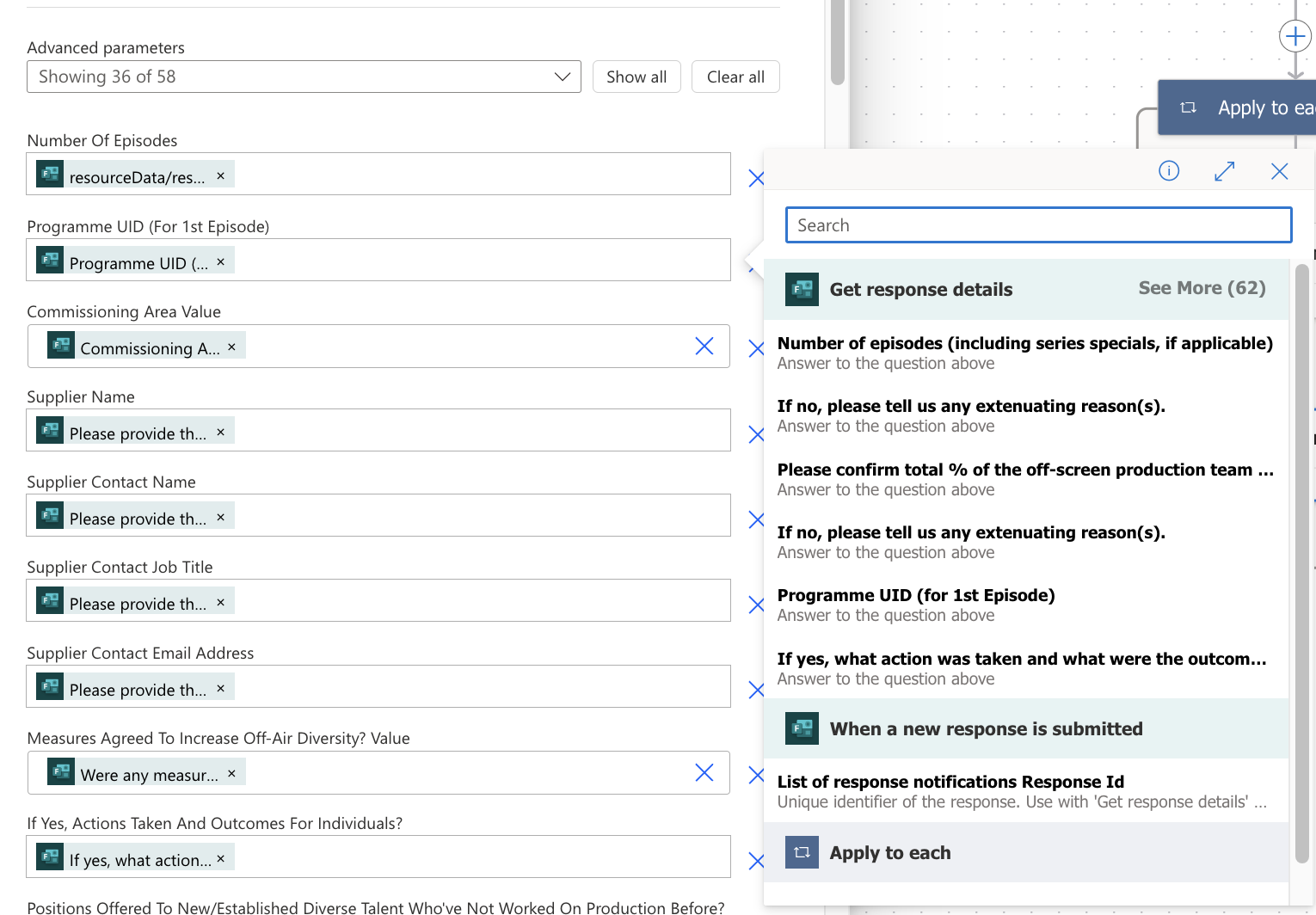
However, for the fields where it’s not working as expected after carrying out a test, I’m just getting the following and it doesn’t allow me to type the name of the field on the form:
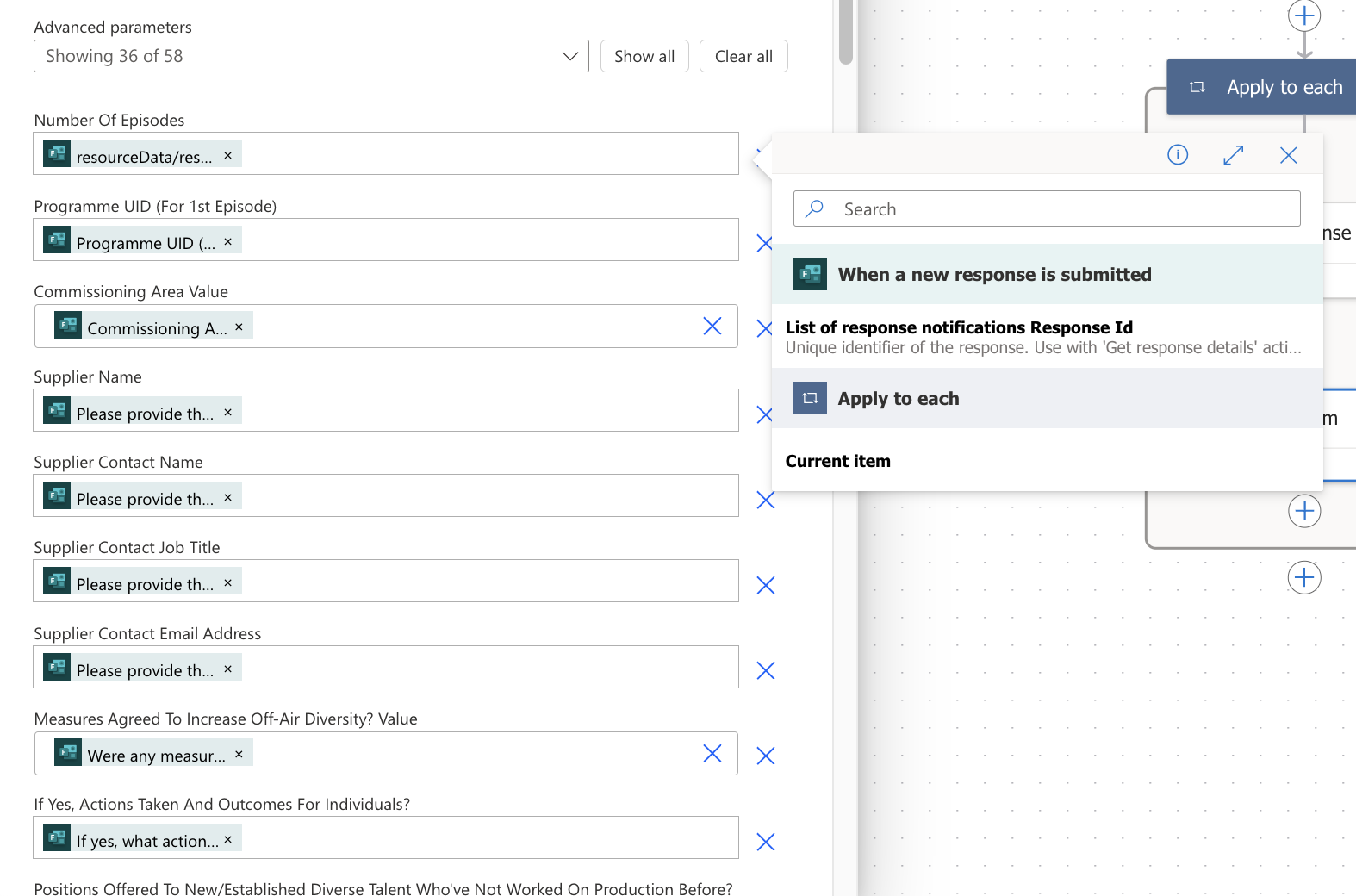
When I select List of response notifications Response Id and then carry out a test, the data that appears doesn’t tally with what’s been submitted on the form. For example:
Form Question 27.If no, please tell us any extenuating reason(s).
Answer should be “ABC” but is producing “8”
Form Question 29.What % of the total production team individuals completed an equal opportunities form?
Answer should be “100” but is producing “8”
The issue seems to relate to when I’ve created the new flows, whereby I’m struggling to map some of the fields on the forms into the fields in the list. The majority are fine, and I can find them, but there’s a certain few that don’t seem to appear when in the flow builder. For example, for fields that appear as expected I get the below pop up, which allows me to type the name of the field on the form to then map it to its corresponding field on the associated list.
However, for the fields where it’s not working as expected after carrying out a test, I’m just getting the following and it doesn’t allow me to type the name of the field on the form:
When I select List of response notifications Response Id and then carry out a test, the data that appears doesn’t tally with what’s been submitted on the form. For example:
Form Question 27.If no, please tell us any extenuating reason(s).
Answer should be “ABC” but is producing “8”
Form Question 29.What % of the total production team individuals completed an equal opportunities form?
Answer should be “100” but is producing “8”
Any ideas on where I could be going wrong?
Categories:
I have the same question (0)
 All responses (
 Answers (







