You can use the create a new page method in the Graph API for this. In this case you want to use the promotionKind newsPost.
{
  "@odata.type": "#microsoft.graph.sitePage",
  "name": "testingnewspost@{variables('Rand')}.aspx",
  "title": "testing news post @{variables('Rand')}",
  "pageLayout": "article",
  "promotionKind": "newsPost",
  "showComments": true,
  "showRecommendedPages": false,
  "titleArea": {
    "enableGradientEffect": true,
    "imageWebUrl": "https://cdn.hubblecontent.osi.office.net/m365content/publish/005292d6-9dcc-4fc5-b50b-b2d0383a411b/image.jpg",
    "layout": "colorBlock",
    "showAuthor": true,
    "showPublishedDate": false,
    "showTextBlockAboveTitle": false,
    "textAboveTitle": "TEXT ABOVE TITLE",
    "textAlignment": "left",
    "imageSourceType": 2,
    "title": "sample1"
  },
  "canvasLayout": {
    "horizontalSections": [
      {
        "layout": "oneThirdRightColumn",
        "id": "1",
        "emphasis": "none",
        "columns": [
          {
            "id": "1",
            "width": 8,
            "webparts": [
              {
                "id": "6f9230af-2a98-4952-b205-9ede4f9ef548",
                "innerHtml": "<p><b>@{outputs('Get_message_details')?['body/body/plainTextContent']}</b></p>"
              }
            ]
          },
          {
            "id": "2",
            "width": 4,
            "webparts": [
              {
                "id": "73d07dde-3474-4545-badb-f28ba239e0e1",
                "webPartType": "d1d91016-032f-456d-98a4-721247c305e8",
                "data": {
                  "dataVersion": "1.9",
                  "description": "Show an image on your page",
                  "title": "Image",
                  "properties": {
                    "imageSourceType": 2,
                    "altText": "",
                    "overlayText": "",
                    "siteid": "0264cabe-6b92-450a-b162-b0c3d54fe5e8",
                    "webid": "f3989670-cd37-4514-8ccb-0f7c2cbe5314",
                    "listid": "bdb41041-eb06-474e-ac29-87093386bb14",
                    "uniqueid": "d9f94b40-78ba-48d0-a39f-3cb23c2fe7eb",
                    "imgWidth": 4288,
                    "imgHeight": 2848,
                    "fixAspectRatio": false,
                    "captionText": "",
                    "alignment": "Center"
                  },
                  "serverProcessedContent": {
                    "imageSources": [
                      {
                        "key": "imageSource",
                        "value": "/_LAYOUTS/IMAGES/VISUALTEMPLATEIMAGE1.JPG"
                      }
                    ],
                    "customMetadata": [
                      {
                        "key": "imageSource",
                        "value": {
                          "siteid": "0264cabe-6b92-450a-b162-b0c3d54fe5e8",
                          "webid": "f3989670-cd37-4514-8ccb-0f7c2cbe5314",
                          "listid": "bdb41041-eb06-474e-ac29-87093386bb14",
                          "uniqueid": "d9f94b40-78ba-48d0-a39f-3cb23c2fe7eb",
                          "width": "4288",
                          "height": "2848"
                        }
                      }
                    ]
                  }
                }
              }
            ]
          }
        ]
      }
    ]
  }
}
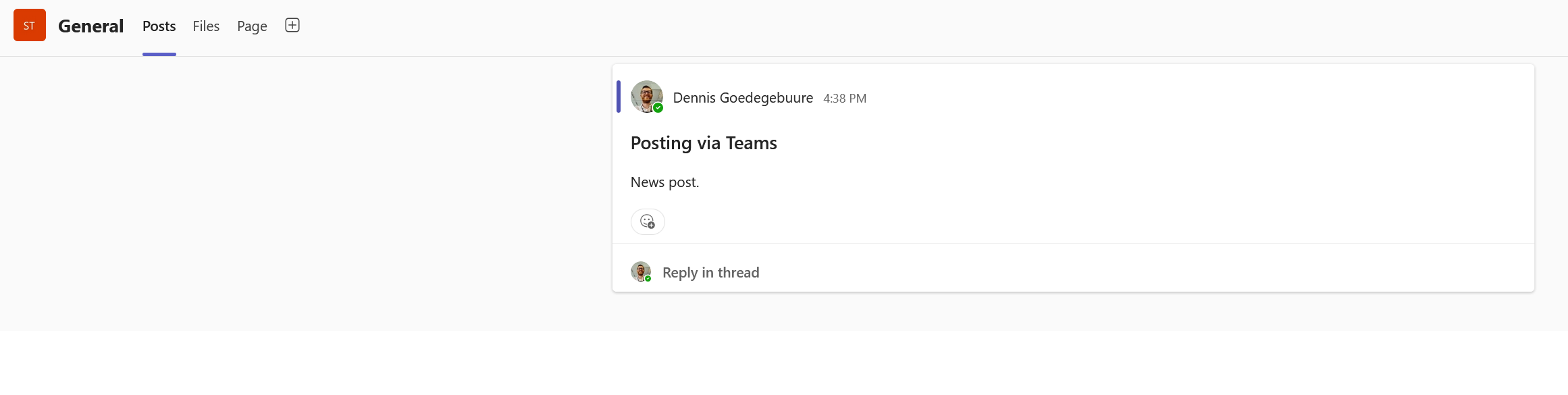
 2. Testing a channel post
3. The newly created (draft) news post





 Share
Share Report
 13
13 All responses (
 Answers (







