I have a site column named "Region2" of type Choice that allow multiple selections.
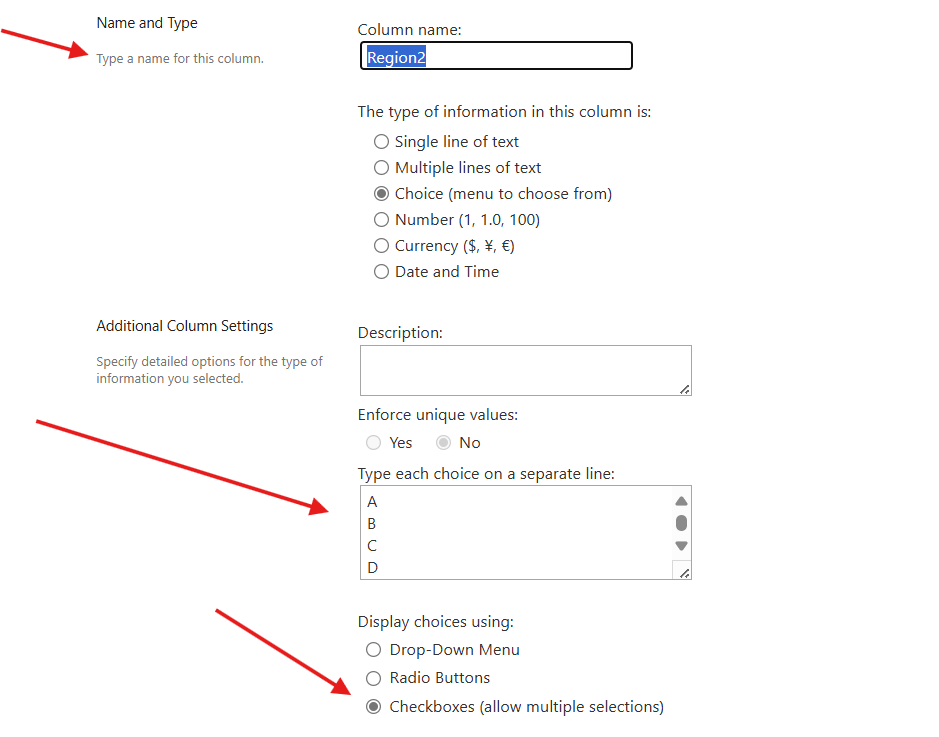
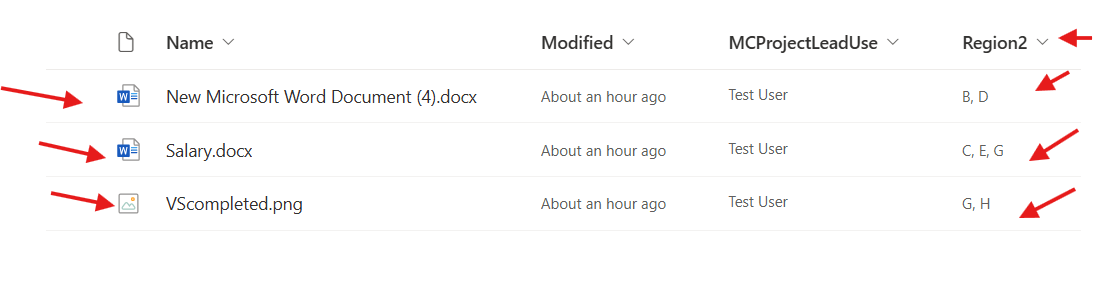
And this column is been added inside a library as follow:-
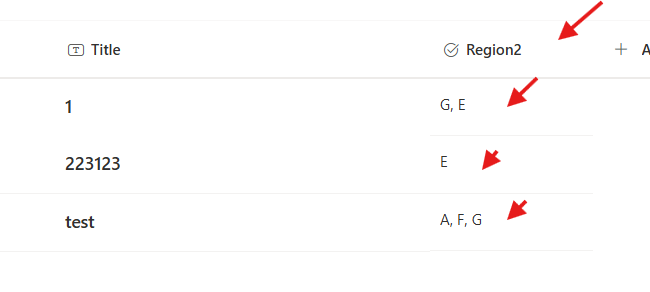
and a list, as follow:-
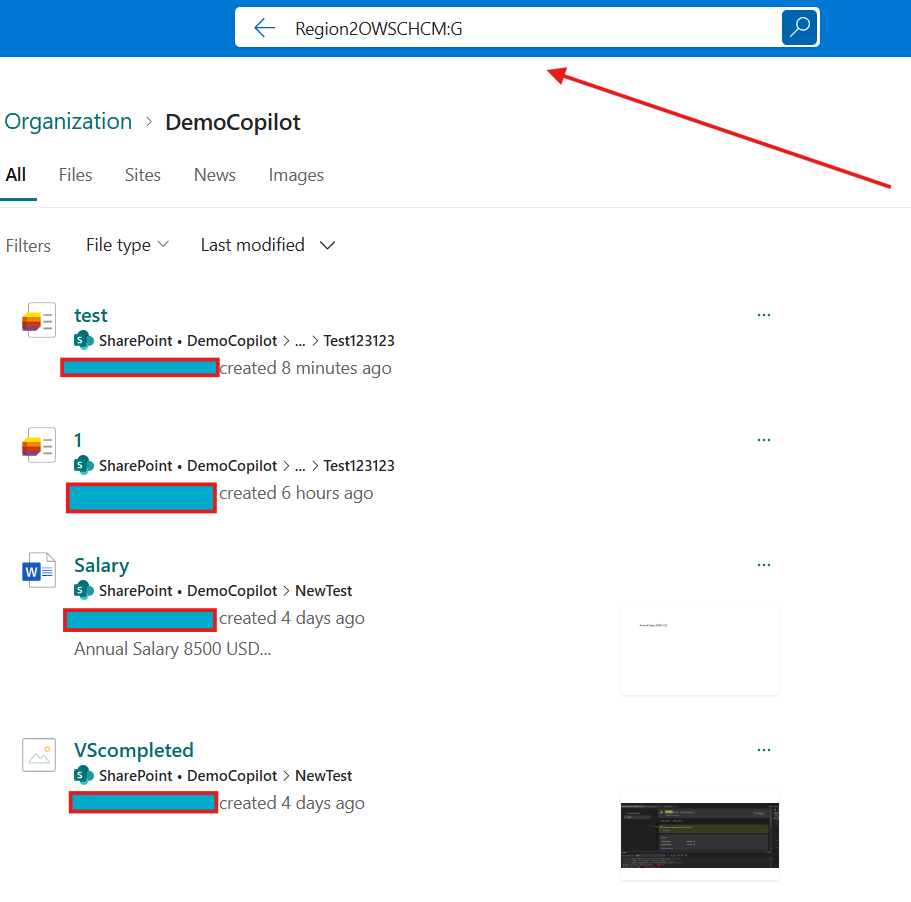
and when i do a search using the managed property (Region2OWSCHCM:G), i got all the items and documents:-
Now i want to get those results using the Search API, so i tired this API:-
siteurl/sites/DemoCopilot/_api/search/query?querytext='Region2OWSCHCM:G'
i got this json, not including the items and documents:-
{d: {query: {__metadata: {type: "Microsoft.Office.Server.Search.REST.SearchResult"},ElapsedTime: 885,PrimaryQueryResult: {__metadata: {type: "Microsoft.Office.Server.Search.REST.QueryResult"},CustomResults: {__metadata: {type: "Collection(Microsoft.Office.Server.Search.REST.CustomResult)"},results: []},QueryId: "5c3cb5a3-5d50-41b1-ac9d-dfd5c682a223",QueryRuleId: "00000000-0000-0000-0000-000000000000",RefinementResults: null,RelevantResults: {__metadata: {type: "Microsoft.Office.Server.Search.REST.RelevantResults"},GroupTemplateId: null,ItemTemplateId: null,Properties: {__metadata: {1 item},results: [12 items]},ResultTitle: null,ResultTitleUrl: null,RowCount: 4,Table: {__metadata: {1 item},Rows: {1 item}},TotalRows: 4,TotalRowsIncludingDuplicates: 4},SpecialTermResults: null},Properties: {__metadata: {type: "Collection(SP.KeyValue)"},results: [{Key: "WordBreakerLanguage",Value: "en",ValueType: "Edm.String"},{Key: "SourceId",Value: "8413cd39-2156-4e00-b54d-11efd9abdb89",ValueType: "Edm.String"},{Key: "HasParseException",Value: "false",ValueType: "Edm.Boolean"},{Key: "IsPartial",Value: "false",ValueType: "Edm.Boolean"},{Key: "CorrelationId",Value: "8c6b8ea1-501e-c000-272d-26d3efcb7e0c",ValueType: "Edm.Guid"},{Key: "WasGroupsRestricted",Value: "false",ValueType: "Edm.Boolean"},{Key: "RowLimit",Value: "10",ValueType: "Edm.Int32"},{Key: "IsMissingUnifiedGroups",Value: "false",ValueType: "Edm.Boolean"},{Key: "MultiGeoSearchStatus",Value: "Full",ValueType: "Edm.String"},{Key: "WasGroupRestricted",Value: "false",ValueType: "Edm.Boolean"},{Key: "EnableInterleaving",Value: "true",ValueType: "Edm.Boolean"},{Key: "piPageImpression",Value: "1_1_1033",ValueType: "Edm.String"},{Key: "InternalRequestId",Value: "7f99a735-9521-109a-7e66-52fddac50ed1",ValueType: "Edm.String"},{Key: "SerializedQuery",Value: "<Query Culture="en-US" EnableStemming="True" EnablePhonetic="False" EnableNicknames="False" IgnoreAllNoiseQuery="True" SummaryLength="180" MaxSnippetLength="180" DesiredSnippetLength="90" KeywordInclusion="0" QueryText="Region2OWSCHCM:G" QueryTemplate="" TrimDuplicates="True" Site="06f618c6-561a-4b3d-9878-a46981188dd0" Web="a2ec4aac-1ba8-4d0e-a5f1-b2ee163167bd" KeywordType="True" HiddenConstraints="" />",ValueType: "Edm.String"}]},SecondaryQueryResults: {__metadata: {type: "Collection(Microsoft.Office.Server.Search.REST.QueryResult)"},results: []},SpellingSuggestion: null,TriggeredRules: {__metadata: {type: "Collection(Edm.Guid)"},results: []}}}}
so any advice how i can get the search result using Search API? seems in power automate we do not have any built-in action to call search api?


