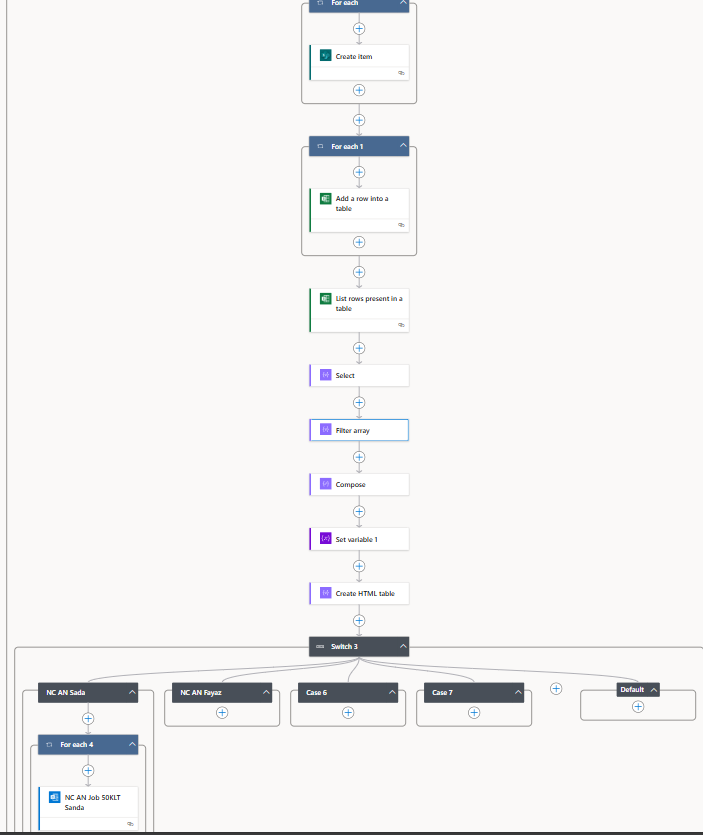
I’m working with Power Automate and encountering an issue with checking for existing values in an Excel table. Here’s the scenario:
-
Microsoft Form Submission: A user submits a Microsoft Form where one field is the Beneficiary Number with the format (e.g., BDS/AN/ASP/1.2.3.4/2024/001).
-
Saving Data: The submitted Beneficiary Number is saved into an Excel table named xyz on a specific sheet.
-
Checking for Existing Numbers: When a subsequent user submits the form, I need to check if the newly entered Beneficiary Number already exists in the xyz table.
-
Current Approach: I am using the Filter array action to perform this check, but the result returned is an empty array ([]), indicating that no matching records are found.
Here are the details of my setup:
- Excel Table: The table
xyz contains a column for Beneficiary Numbers.
-
- Filter Array Expression: I’m using a filter expression in Power Automate to compare the form entry against the Excel table’s Beneficiary Number column.
- Expreshion like @equals(item()?['BeneficiaryNumber'], Varible('Enteredbeneficiary number')
1st parameter = item()?['BeneficiaryNumber'] = List rows present in table
My question is:
What could be causing the Filter array action to return an empty result, and how can I resolve this issue? Are there common pitfalls or mistakes that could lead to this problem, such as data type mismatches, formatting issues, or incorrect filter expressions?
Any guidance or suggestions would be greatly appreciated!