UseCase :
I want to dynamically get the design on the existing sharepoint site then make that as template. For that I used GetSiteScript and CreateSiteDesign in Sharepoint REST API and im using Send an HTTP request to sharepoint connector. GetSiteScript was working i'm able to get all siteScript i have in that Site, but i while using the CreateSiteDesign it throw indefinate error as "502 BadGateway" i dont know exactly how to processed. It was major doubt on sharepoint side but in power automate
error logging was very poor it was not defined briefly
.
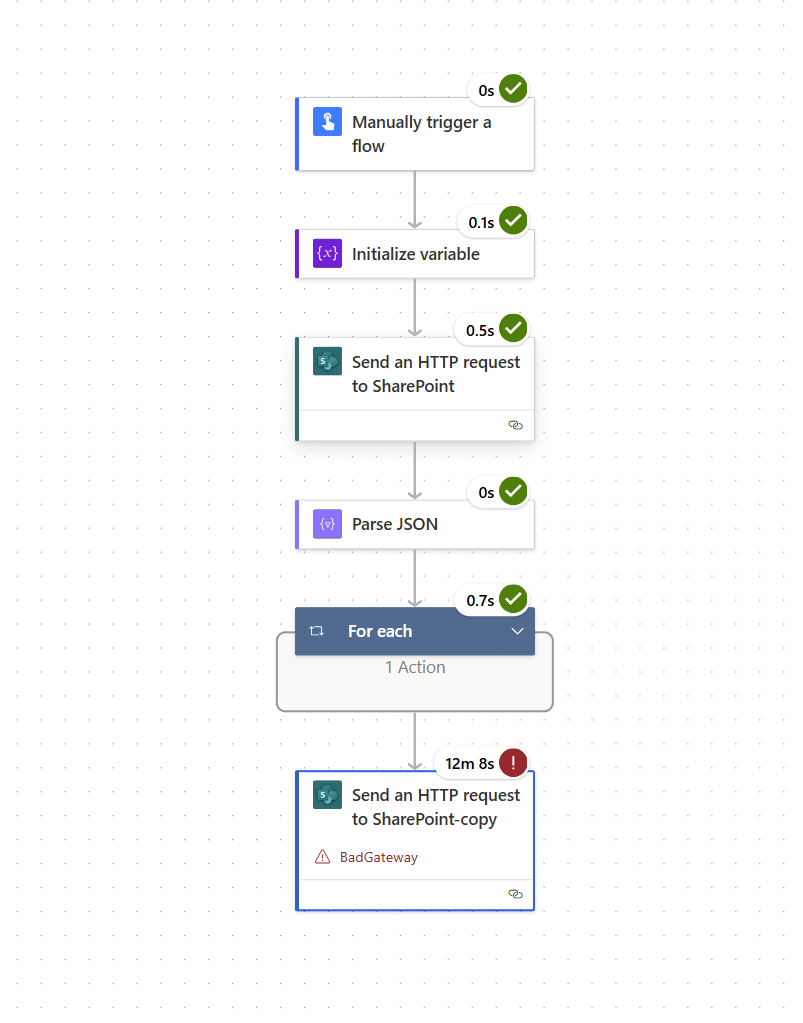
Input :{
"dataset": "https://ramboll.sharepoint.com/sites/DemoKMEnergysite",
"parameters/method": "POST",
"parameters/uri": "/_api/Microsoft.SharePoint.Utilities.WebTemplateExtensions.SiteScriptUtility.CreateSiteDesign",
"parameters/headers": {
"accept": "application/json;odata=verbose"
},
"parameters/body": "{\n \"info\": {\n \"Title\": \"Demo Site KM\",\n \"Description\": \"Creates standard theme\",\n \"SiteScriptIds\": [\"20fd8373-cafa-4a9b-b7fe-94730deea143\"] ,\n \"WebTemplate\": \"64\",\n \"PreviewImageUrl\": \"\",\n \"PreviewImageAltText\": \"KM site design theme\" \n }\n}"
}
Error:
{
"error": {
"code": 502,
"source": "default-c8823c91-be81-4f89-b024-6c3dd789c106.09.common.europe.azure-apihub.net",
"clientRequestId": "afc2e305-bee5-449f-be62-990a68db4c90",
"message": "BadGateway",
"innerError": {
"status": 502,
"message": "clientRequestId: afc2e305-bee5-449f-be62-990a68db4c90\r\nserviceRequestId: 9cdc84a1-4028-b000-d1a6-227c1c69e1f5",
"source": "https://ramboll.sharepoint.com/sites/DemoKMEnergysite/_api/Microsoft.SharePoint.Utilities.WebTemplateExtensions.SiteScriptUtility.CreateSiteDesign",
"errors": []
}
}
}











 Share
Share Report
 All responses (
 Answers (
 33,195






