I have a requirement where I need a desktop automation flow to retrieve a certain number of items from a list, loop through each one, expand two sections, and then perform a drag-and-drop operation from the left navigation panel to the right.
Here’s the setup:
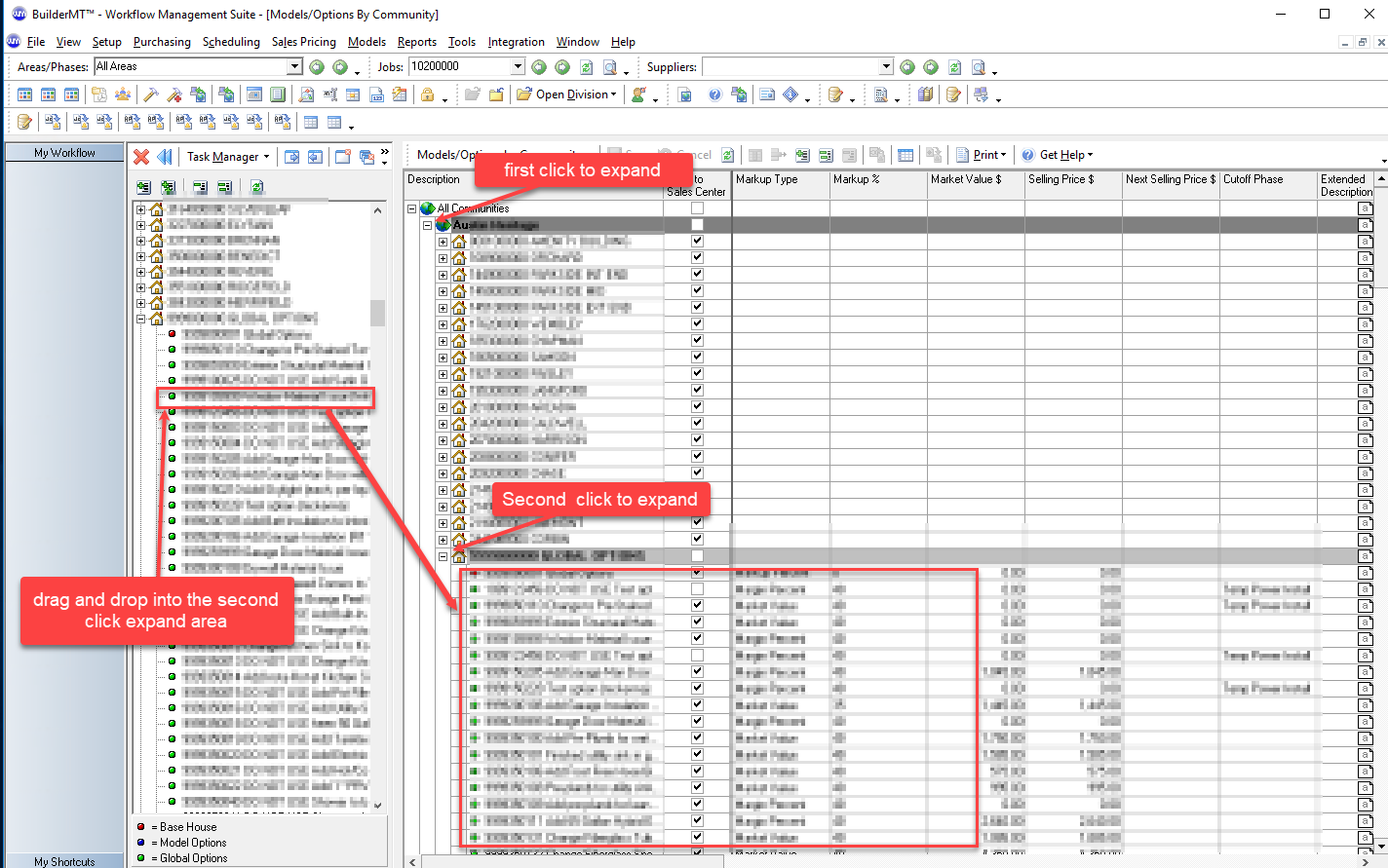
The automation involves two panels that are already open in the foreground:
1.Task Manager (on the left): This panel contains a list with expandable/collapsible options, organized up to 2 levels deep.
2.Community Panel (on the right): This panel also contains expandable/collapsible options, but they can go up to 3 levels deep.
The automation process is as follows:
1. Pre-select an option from the Task Manager panel.
2. For each "community" in the Community Panel, expand the parent node, locate the "global option," expand it, and then drag and drop the selected Task Manager option into the expanded global option within the community.
Challenges:
1. I have tried various actions but haven't been able to dynamically count the number of communities in the right panel to loop through them. This list is subject to change, so it needs to be dynamic.
- One workaround I've considered is not making it dynamic and instead using a Standard Operating Procedure (SOP) to manually update a static range, such as (0, 21) communities. However, ideally, we need a dynamic solution.
2. After identifying the count of communities, we need to loop through each one. However, I haven't found a way to interact with the '+' sign to drill down further because the UI elements aren't being recognized by the automation. Desktop applications seem to be more challenging to automate compared to web applications, as they lack directly identifiable elements.
Any tips or advice is greatly appreciated! Thank you!



 4
4







 Share
Share Report
 All responses (
 Answers (





