I have a long standing issue with Power Page uploading to Azure Blob where 7-15% of the files that are uploaded never get the details populated in the Notes directory, even after waiting hours. Mostly, I am able to locate the file in Azure Blob, meaning that I have a mess trying to locate the files and apply them to the site.
I am looking at monitoring the Azure Blob Store using the Power Automate trigger ‘When a blob is added or modified (Properties only) (V2)’. My hope is I can capture the meta data and match the files. I am doing this manually with Azure Storage Explorer at the moment.
It’s a really simple flow but its not working as I would expect and wondering if anyone can point me to what I am doing wrong (or my expectations are wrong).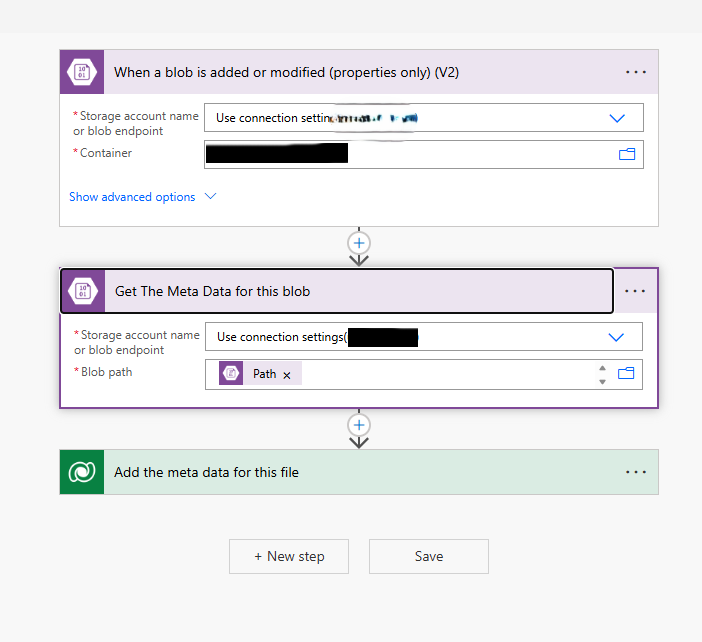
Here are the results of my testing
- Item (file) is uploaded via power pages and confirmed as being in Azure Blob - Flow doesn’t trigger
- File is uploaded via Azure Storage Explorer and confirmed as being in Azure Blob - Flow Triggered and data captured
- Folder is uploaded via Azure Storage Explorer and confirmed as being in Azure Blob - Flow doesn’t trigger
My confusion is that the trigger ‘when a blob is added..’ one of the parameters return is ‘IsFolder’, so my expectation was that the flow shouldn’t be affected by folder or not.
I have posted a few times with various problems with the Power Pages Azure integration. IMHO is very poorly implemented and the feature ‘hype’ last year about uploading large files doesn’t make up for the fact that 7-20% of my files result in apparent data loss. (the fact it also limits you to uploading 15 files is also bizarre and again, large file support doesn’t make up for this.)
Also, for a low-code solution like Power Pages, how are you meant to download the files from Azure Blob? Uploading is poor, but downloading is missing completely. This is an expected workflow and there should be standard components for uploading and downloading files (to Azure).




 65
65






 Share
Share Report
 All responses (
 Answers (





