web
You’re offline. This is a read only version of the page.
close
Skip to main content

Announcements

News and Announcements icon
Community site session details

Community site session details

Session Id :
Power Platform Community / Forums / Power Automate / SharePoint Metadata Up...
Power Automate
Unanswered

SharePoint Metadata Update via Power Automate Resets "Approval Status" to Pending

(0) ShareShare
ReportReport
Posted on by 3

Hello everyone,

I am encountering an issue where updating metadata columns in a SharePoint Library via Power Automate is causing the Approval Status (this column is automatically created when the Configure Approval is enabled) to reset to the default status Not submitted.
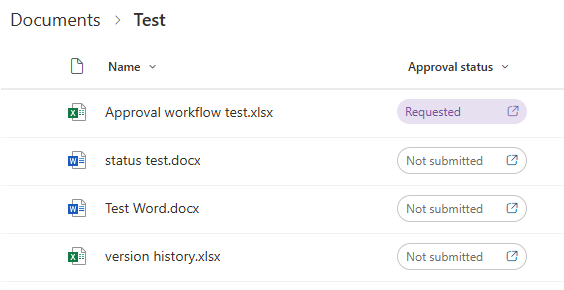


Environment:

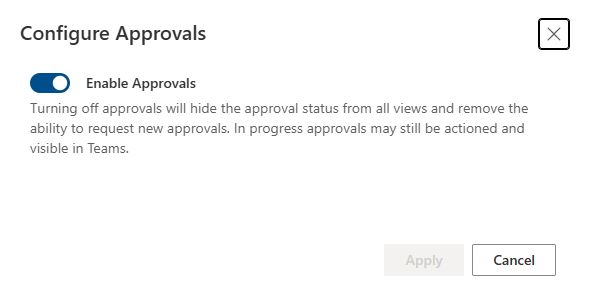
  • SharePoint Online: Library has "Configure Approval" (Modern Approval) enabled.
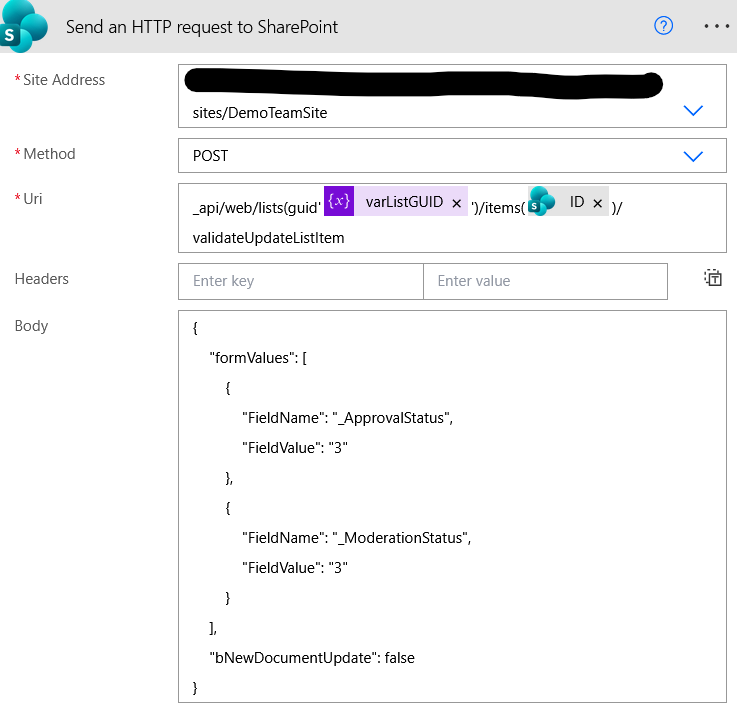
  • Power Automate: Tried using the "Update item" and "Send an HTTP request to SharePoint" action
The issue: Whenever the workflow updates a specific metadata column (e.g., a "Type" or "Status" field) for a document that has already been Approved, the Approval Status automatically reverts to Not submitted.
 
We want to be able to update these background metadata fields without re-triggering the approval process or changing the current Approval Status of the document. Essentially, we need to perform a "silent update."
 

What I've Tried/Considered:

  • I have reached out to Microsoft Support, but I am still awaiting for response/feedback.
  • I tried using the ValidateUpdateListItem method via HTTP request, but it's not working
Questions:
  1. Is there a way to configure the updating of columns without affecting the Approval Status column (reverts back to default status)?
  2. Is there a workaround via HTTP request action to update the other columns while keeping the Approval Status column in Approved state?

Any advice or examples of how you've handled this would be greatly appreciated!

Kind regards,
Andrew


I have the same question (1)
  • Ellis Karim Profile Picture
    12,073 Super User 2026 Season 1 on at
     
    Hi,
     
    As far as I know, this is by design. So, when you change any file metadata, SharePoint creates a new version, so the approval status is reset and must be approved again.
     
     
    So, I think you will need to setup and manage approvals using Power Automate. Matthew Devany has a number of easy-to-follow posts on setting up and managing approvals.
     
     
    Ellis Karim
    Ellis Karim
    elliskarim.com  |  LinkedIn  |  Bluesky
    If this solved your issue, please mark it as ✅ Accepted Answer. If it helped, feel free to give it a 🩷 Like!

Under review

Thank you for your reply! To ensure a great experience for everyone, your content is awaiting approval by our Community Managers. Please check back later.

Helpful resources

Quick Links

Introducing the 2026 Season 1 community Super Users

Congratulations to our 2026 Super Users!

Kudos to our 2025 Community Spotlight Honorees

Congratulations to our 2025 community superstars!

Congratulations to the April Top 10 Community Leaders!

These are the community rock stars!

Leaderboard > Power Automate

#1
Vish WR Profile Picture

Vish WR 791

#2
Valantis Profile Picture

Valantis 582

#3
Haque Profile Picture

Haque 529

Last 30 days Overall leaderboard