web
You’re offline. This is a read only version of the page.
close
Skip to main content

Announcements

News and Announcements icon
Community site session details

Community site session details

Session Id :
Power Platform Community / Forums / Power Automate / Extracting archive wit...
Power Automate
Unanswered

Extracting archive with empty folders on SharePoint

(0) ShareShare
ReportReport
Posted on by 1

Hi!


I would like to create a flow that extracts a file containing a certain folderstructure each time an item is added so a list. The flow itself is preaty simple to setup, however, if the folder is empty in the archive(ie contains no files) its not created at all in sharepoint. A workaround would be to place a simple text file in each folder. But the folderstructure is quite large and it would be quite time consuming to do so. Is there another way around this?


Help appriciated!

Categories:
I have the same question (0)
  • v-yamao-msft Profile Picture
    Microsoft Employee on at

    Hi @josefulander,


    According to your description, I created a flow with the trigger “When an item is created” and the action “Exact folder” to test this issue.


    The flow is configured likes below.


    Then when an item is created, the specific file would be exacted to the destination folder no matter the folder is empty or not.

    3.PNG


    I am not able to reproduce your issue on my side. If your flow configuration is different with mine, please share a screenshot to help reproduce this issue on my side.


    Best regards,
    Mabel Mao

  • ard Profile Picture
    7 on at

    This post ist already quite old. I do however have the same problem with sharepoint online. Did you find a better solution than placing text files in each folder?

  • Community Power Platform Member Profile Picture
    Microsoft Employee on at

    Same here Smiley Sad

    Did you ever get a resolution to this. Placing a file in each folder is untenable for me too.

  • manuelstgomes Profile Picture
    6,625 on at

    Adding files to the folders is quite cumbersome. Don't do it. 


    You probably won't like the solution but why not have a SharePoint Site with your templates unzipped?


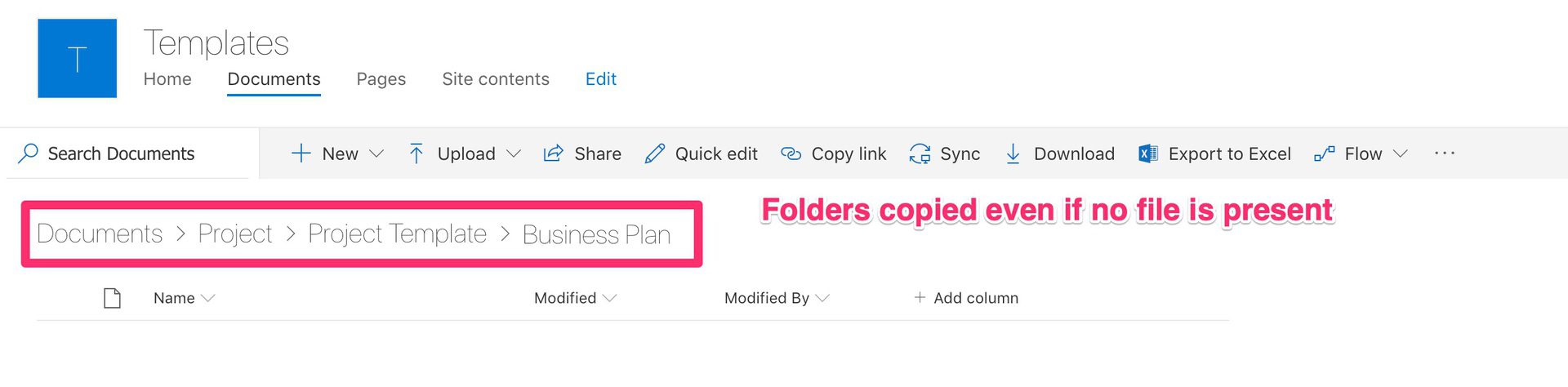
    You can copy the folder to the destination (empty folders and all). If the folders are empty, you won't gain much in zipping them anyway. 


    Here are the steps (I have a full article with all details here)


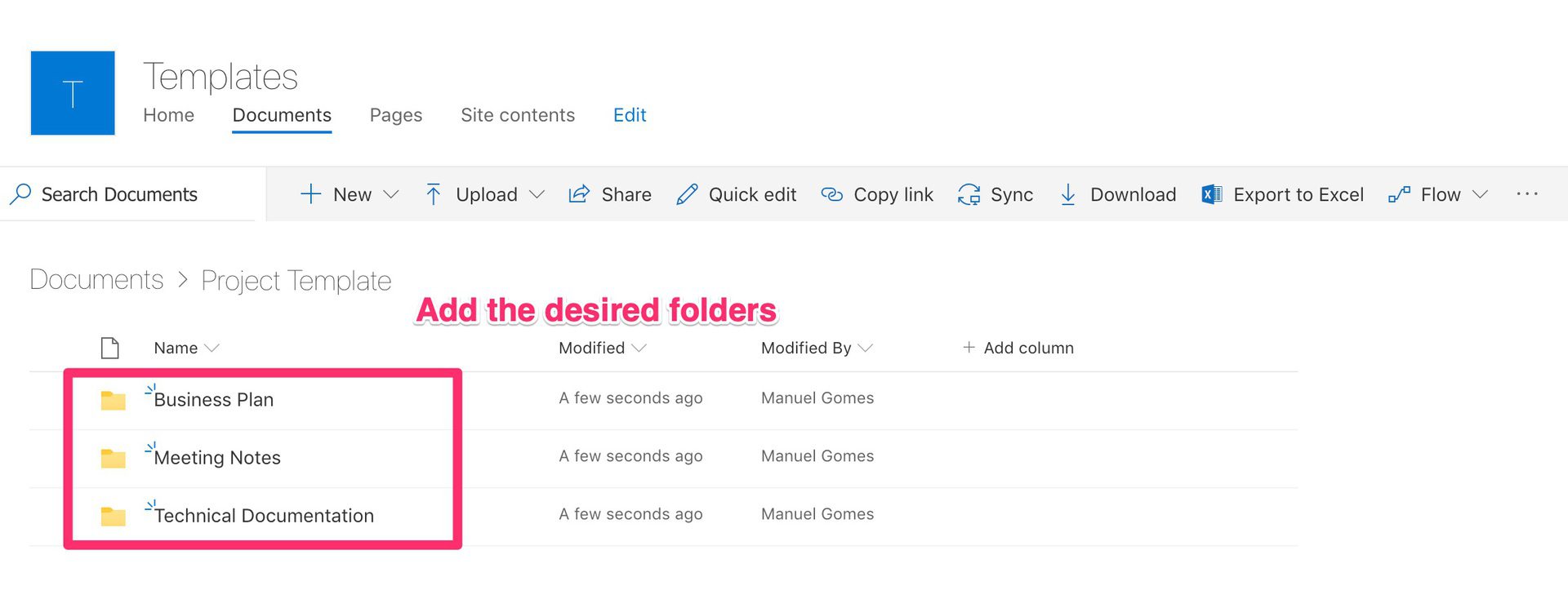
    1. Create the SharePoint site with the templates
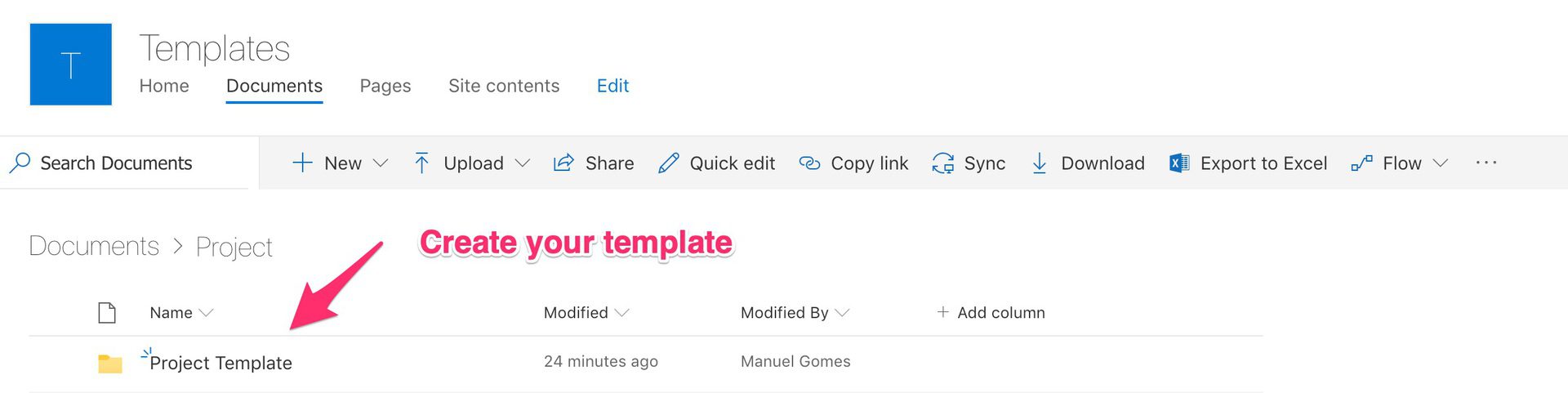
    2. Create a Simple Flow

    I'm using the same instance as source and destination for this example.
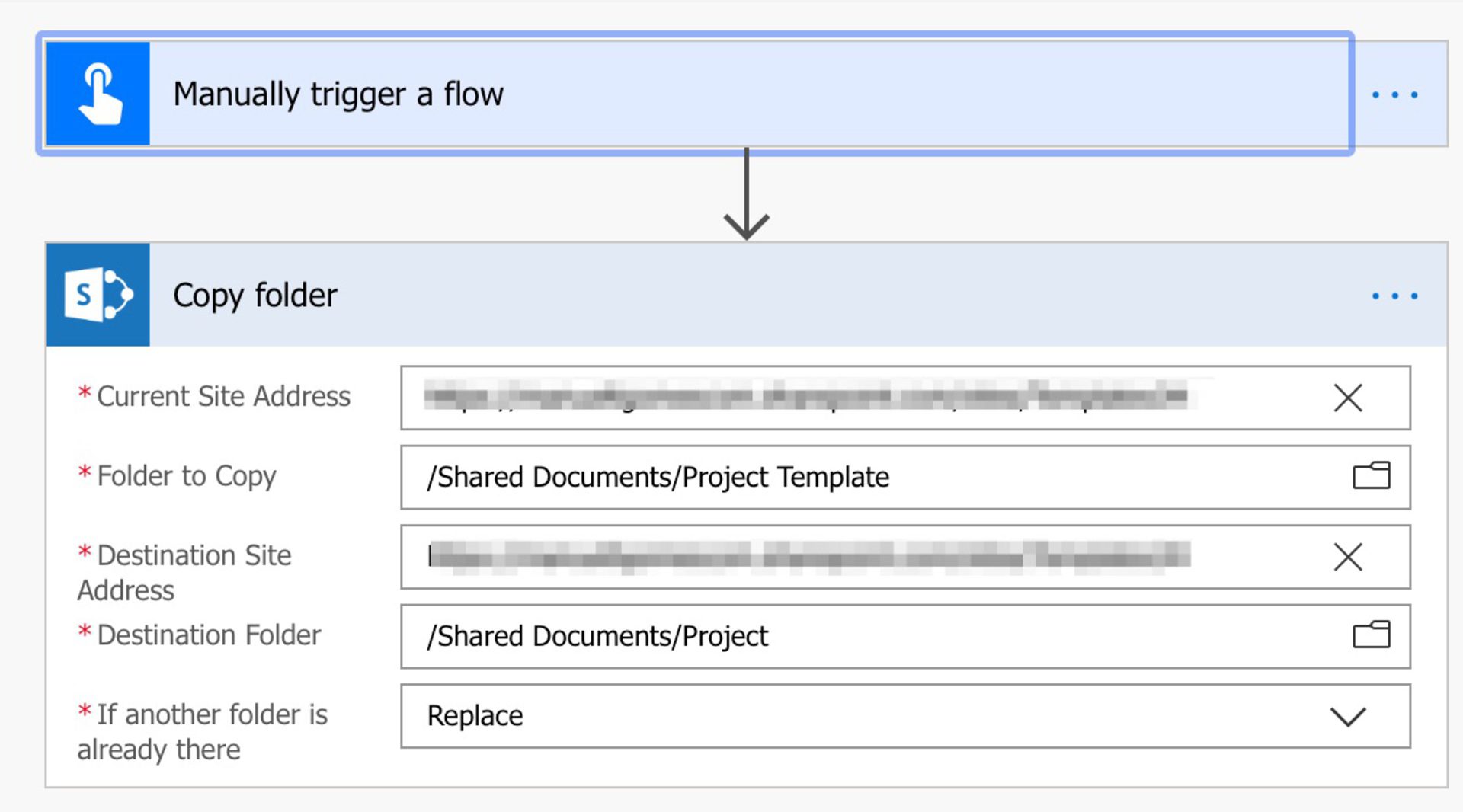
    3. Run the flow
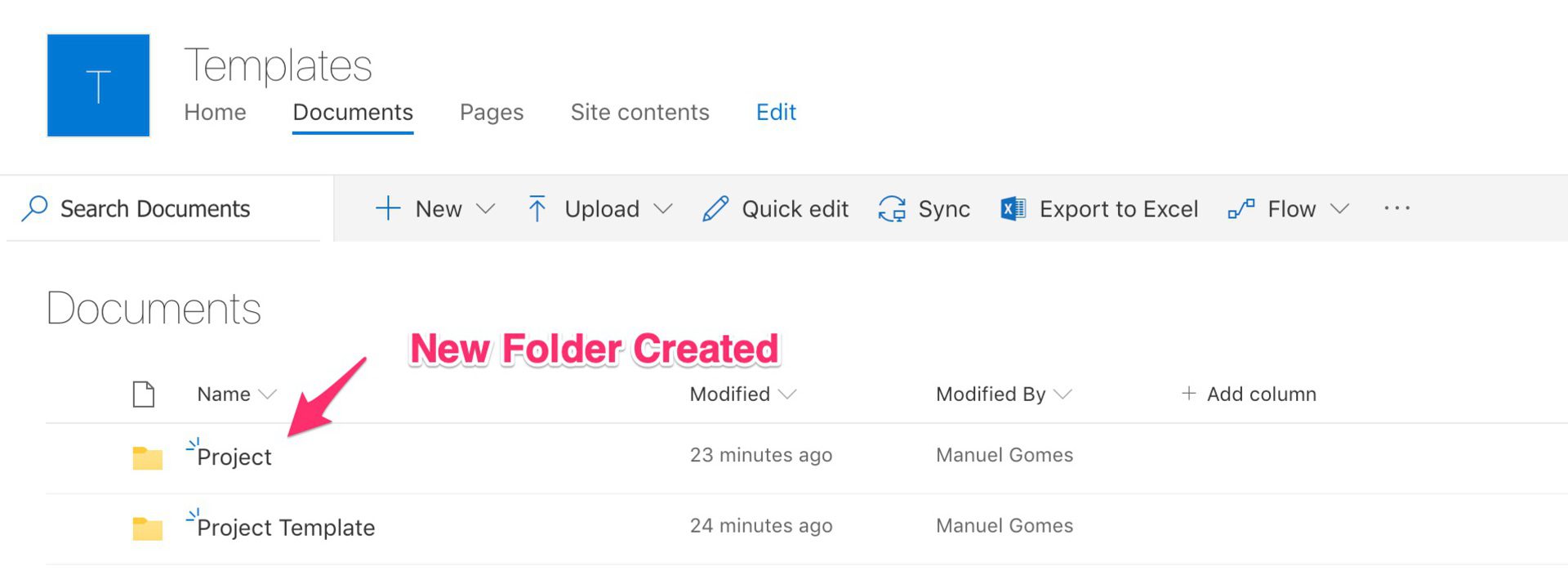
     

    Let me know if this solves your issue and don't forget to mark as "Accepted" if this helped.

Under review

Thank you for your reply! To ensure a great experience for everyone, your content is awaiting approval by our Community Managers. Please check back later.

Helpful resources

Quick Links

Introducing the 2026 Season 1 community Super Users

Congratulations to our 2026 Super Users!

Kudos to our 2025 Community Spotlight Honorees

Congratulations to our 2025 community superstars!

Congratulations to the March Top 10 Community Leaders!

These are the community rock stars!

Leaderboard > Power Automate

#1
Haque Profile Picture

Haque 608

#2
Valantis Profile Picture

Valantis 416

#3
11manish Profile Picture

11manish 348

Last 30 days Overall leaderboard