web
You’re offline. This is a read only version of the page.
close
Skip to main content

Announcements

News and Announcements icon
Community site session details

Community site session details

Session Id :
Power Platform Community / Forums / Power Automate / How do I use Child Flo...
Power Automate
Answered

How do I use Child Flow Outputs in a Parent Flow

(0) ShareShare
ReportReport
Posted on by 12
I'm currently exploring solutions and parent and child flows. I will have to build many flows which will often re-use the same "functions", so I'm trying to create child flows which I can re-use later. One essential thing that I'm trying to work out is passing variables. I'm familiar with passing variables to functions and returning variables from functions in programming, but in Power Automate I am lost. Passing input parameters is straightforward, and specifying output parameters is also straightforward. What I don't understand is how to then use it in the parent flow.
 
I have a parent flow:
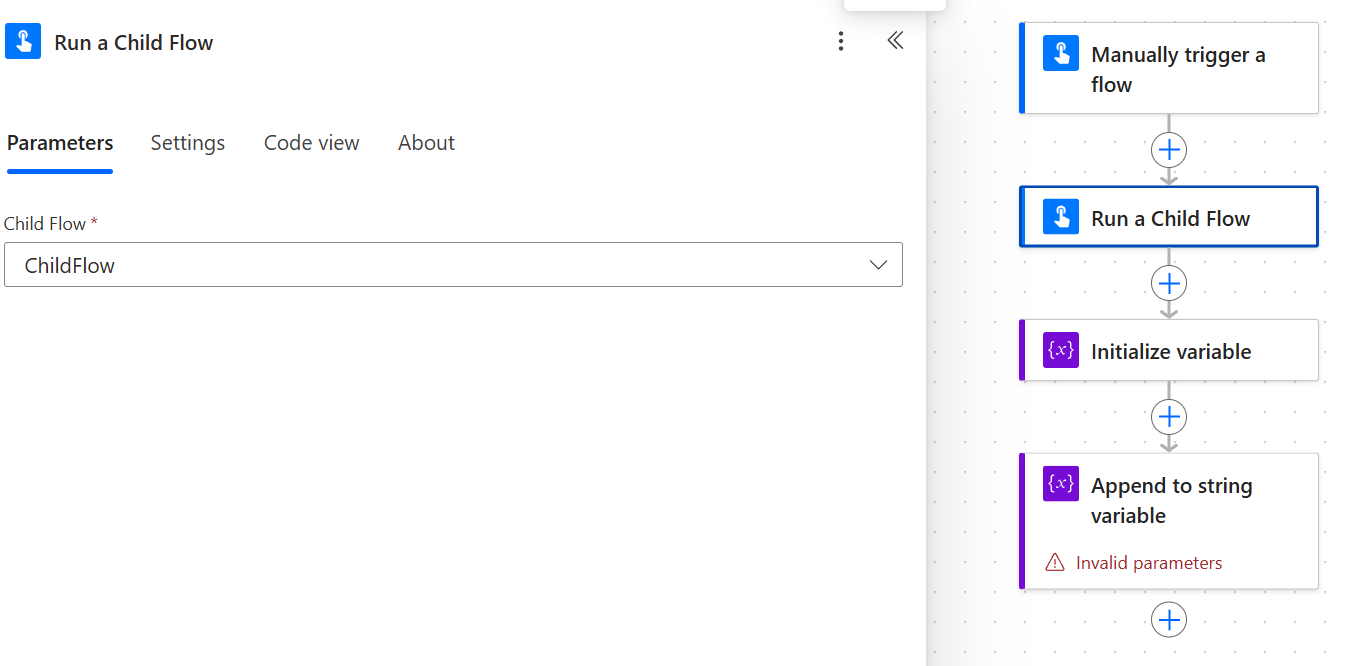
And then I also have a simple child flow:
 
 
So the variable was returned to the parent flow? But how do I now access this variable?
 
If I try to use an append to string function, the ChildFlowString is not accessible, only the ParentFlowString is:
 
So how do I use parameters from Child Flows in Parent Flows?
Categories:
I have the same question (0)
  • Suggested answer
    stampcoin Profile Picture
    5,158 Super User 2026 Season 1 on at
    You can go to the solution where the parent flow lives, then open that flow. add step. then you fill find it.
     
  • LE-07050818-0 Profile Picture
    12 on at
    @stampcoin

    That is not a solution to my question unfortunately.
     
    I am not struggling to add the "Run a Child Flow" action. As you can see in the images I shared, the Parent Flow already contains the "Run a Child Flow" action.
     
    What I am not able to do is use the ChildFlowString that was added as an output value to the "Respond to Power Automate Flow" action in the Child Flow.
  • Verified answer
    LE-07050818-0 Profile Picture
    12 on at
    I was able to solve it myself eventually. I misinterpreted the "Append to String" action. The ChildFlowString was available after all, I simply had to generate a new string first to append the ChildFlowString to:
     
    Bit of a silly mistake to make, but that happens sometimes.
  • stampcoin Profile Picture
    5,158 Super User 2026 Season 1 on at
    😊👍

Under review

Thank you for your reply! To ensure a great experience for everyone, your content is awaiting approval by our Community Managers. Please check back later.

Helpful resources

Quick Links

Introducing the 2026 Season 1 community Super Users

Congratulations to our 2026 Super Users!

Kudos to our 2025 Community Spotlight Honorees

Congratulations to our 2025 community superstars!

Congratulations to the April Top 10 Community Leaders!

These are the community rock stars!

Leaderboard > Power Automate

#1
Vish WR Profile Picture

Vish WR 801

#2
Valantis Profile Picture

Valantis 602

#3
Haque Profile Picture

Haque 581

Last 30 days Overall leaderboard



