Hi friends!
I am building a power automate flow within an Excel workbook. In this flow, I want a user to automatically to send information in a selected row to a compensation partner for their action. This includes four inputs in the trigger for the compensation partner email (email input) and 3 file inputs for supporting documentation. I've put a screenshot of the trigger below:
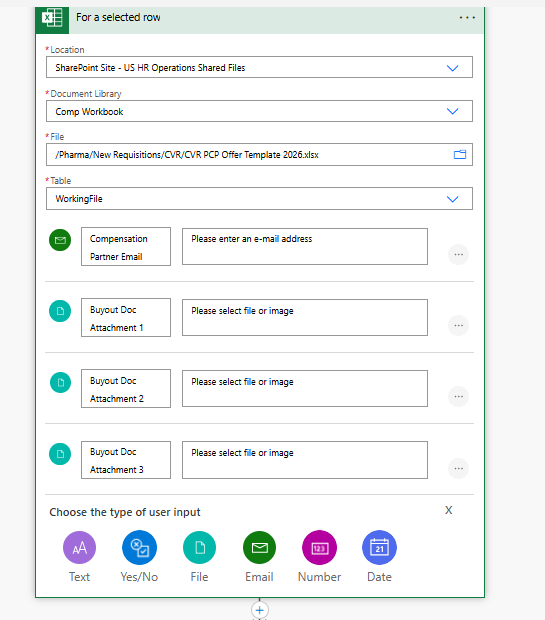
My intent from here is to send a email with a Microsoft Forms link to the compensation partner with the buyout document attachments attached for their review/action, and then have the row in Excel update once the forms response is submitted. I know how to set this up. What I am unclear on is how do I attach the files uploaded in the trigger to the email? They are not saved in OneDrive or Sharepoint (to my knowledge) and all of the tutorials give great instructions on that...but what are the steps to obtain the files uploaded in the trigger and then attach these files to an email in power automate? Thanks in advance for your help!


