

web
You’re offline. This is a read only version of the page.
close
Skip to main content

Notifications

Announcements

Community site session details

Community site session details

Session Id :
Power Platform Community / Forums / Power Automate / Create PDF in Sharepoi...
Power Automate
Answered

Create PDF in Sharepoint from SQL Server

(1) ShareShare
ReportReport
Posted on by 170
Hello everyone,
 
I am trying to create a PDF file in a Sharepoint folder using the content that is stored in my SQL Server on a column with varbinary(MAX) has its type and looks like this with the ID and PdfContent columns.
 
 
Then I am using a Get Row (V2) to fetch it like this
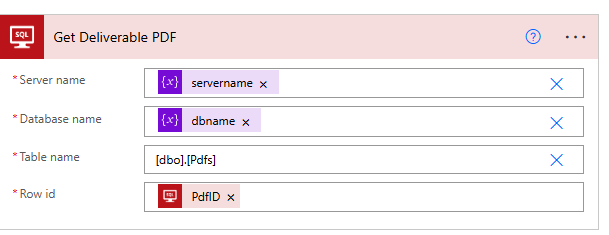
 
And it is giving me this output
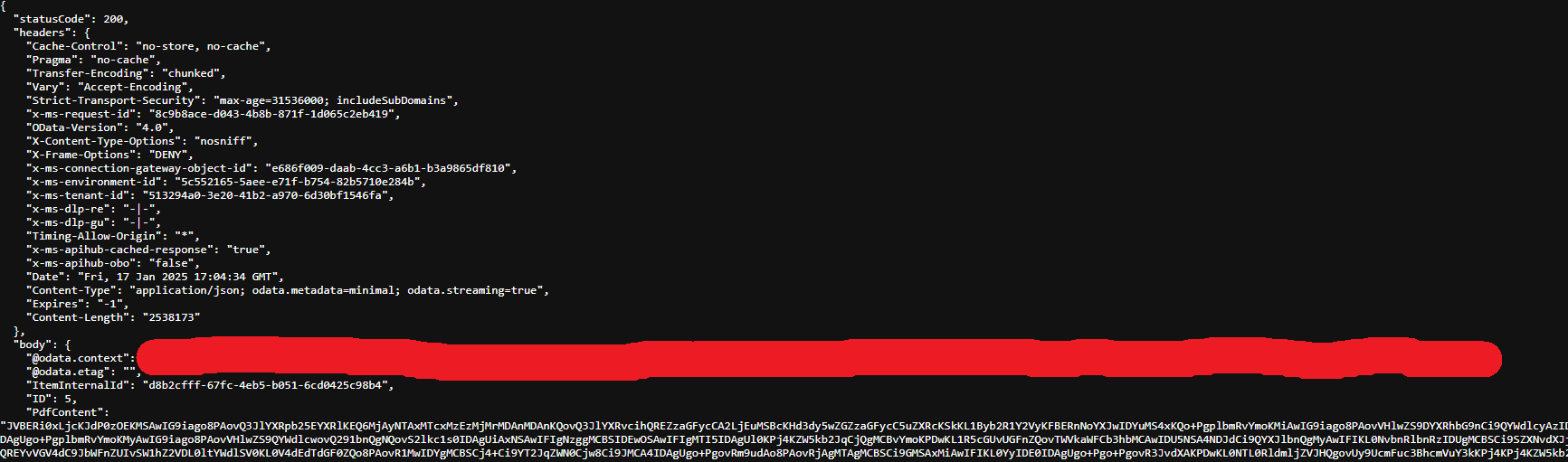
 
Here I think it might be where the errors start because what is in the PdfContent here does not start the same way as the one in the database, so maybe they are different types I don't really know.
 
But still I move on and try and create the PDF in the Sharepoint with the PdfContent like this
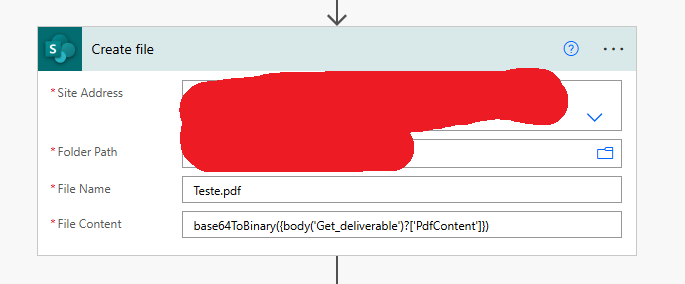
 
I'm not sure if using 'base64ToBinary' is the correct expression to use and even if the value is being passed correctly to it, but it is not working like this.
 
In the Sharepoint folder the PDF is being created but it only has 50 bytes and when I try to open it, it gives this error so it is really not working.

 
I just want to get the PDF to be able to attach it to an email, so if anyone has already done this and could help I would really appreciate it.
 
Thanks in advance everyone
 
 
Telmo Ferreira
Categories:
I have the same question (0)
  • Verified answer
    SudeepGhatakNZ Profile Picture
    14,394 Most Valuable Professional on at
    Firstly, if PdfContent from SQL is already in Base64 format, use, you need to use base64tobinary as an expression like this. Currently (as per your screenshot) it has been used as a text.
     
    If the PdfContent is in binary format, pass it directly to the Create file action without using base64ToBinary.
     

Under review

Thank you for your reply! To ensure a great experience for everyone, your content is awaiting approval by our Community Managers. Please check back later.

Helpful resources

Quick Links

Forum hierarchy changes are complete!

In our never-ending quest to improve we are simplifying the forum hierarchy…

Ajay Kumar Gannamaneni – Community Spotlight

We are honored to recognize Ajay Kumar Gannamaneni as our Community Spotlight for December…

Leaderboard > Power Automate

#1
Michael E. Gernaey Profile Picture

Michael E. Gernaey 503 Super User 2025 Season 2

#2
Tomac Profile Picture

Tomac 321 Moderator

#3
abm abm Profile Picture

abm abm 237 Most Valuable Professional

Last 30 days Overall leaderboard

