




 Share
Share Report
 23
23Hello fellow Power Automate geeks!
I'm rather new to this doing Power Automate, so bare with me :)
I'm rather new to this doing Power Automate, so bare with me :)
I got a assignement at work, where I have to create a file in sharepoint if the file isn't there in the first place. The file have a specifc name - "Name" "mounth" "year" - so its dynamic.
In my flow I have tried some different things, but I can't get it to match on the filename.
Now I have done this - and it only works untill "DoesTheFileHaveTheCorrectName. The condition is not getting the filename.

Now I have done this - and it only works untill "DoesTheFileHaveTheCorrectName. The condition is not getting the filename.
This is the first Condition - IsThereAFileInFolder - and it works.
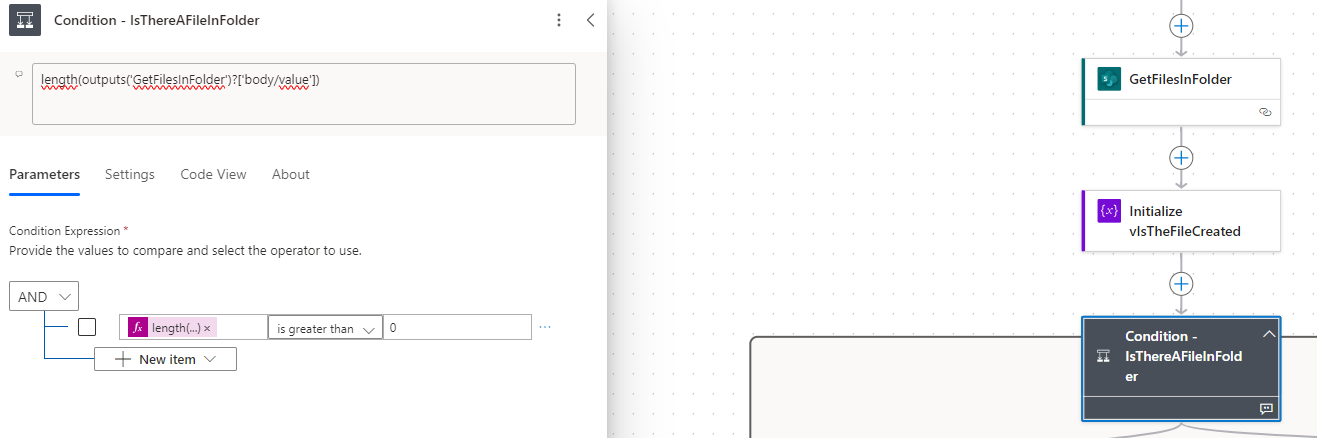
If I change this step to look a the filename, it will not pass this. It will be false and therefor the file is "created" again:
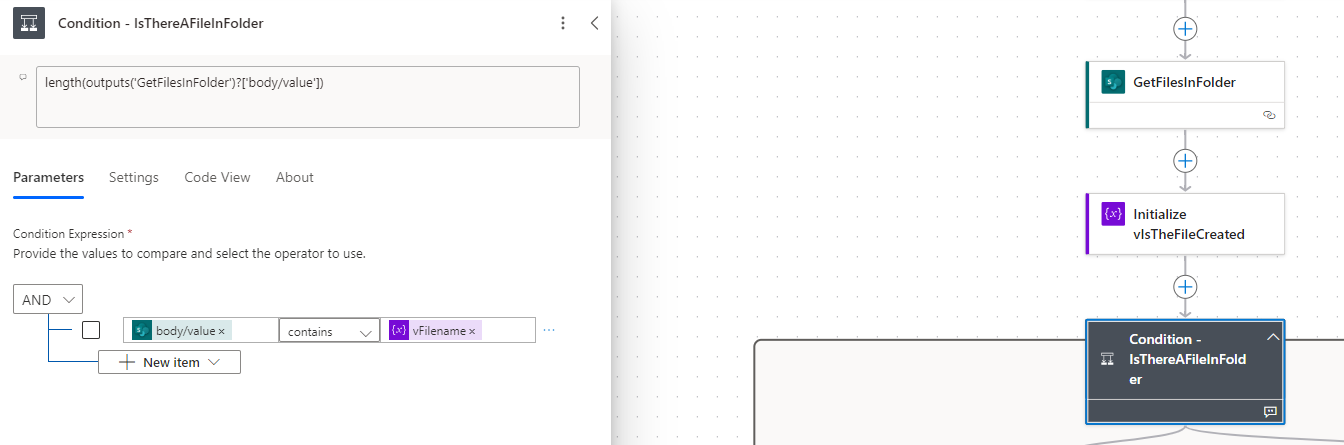
So I need help to make a condition to look at the filename from the "GetFilesInFolder" step - or maybe I should do another step?
Hit me!
And sorry if I miss some simple steps - again, i'm rather new to this :)
Hit me!
And sorry if I miss some simple steps - again, i'm rather new to this :)
I have allso tried to make a For each with trying to get the "name"-function to work. It going to "false" and creating a new file:
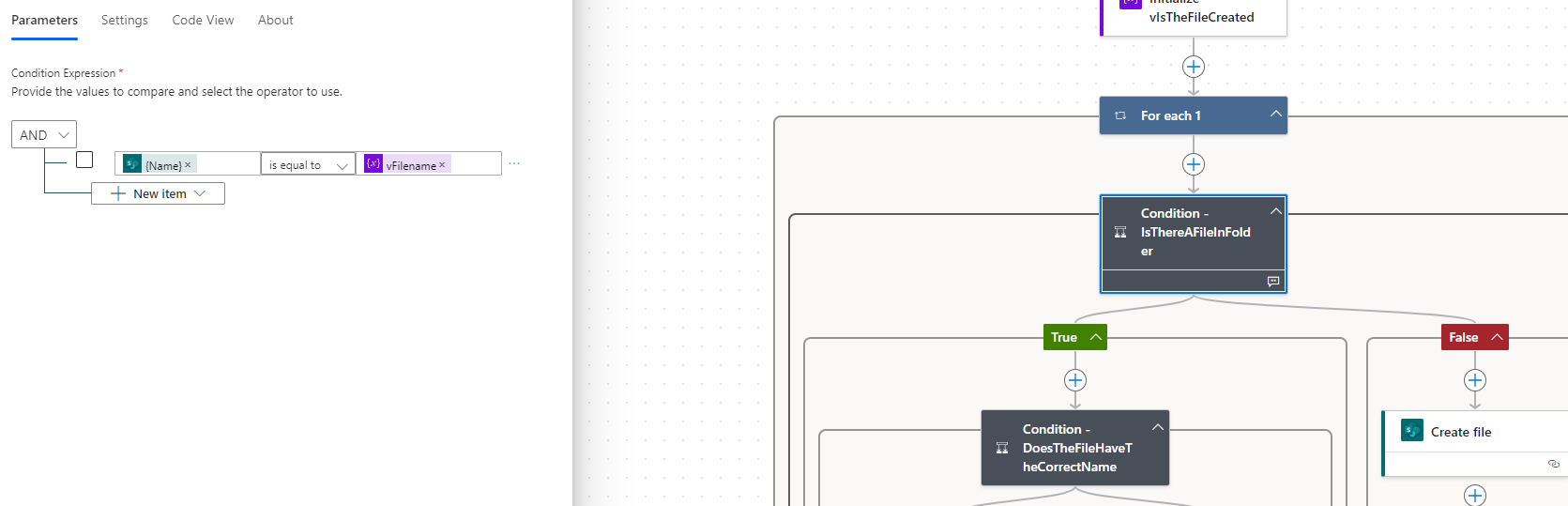
While waiting for a reponse, i'm working on it to get it to work :)
Now I have tried if I should make it work with the condition "DoesTheFileHaveTheCorrectName".
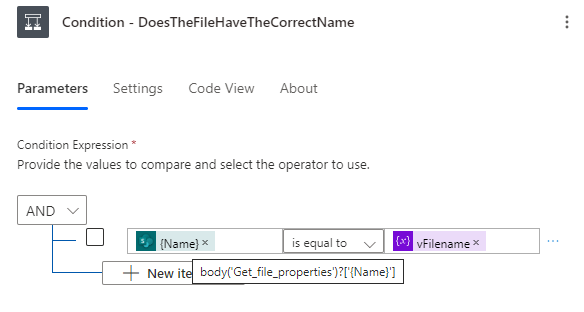
Now I have tried if I should make it work with the condition "DoesTheFileHaveTheCorrectName".
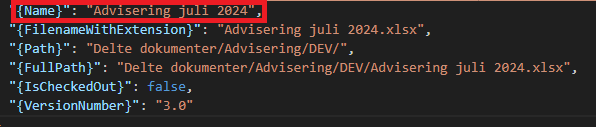
I can see that the flow "Get file properties" is getting the file name, but why is it not going to pass the condition as "True"?
Categories:
I have the same question (0)
 All responses (
 Answers (







