Hello, if everyhing work fine from copilot studio, but not in : teams, or in browser it's because when a message come from teams or copilot brower the file have been remove from First(System.Activity.Attachments) -> content
It's empty :) easy way to test : just try to print content in the chat for test purpose or inside a power automate. (or test if is blanck
Good way to be sure, you have the content from attchment (could have it from studio, teams, but not from chat/brower)
so what you need to, since i m totally ok, all "old" tutos were good, it's a recent change from the teams behavior (made few test, more recently in some environnement, this behavior when back to original, so maybe it will not solve the problem), anyway :
what you have to do every time you want to use file in same topic in Studio and teams/brower :
At the begining of the node test if content is empty , if no : go as usual.
If yes : good news : the file is somewhere : look in the "shared folder" of the conversation (every conversation, even with agent) have a shared folder in you'r personnal one drive , so next step : use one drive connector, get the filename from First(System.Activity.Attachments) and then get the file from the one drive, get the content and then go back to the "good" path inside of the topic
Last but not least : when an agent answer two time : it's because you didnt't put probably the "end conversation / end topic" at the end of the topc (you could also remove the system conversationnal boost, it's a non sense if you use gen AI orchestration, it's a relic of the past when you only had classic orchestration and sometime could trigger many time)
(oh and if when you test, a connexion ask from credential, it will empty the content anyway)
so here is a sample from one of my agent :
First create a variable with "content" inside, then test with a if , if blank : to to one drive get the file
it will be there probably :
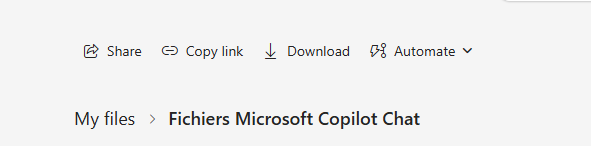
Something like this, depending of you'r language in one drive.
you will need this connector :
and it will wait for path like this : /Fichiers Microsoft Copilot Chat/Incident_Report.docx
lucky the tool give you the same file type as attachments :)
Last tips : if you do anything like question, "if", genAI : before storing first the content, it will erase the content of the attachment.
edit : very last tips : power automate error are hidden in teams and brower : but they are in activity log of the power automate from power automate window :) try to have a look there could help solve the problem too :)
I hope this answer contain the solution for you :) if it help you plese mark the answer as verified, in green, it's very important for the community and the search engine :)





