Hello. For several days now, I have been experiencing a performance issue in Power Automate. The flow repeatedly displays the following warning:
“The loop might have been slowed down because it has been using more data than expected.”
The flow itself does not contain many actions, but one of the steps retrieves a very large Excel file using a Microsoft Graph request. This request returns 3,750,019 rows (verified in Notepad++). I have saved the raw JSON response to a file, and the file size is:
162 MB (170,840,145 bytes).
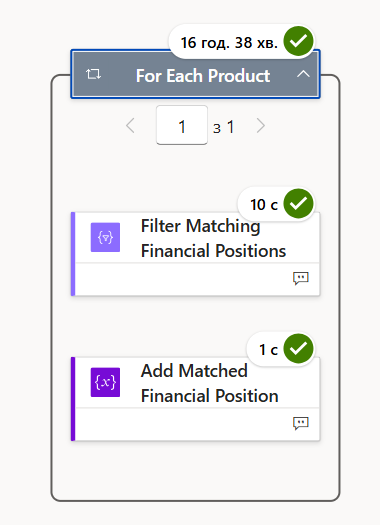
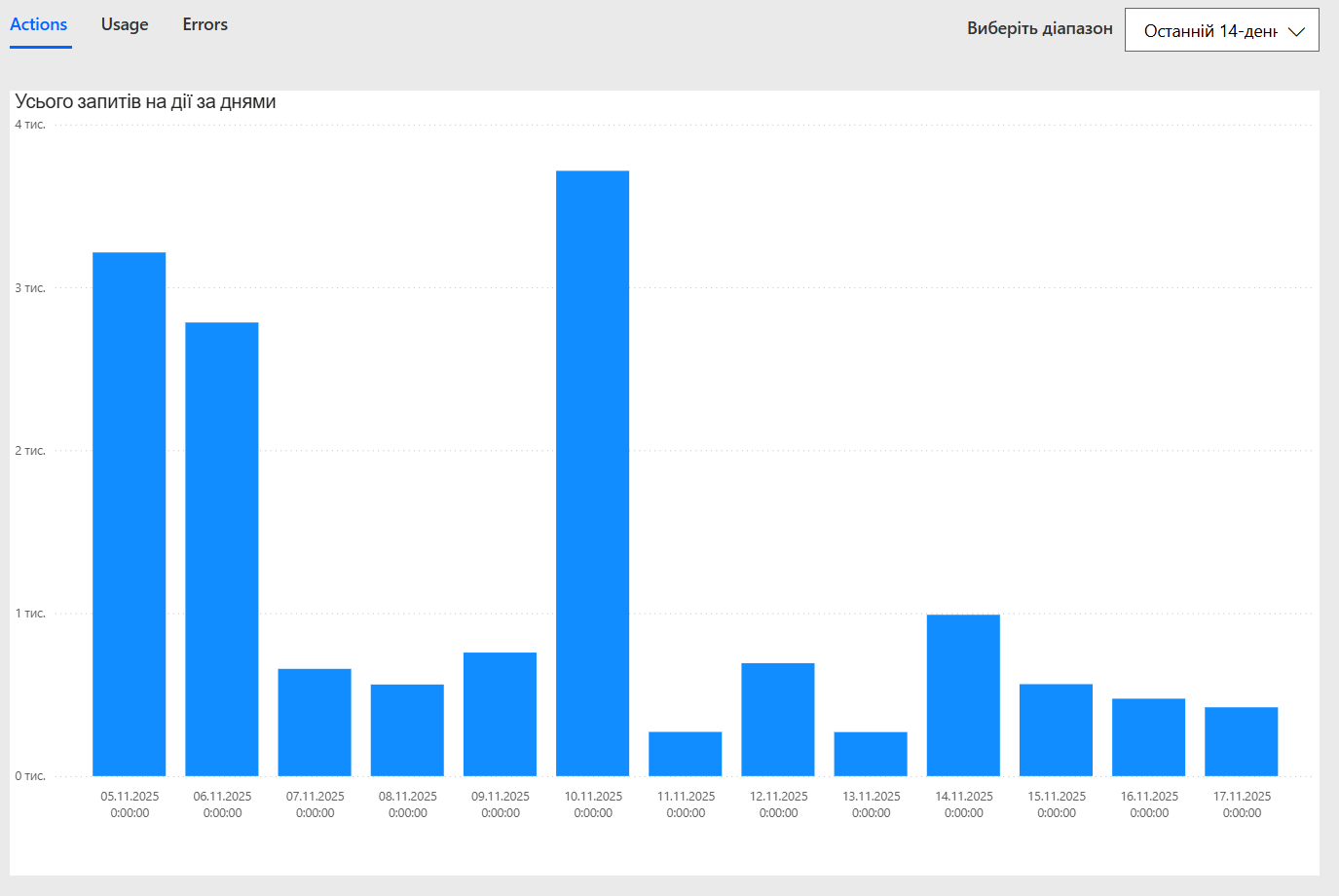
The flow continues to run, but sometimes it becomes extremely slow, and the delay may occur at any step. As shown in the screenshot, two simple actions inside the loop took 16 hours and 38 minutes, while the actions between them finished in 11 seconds. Run Analytics shows only 3715 “Actions”, so the slowdown is clearly not caused by exceeding the number of flow actions.
I am using this Graph endpoint:
v1.0/drives/{driveId}/items/{itemId}/workbook/worksheets/{sheetName}/usedRange
After retrieving the response, I perform a Parse JSON, which also contains 3,749,989 lines.
A subsequent Select action produces 2,249,995 items, and another Select produces 1,249,999 items — all within a single run.
Important detail:
The Excel file does not contain a structured table. Because of this, Microsoft Graph returns the entire worksheet usedRange as a single JSON array.
Since usedRange does not support pagination ($top, $skip), the entire dataset is returned in one payload.
Given that the raw payload size (162 MB) exceeds the documented Power Automate message limit (100 MB per action), my question is:
Is this oversized payload causing internal throttling and the unpredictable multi-hour delays in the flow, even in actions that normally execute within seconds?
If yes, what is the recommended and Microsoft-supported approach for handling such large datasets (3.7M+ rows) in Power Automate?
Thank you.