My colleague has built a Flow that has a Get File Content step from SharePoint. Further on in the Flow, he needs to send that file content to a custom API. It needs to stay as a base64 string.
It appears, looking at prior Flow runs, that the content from the Get File Content action is base64:
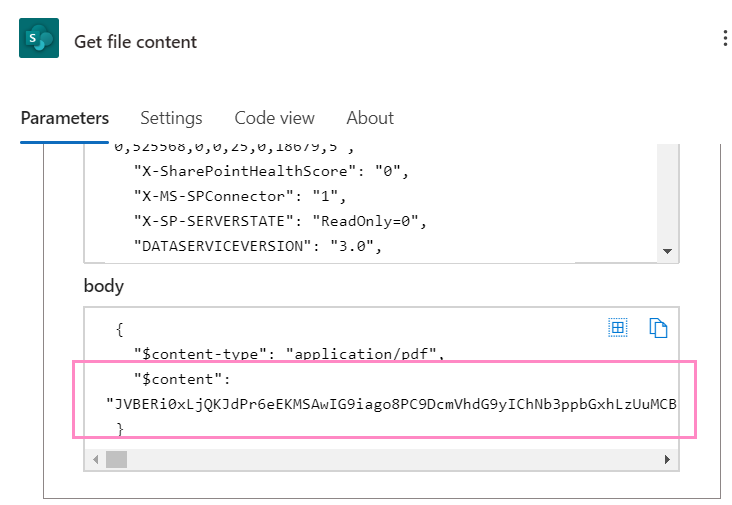
However, I can see if I set a compose step to that content, it is converted to a regular string. We have been using the base64() function on the file content to try to keep it in a base64 format, and that has been working.
But this morning, when he opened the Flow, my colleague noted that the base64 function appeared to have been removed. It is not that it is just not visible, but completely removed.
The Flow now fails, as the converted content string is being sent to the API.
When I open the Flow, however, the base64() function is still present. I saved the Flow and ran it and it worked.
Things we have tried:
- Having him open a new incognito window and open the Flow - the conversion function is still missing for him
- Having him switch away from the "new" designer - the conversion function is still missing for him
Based on his experience earlier today, it seems if he saves the Flow, the function is actually no longer present, and the converted file content is sent to the API, instead of what we need - the base64 file content.
Is anyone else experiencing this? Any ideas for work arounds?





