Hi David @David_MA, Thanks a lot for your response!
I’m using the standard “Start and wait for an approval” action in my flow (approval type: Custom responses – Wait for one response), and I haven’t implemented any custom email notifications. So when I mention the “approval email,” I’m referring to the automatically generated approval notification email sent by Power Automate.
By “the email would update automatically,” I mean:
In the past, once the first person responded, the approval email would automatically refresh for the remaining recipients:
-
The Approve/Reject buttons disappeared (or in our case: "bearbeitet" / "nicht bearbeitet").
-
The email showed a status like: “Approved by John Doe on [Date]”, indicating the request was already handled.
But now:
This behavior stopped about 2–3 weeks ago. The email stays unchanged for the rest of the recipients – the action buttons are still visible.
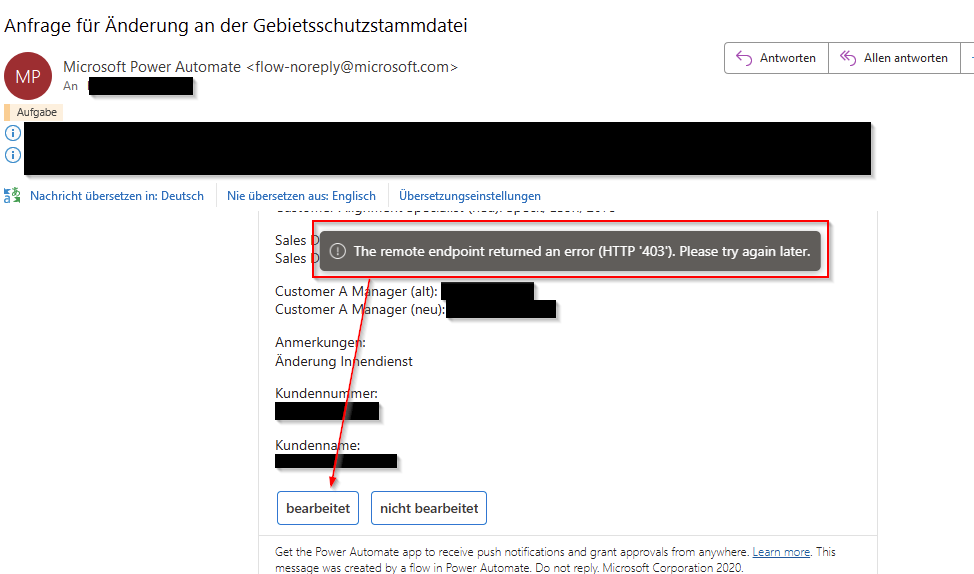
If anyone else tries to respond, they receive a 403 error: “The remote endpoint returned an error (HTTP '403'). Please try again later.”
Attached are 3 screenshots:
-
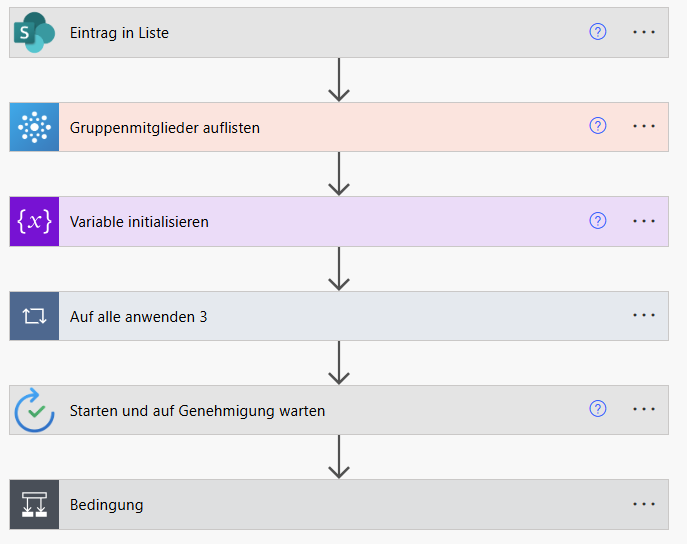
Overall flow: For a better understanding of the structure.
-
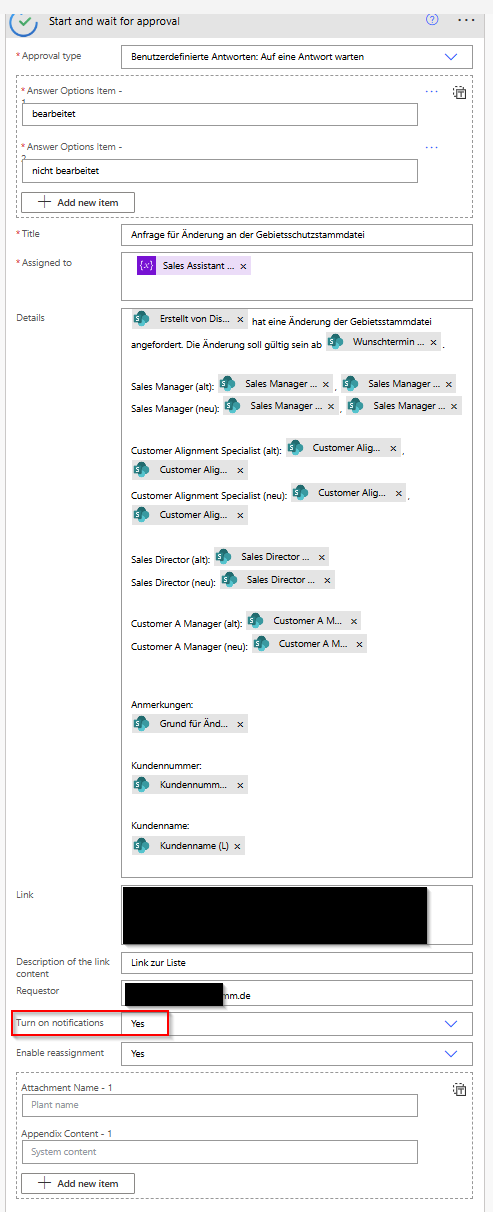
Approval step in the flow: With configuration details, including "Turn on notifications: Yes".
-
Email view: Showing the error message when trying to approve after a response.
If anyone has experienced something similar, or if there’s been a change in how the approval connector works, I’d be really grateful for any advice or workaround!
Best regards,
Carolin Gleisberg
Overall flow: For a better understanding of the structure.
Approval step in the flow: With configuration details, including "Turn on notifications: Yes".
Email view: Showing the error message when trying to approve after a response.