web
You’re offline. This is a read only version of the page.
close
Skip to main content

Notifications

Announcements

Community site session details

Community site session details

Session Id :
Power Platform Community / Forums / Power Automate / Sudden Error with Form...
Power Automate
Suggested Answer

Sudden Error with Form Processor in Power Apps no longer to work

(2) ShareShare
ReportReport
Posted on by 5


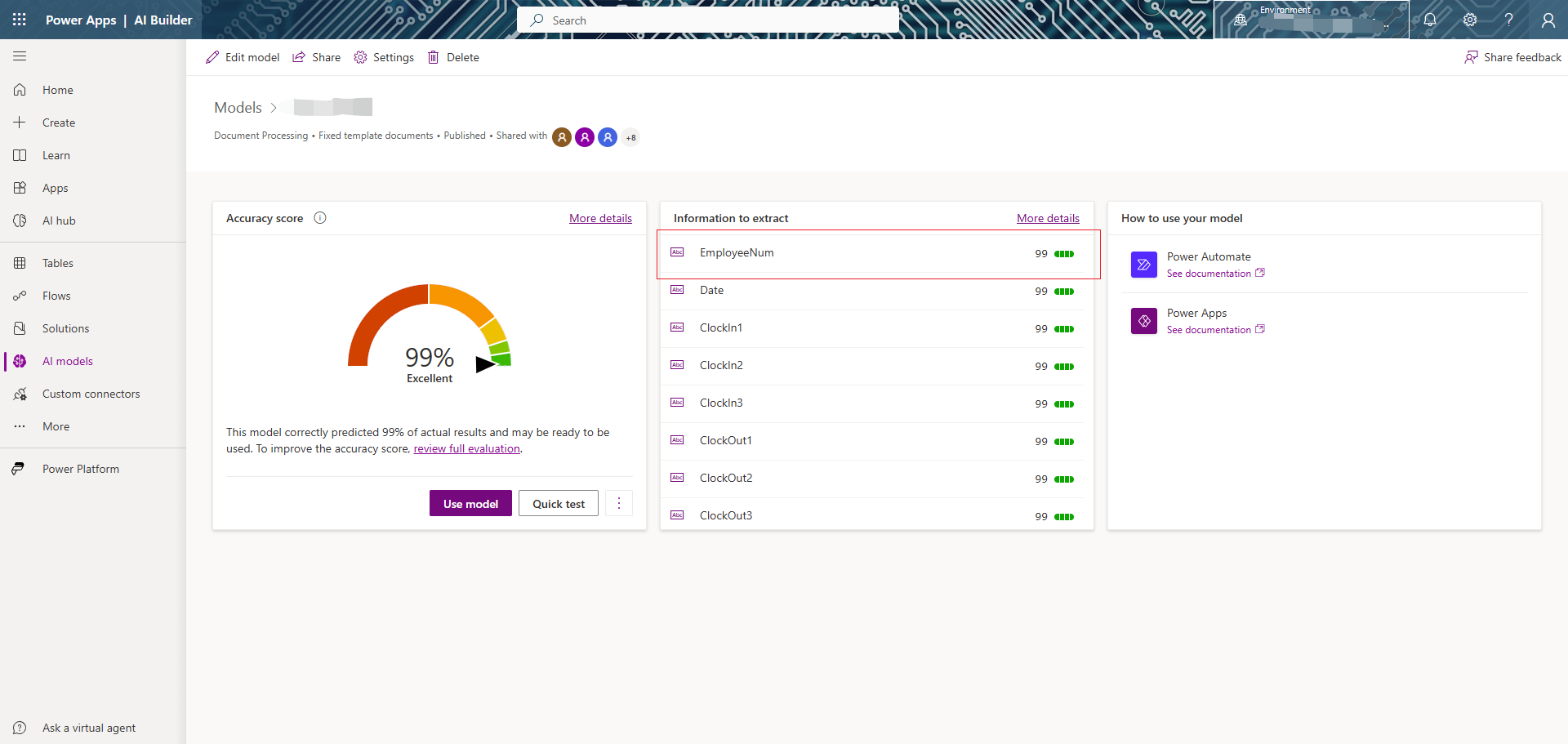
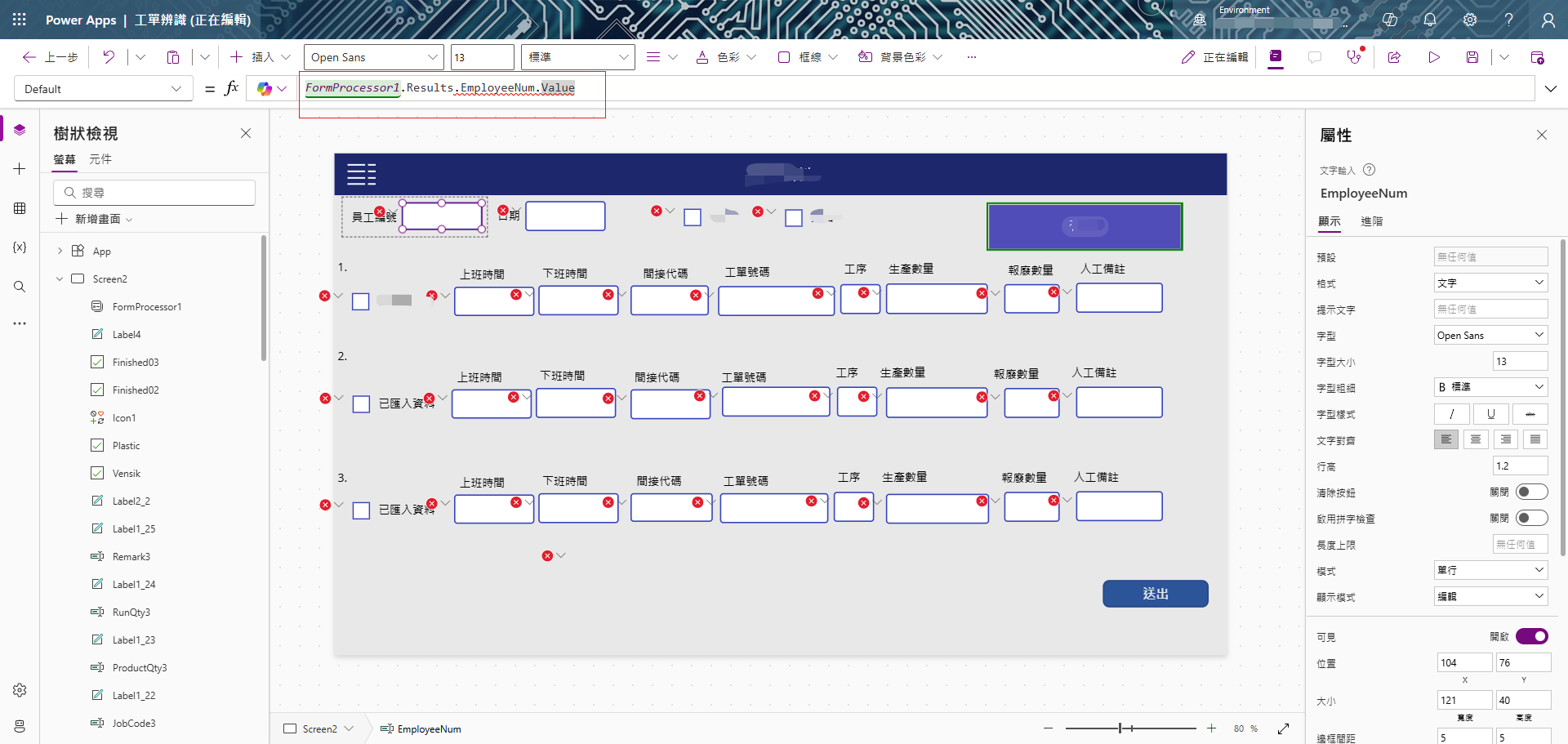
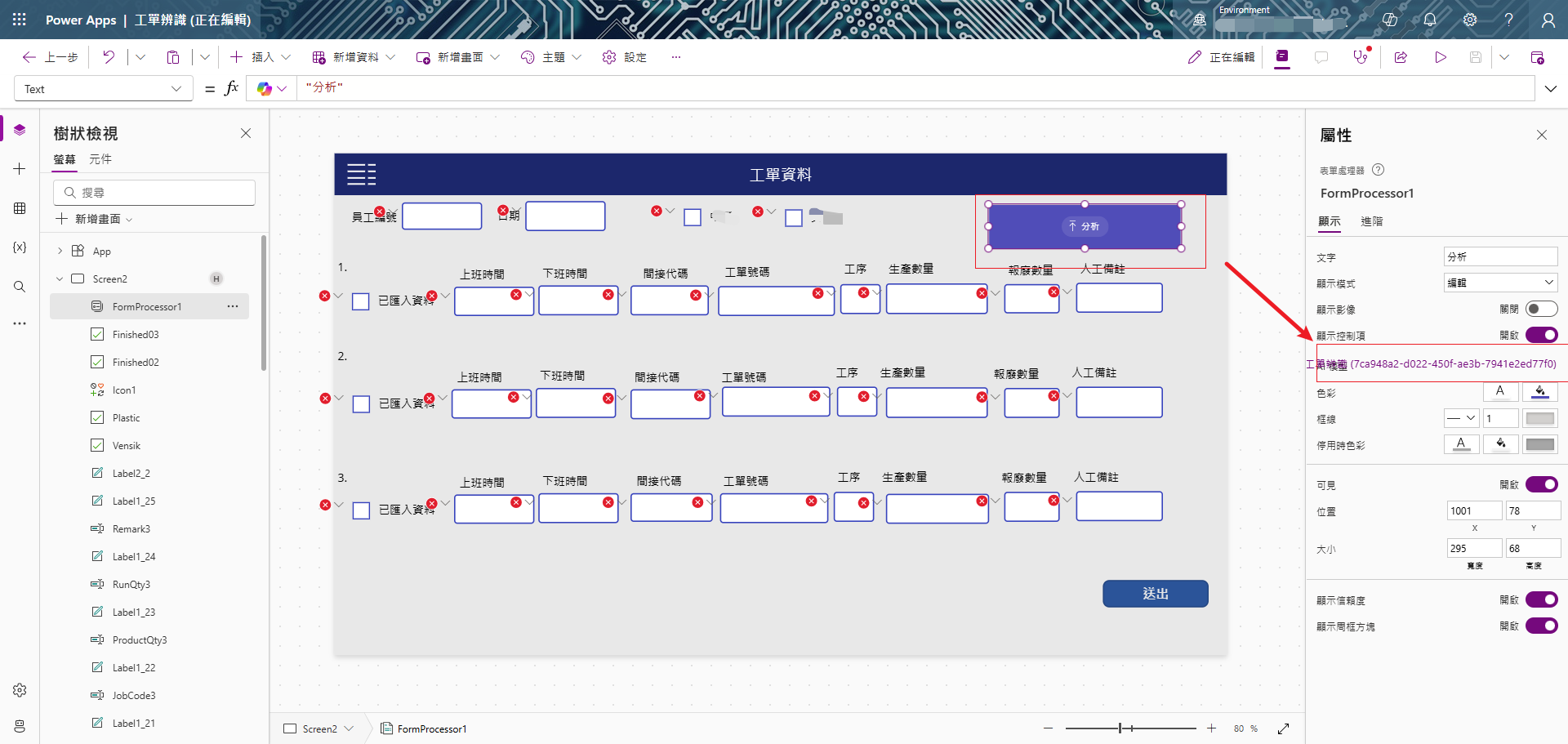
I’ve encountered an unexpected issue in my Power Apps environment. A form processor that was working fine before suddenly started showing red error icons on every field referencing FormProcessor1.Results. I haven’t changed any formulas or reconfigured my AI Builder model, yet it appears the data structure or field names might have changed without my knowledge.

Has there been a recent update or known issue that could cause this behavior? Any guidance on how to resolve this would be greatly appreciated. Thanks in advance for support!
Categories:
I have the same question (0)
  • Suggested answer
    Michael E. Gernaey Profile Picture
    53,429 Super User 2025 Season 2 on at
    Hi
     
    I wonder if this is related to the latest update that has actually broken things like the Barcode Reader (like your issue the Property is not an error), and several other things.,
     
    You could go into Settings for the Environment and rolle back the Power Platform version and see if it fixes it.
  • -21020213-0 Profile Picture
    5 on at

    Hi,

    Thanks for the suggestion. I tried rolling back the Power Platform version, but unfortunately, the FormProcessor still isn't working. The .Results property is completely broken and no longer returns any values.

    This issue is critical for my application, and I haven’t found any workaround. Was there an official update that caused this? If anyone has a fix or more information, please share.

    Would appreciate any updates or help from Microsoft.

    Thanks.

Under review

Thank you for your reply! To ensure a great experience for everyone, your content is awaiting approval by our Community Managers. Please check back later.

Helpful resources

Quick Links

Forum hierarchy changes are complete!

In our never-ending quest to improve we are simplifying the forum hierarchy…

Ajay Kumar Gannamaneni – Community Spotlight

We are honored to recognize Ajay Kumar Gannamaneni as our Community Spotlight for December…

Leaderboard > Power Automate

#1
Michael E. Gernaey Profile Picture

Michael E. Gernaey 501 Super User 2025 Season 2

#2
Tomac Profile Picture

Tomac 323 Moderator

#3
abm abm Profile Picture

abm abm 237 Most Valuable Professional

Last 30 days Overall leaderboard



