Hello,
I’m currently working with a Power Automate flow that creates an email template in the Compose action and sends out the information via email. I’ve made sure to use tables and basic HTML elements, as Outlook doesn’t handle complex CSS very well.
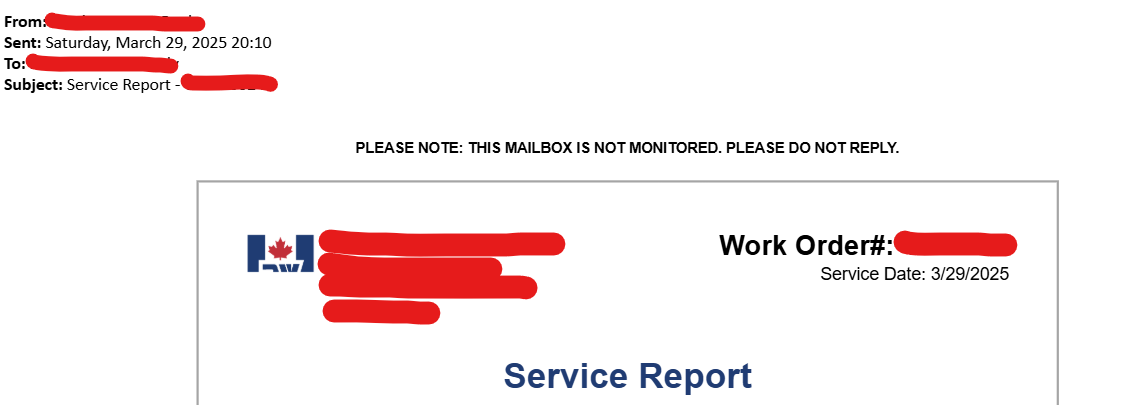
Everything works fine until I try forwarding the email to a customer. The logo doesn’t load correctly — it only appears partially (half of the image). I am using the “dataUri” method to embed the image in the template. Also, removing the email header and unnecessary spaces results in extra gaps within the table cells.
Has anyone experienced similar issues or found a solution for this? Any help would be greatly appreciated.
Please see the screenshots and details below:
I am getting logo image from SharePoint folder using "Get file content using path" action and then adding it in the HTML code using dataUri method
"dataUri(body('Get_file_content_using_path'))".
I am adding compose to Body of the email as a dynamic content.
FYI - I am using inline CSS for all the HTML elements
On the email side, when I receive the email, it looks perfect. The problem comes when I try to forward it to someone.
This is how it looked before forwarding (when received automatically after power automate flow runs successfully).
The logo does not load properly when I try forwarding it to someone: