web
You’re offline. This is a read only version of the page.
close
Skip to main content

Notifications

Announcements

Community site session details

Community site session details

Session Id :
Power Platform Community / Forums / Power Automate / Help please! Setting v...
Power Automate
Unanswered

Help please! Setting variable based on the date today.

(0) ShareShare
ReportReport
Posted on by

Hello,


I am building a flow where i want the subjet in a email to be based off the date when the flow is running.

This is what I want the subject to be based on what date it is:

  • January before the 15th   -> 2 del Desember
  • January after the 15th      -> 1 del Januar
  • February before the 15th -> 2 del Januar
  • February after the 15th    -> 1 del Februar
  • March before the 15th     -> 2 del Februar
  • March after the 15th        -> 1 del Mars
  • April before the 15th        -> 2 del Mars
  • April after the 15th           -> 1 del April 
  • .... and so on until December after the 15th -> 1 del Desember (you get the idea)


I solved this by making a lot of conditions, but there must be a more simple way to achieve the same thing!

Maybe someone out there knows an easier way with fewer steps?


This is how I did it:

1. I used the "Compose action to compose an integer of the current month. (January = 1, February = 2 and so on)

2. Did the same for the current day of the month. 
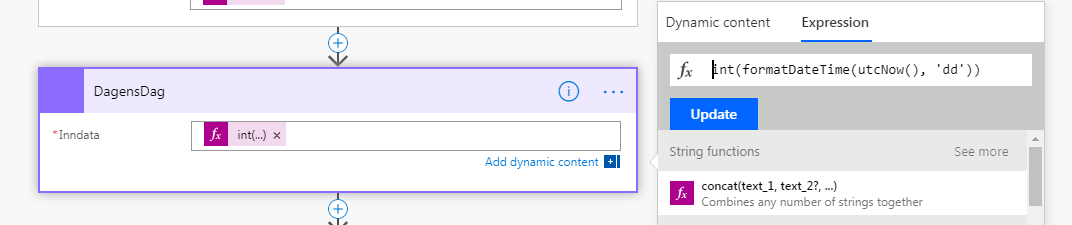
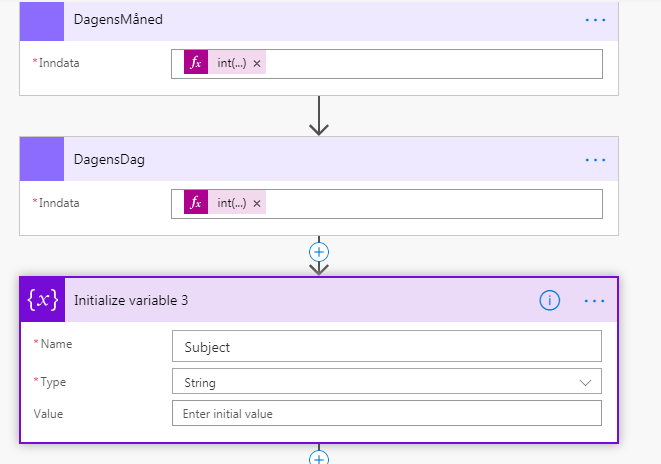
3. Used the "Initialize variable to make a new variable named "Subject"
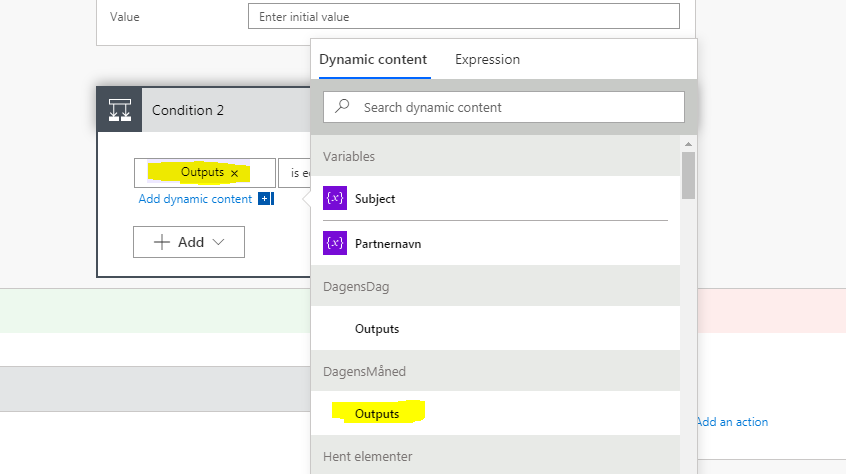
4. Created a condition based on the Output from the "DagensMåned" that outputs the current month.
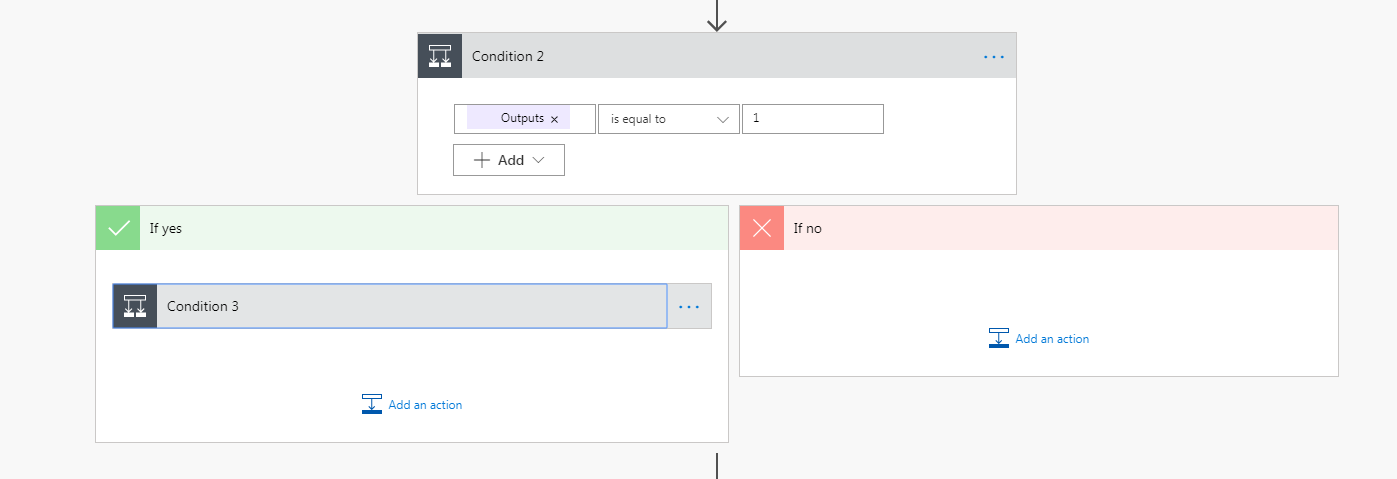
5. The condition checks what month it is. If it is January the condition will turn TRUE. I then added a new condition within the "If yes":
6. This condition is based on what day of the month it is and fianlly sets the variable "Subject" to what I want the subject to be. 
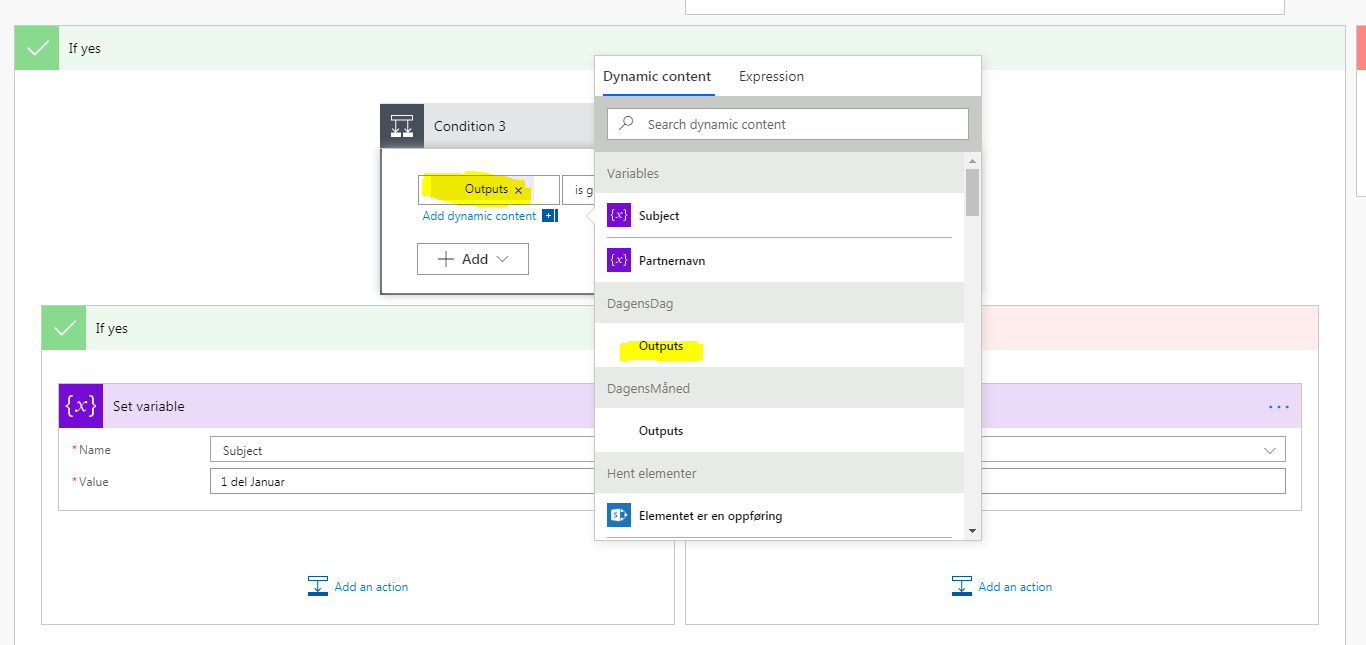
7. I repeat the same within the "If no" like this.
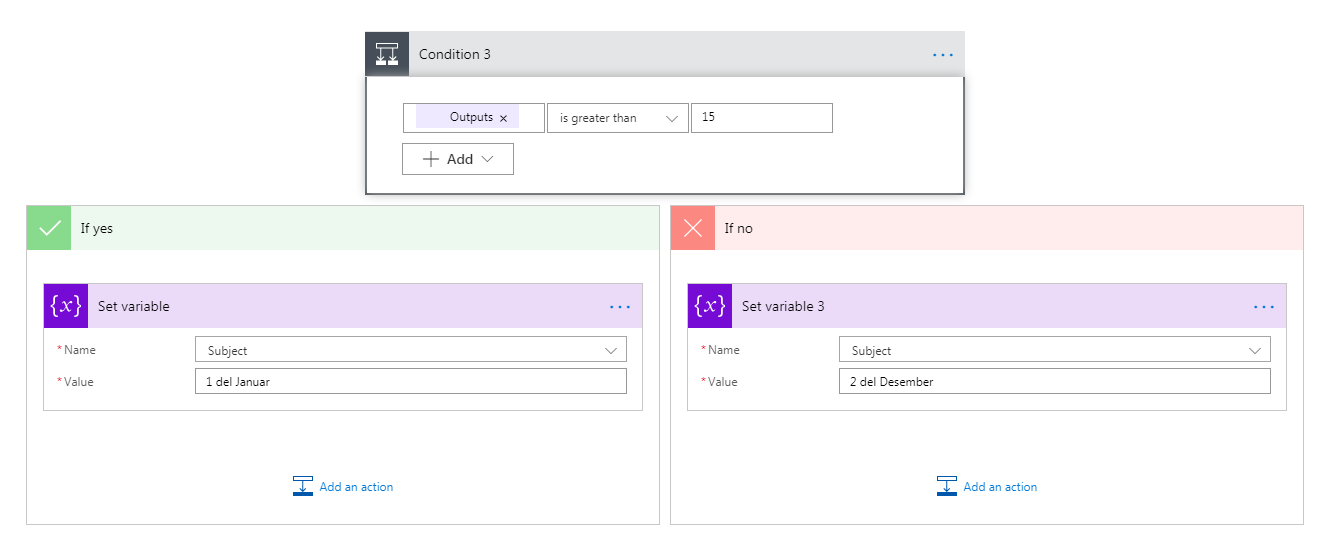
I repeat all of this for all the months. So there are 12 parent conditions that checks what month it is, and within all those 12 conditions there is a condition that checks what day of the month it is. In total that is 24 conditions...


Sorry for the long post. But my flow is long... Very long... And I feel like this is a simple task, there must be an easier way to do this?

Categories:
I have the same question (0)
  • Community Power Platform Member Profile Picture
    on at

    I know the post was very long, but the task itself does not seem very difficult. There are too many steps to my solution. I think the solutuin must be to define a list/array and get the outputs from there, but I have no idea how to do that. 

  • AKRogers Profile Picture
    354 on at

    Hello!


    I'd use the Switch action to handle these instead of multiple conditions!  You can define all your cases in a single action (Such as if January, do this, if February do that).  You'll still need to substring the value of TODAY beforehand, but Switch allows you to clean up all those conditions.

    SwitchActionMonth.png


    Take care!

    Ashley


    If this response provided an answer to your question please mark it as a solution.

    If you liked my reply, please give it a thumbs up! Thank you!

  • Verified answer
    v-litu-msft Profile Picture
    on at

    Hi @Anonymous,


    You can following these steps to restructure your Flow, it will be simple, and just need serval steps and one condition:


    1. Initialize three variables, one is String type named Subject, the two are Integer variables named Month and Day.

    int(utcNow('MM'))
    int(utcNow('dd'))

    Annotation 2019-10-21 160716.png

    2. Create a condition to determine the Day whether is less than 15.

    -If yes, add -15 days (sub 15 days), and get the 'M' date formate, then use the split() function to get the Month string.

    -If no, use the split() function to get the Month string directly.

    Please notice that there is a blank character in the Split function.

    split(addDays(utcNow(),-16,'M'),' ')[0]
    split(utcNow('M'),' ')[0]

    Annotation 2019-10-21 160900.png


    Run result:Annotation 2019-10-21 161114.png


    Best Regards,
    Community Support Team _ Lin Tu
    If this post helps, then please consider Accept it as the solution to help the other members find it more quickly.

  • v-litu-msft Profile Picture
    on at

    Hi @Anonymous,


    Has your problem been solved?

    Do you need to convert the month to Indonesian?


    If your problem has been solved, You could go ahead and mark the post as solved by clicking “Accept as Solution” so that this thread will be marked for other users to easily identify!

    Best Regards,
    Community Support Team _ Lin Tu

Under review

Thank you for your reply! To ensure a great experience for everyone, your content is awaiting approval by our Community Managers. Please check back later.

Helpful resources

Quick Links

Forum hierarchy changes are complete!

In our never-ending quest to improve we are simplifying the forum hierarchy…

Ajay Kumar Gannamaneni – Community Spotlight

We are honored to recognize Ajay Kumar Gannamaneni as our Community Spotlight for December…

Leaderboard > Power Automate

#1
Michael E. Gernaey Profile Picture

Michael E. Gernaey 522 Super User 2025 Season 2

#2
Tomac Profile Picture

Tomac 364 Moderator

#3
abm abm Profile Picture

abm abm 243 Most Valuable Professional

Last 30 days Overall leaderboard



