Greetings Braintrust.
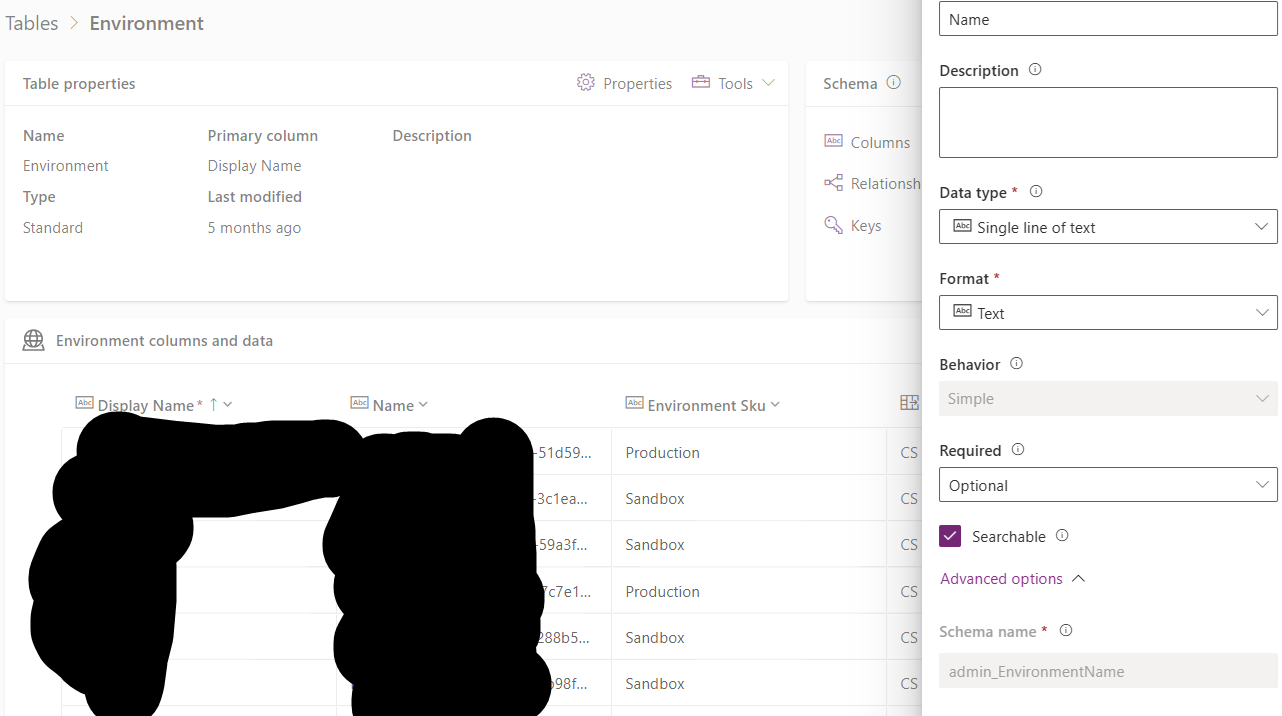
I have the Centre of Excellence installed in its own Environment, inside it contains a table named 'Environment_Capacity' which lists log file, database, and file storage amounts. Additionally, it contains a lookup column named Environment (Logical admin_environment). This uses the Admin_Environment table, which has the admin_Environmentname (this is the GUID for the Environment) and admin_Displayname (the actual display name for the environment.
I have a list rows from Environment action as below:
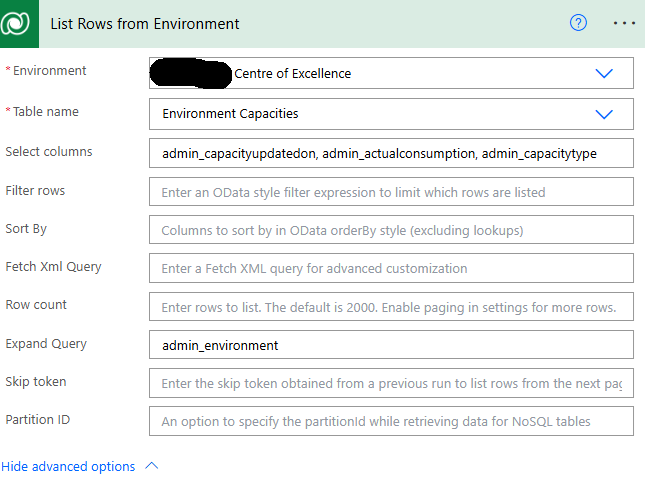
I get the below error based on the above 'Expand Query'
Action 'List_Rows_from_Environment' failed: Could not find a property named 'admin_environment' on type 'Microsoft.Dynamics.CRM.admin_environmentcapacity'.
Removing the expand query all together, and adding 'admin_environment' into the select column results in
Could not find a property named 'admin_environment' on type 'Microsoft.Dynamics.CRM.admin_environmentcapacity'.
I've tried all sorts of formatting in the Expand Query: (while not having the 'admin_environment' in the Select column.
Tried, pasting directly into the expand query field
Tried using expression, I get teh expression is incorrect. But CoPilot is now pushing me around in circles.
admin_environment($select=admin_displayname),admin_environmentname (Could not find a property named 'admin_environment' on type 'Microsoft.Dynamics.CRM.admin_environmentcapacity'.)
admin_environment(admin_displayname,admin_environmentname)
What formatting should I be using? Everything I tried fails.
Tables below to confirm names

Thank you
RD





