Hi,
I have been facing the same issue (forward slash being added between the path and filename when using "File System" actions) intermittently over the last 2-3 years.
I’ve also come across many posts about similar problems.
The most common solution I’ve seen involves the user applied to the connector. The user must be specified with the domain in the format: domain\user.
However, if you can browse folders using your connector within a File System action, this part is likely configured correctly?. But worth to check out.
Here are my recent findings:
Example from yesterday:
Below are snippets from a flow run history:
File System - Create File:
Snippet from inputs:
"parameters":{"folderPath":"\\\\srv\\Data\\...............\\Orders\\254103","name":"FW Indkøbsordre nr. 123456 - HASTER.eml"}
Snippet from output:
"The requested action could not be completed. Check your request parameters to make sure the path '\\\\srv\\Data\\.....................\\Orders\\254103/FW Indkøbsordre nr. 123456 - HASTER.eml'"
So, the parameters are fine; sometimes it works, and sometimes it doesn't.
What I discovered is this:
The problem disappears if I disable all members of the on-premise data gateway, except the "main".
(I have a cluster of three gateways).
I’m not sure whether the issue lies in the cluster setup or differences between the gateways.
All gateways are on the same version and use the same service user, but they are installed on different server versions (Windows Server 2016 / 2022).
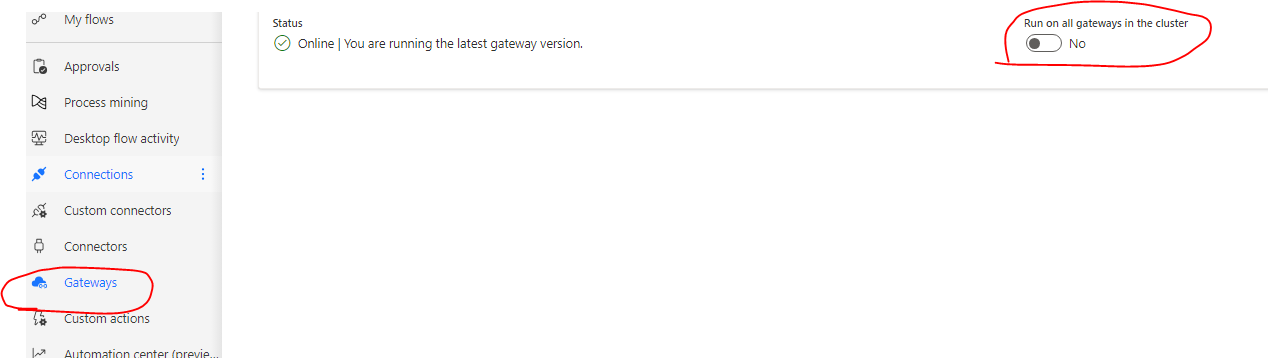
For now, I’ve stopped investigating, as I found that the option "Run on all gateways in the cluster" can be disabled within the Power Automate UI. - and this resolved the problem (for now :-))