web
You’re offline. This is a read only version of the page.
close
Skip to main content

Announcements

News and Announcements icon
Community site session details

Community site session details

Session Id :
Power Platform Community / Forums / Power Automate / After Run Query Agains...
Power Automate
Unanswered

After Run Query Against a Dataset, the mapping with Power BI data is not showing

(0) ShareShare
ReportReport
Posted on by 36
Hi Team,

I had a Power Automate flow that I created one year ago; this flow has a mapping field option, as shown in the screenshot below.
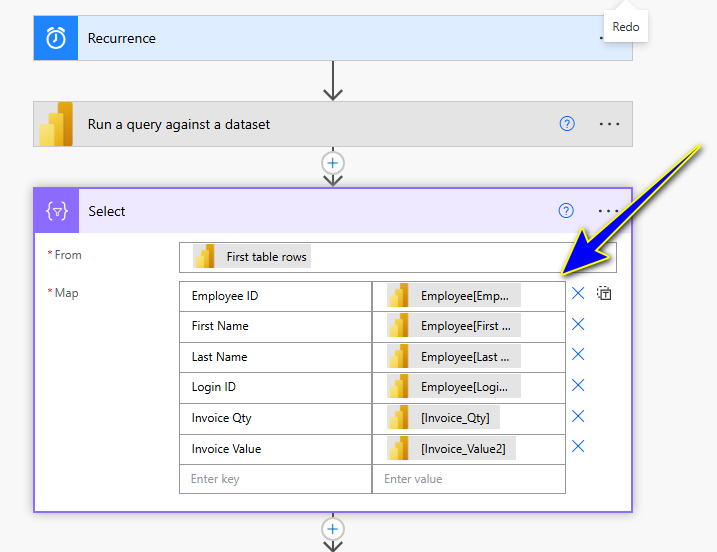
 
Now, when I am going to edit this flow or create new flows, only Row, Body and First Table rows option are showing in Dynamic Content.
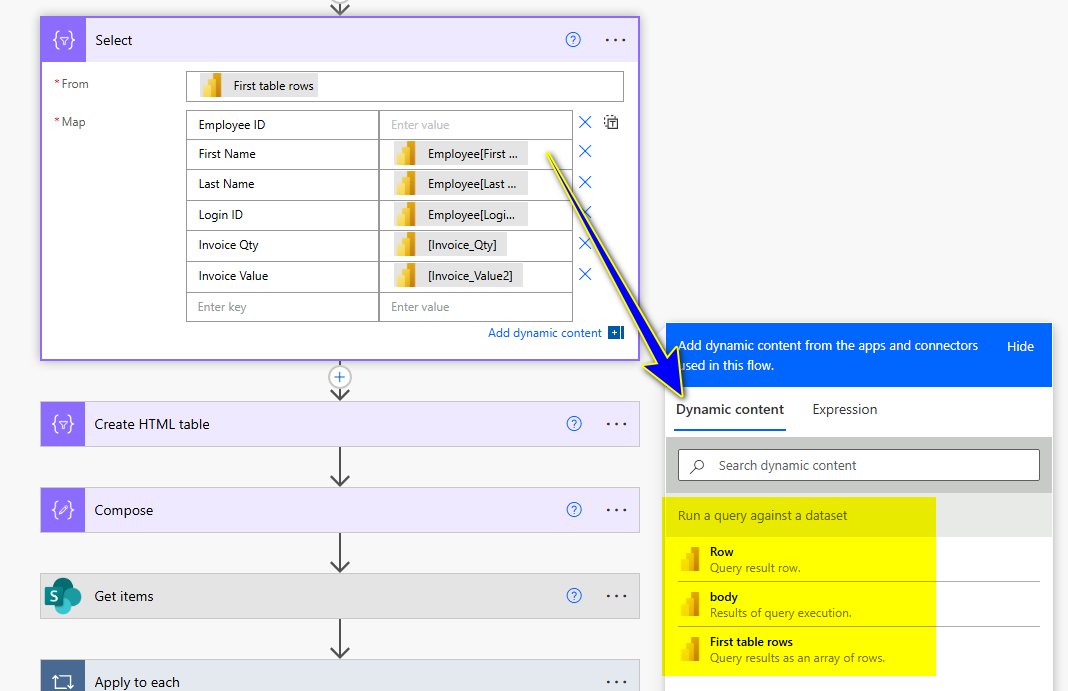
 
How to create similar mapping what I did earlier? Any you yube video, please share.
Why this mapping field are not showing in Dynamic Content.
Categories:
I have the same question (0)
  • lbendlin Profile Picture
    8,701 Super User 2026 Season 1 on at
    Did you modify the query to produce a different output?  In that case you'll have to manually code the references (check the code view)  or run the flow with the new query and then edit the next steps.
  • WillPage Profile Picture
    2,333 Super User 2026 Season 1 on at
    Power Automate doesn't know your DAX query output schema at design time. You have two options, one is to manually type out the properties in your select as item()?['ColumnName']. The other is you can run your flow then grab the JSON output from the PBI action and use it to create a schema in a Parse JSON action. Then use the output and dynamic content from the Parse JSON in your Select instead of the PBI action. When done you can delete the Parse JSON and switch the From input of your Select back to the PBI output. Just use Parse JSON as a tool to help you build the flow but you don't actually need to run the data through it.

Under review

Thank you for your reply! To ensure a great experience for everyone, your content is awaiting approval by our Community Managers. Please check back later.

Helpful resources

Quick Links

Introducing the 2026 Season 1 community Super Users

Congratulations to our 2026 Super Users!

Kudos to our 2025 Community Spotlight Honorees

Congratulations to our 2025 community superstars!

Congratulations to the April Top 10 Community Leaders!

These are the community rock stars!

Leaderboard > Power Automate

#1
Vish WR Profile Picture

Vish WR 976

#2
Valantis Profile Picture

Valantis 863

#3
Haque Profile Picture

Haque 547

Last 30 days Overall leaderboard
