I have a PA workflow that gets data from a SharePoint list. My SharePoint list contains information about software licenses and certificates that expire on a POP End Date. The Goal of the workflow is to find Items in the SharePoint list where the 'POP End Date' is
1. expired already,
2. 30 days from being expired,
3. 60 days from being expired,
4. 90 days from being expired,
I have parallel branches to get this information and that all works. (see image PA Workflow 1)
In each branch data then put into a table
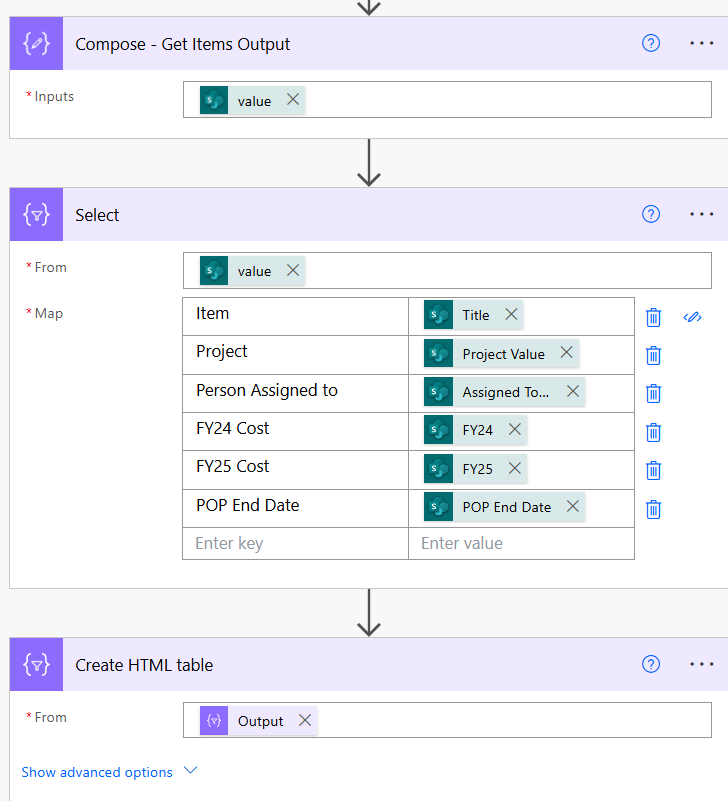
I then added some style and composed an email and can send it out to any specific user just fine and it gives me an output like this
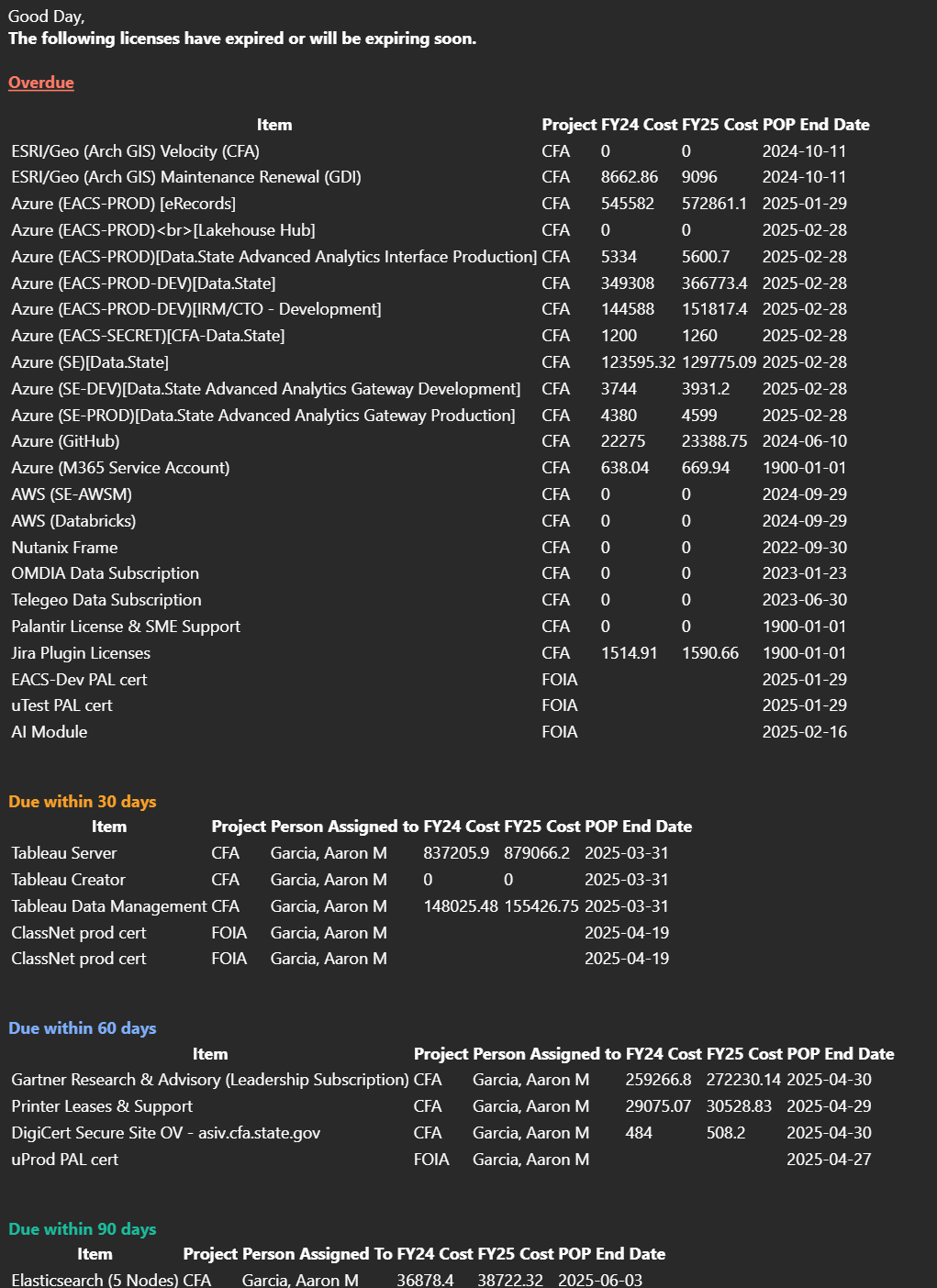
What I would like to do is find a way to roll up the 'Person Assigned To' and send ONE email to each assigned to person that contains the licenses that are expired, 30, 60, 90 days away form expiration JUST for that person and ONLY for the 'Project' that they are assigned to.
My email would say something like
Overdue:
"Item", "Project", "Person Assigned To", "FY24 Cost", "POP End Date"
License 1 MYProject Aaron G $525 2025-03-28
Due within 30:
"Item", "Project", "Person Assigned To", "FY24 Cost", "POP End Date"
License 2 MYProject Aaron G $895 2025-04-30
Due within 60:
"Item", "Project", "Person Assigned To", "FY24 Cost", "POP End Date"
License 3 MYProject Aaron G $5250 2025-06-30
Due within 90:
"Item", "Project", "Person Assigned To", "FY24 Cost", "POP End Date"
License 4 MYProject Aaron G $658 2025-08-30
In my SharePoint list I have the Item, Project, Person Assigned To, Cost of license by fiscal year, and "POP End Date" when the license expires.
I don't understand if I am supposed to create the variable and loop before the parallel branches, after or during. I understand there needs to be a join for the email somehow but I am a novice and don't understand how to do that properly to get the results I want. When I tried to do am apply to each for the emails it ended up sending out the same email to everyone multiple times











 Share
Share Report
 All responses (
 Answers (
 1,189
1,189






