web
You’re offline. This is a read only version of the page.
close
Skip to main content

Notifications

Announcements

Community site session details

Community site session details

Session Id :
Power Platform Community / Forums / Power Automate / Configure Power Autom...
Power Automate
Unanswered

Configure Power Automate flow with a Personal AI classifier

(0) ShareShare
ReportReport
Posted on by 4
I build a Power Automate flow with a Personal AI classifier based on a AI model I built using Power Apps > AI Builder.
 
The issue is that I'm not able to configure that "Personal Classifier" component with the AI model I have generated 
 
Can you please 
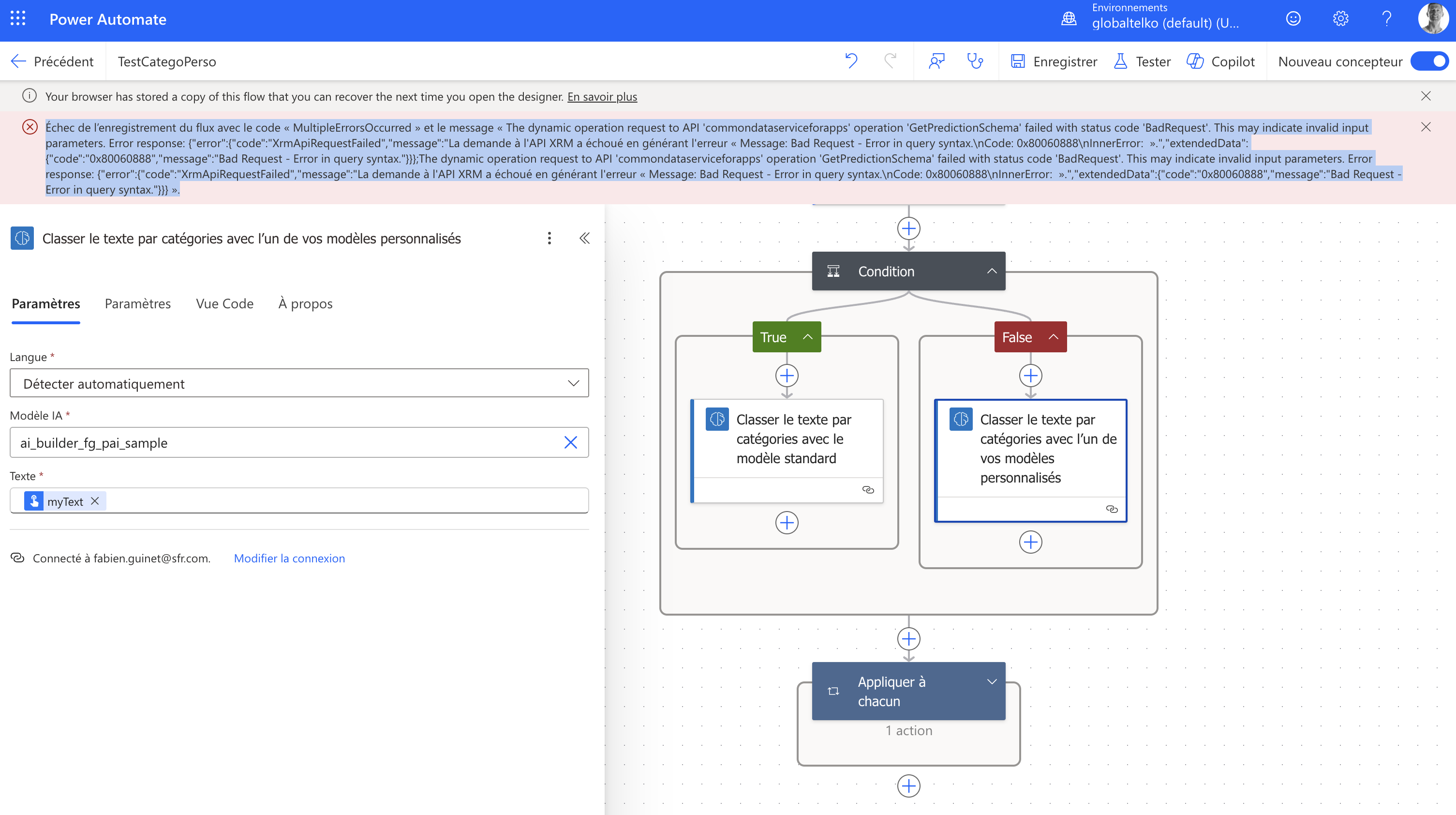


Échec de l’enregistrement du flux avec le code « MultipleErrorsOccurred » et le message « The dynamic operation request to API 'commondataserviceforapps' operation 'GetPredictionSchema' failed with status code 'BadRequest'. This may indicate invalid input parameters. Error response: {"error":{"code":"XrmApiRequestFailed","message":"La demande à l'API XRM a échoué en générant l'erreur « Message: Bad Request - Error in query syntax.\nCode: 0x80060888\nInnerError:  Â».","extendedData":{"code":"0x80060888","message":"Bad Request - Error in query syntax."}}};The dynamic operation request to API 'commondataserviceforapps' operation 'GetPredictionSchema' failed with status code 'BadRequest'. This may indicate invalid input parameters. Error response: {"error":{"code":"XrmApiRequestFailed","message":"La demande à l'API XRM a échoué en générant l'erreur « Message: Bad Request - Error in query syntax.\nCode: 0x80060888\nInnerError:  Â».","extendedData":{"code":"0x80060888","message":"Bad Request - Error in query syntax."}}} ».
Categories:
I have the same question (0)
  • stampcoin Profile Picture
    5,058 Super User 2025 Season 2 on at
    Looks like you type the model rather than choose it
    Did you published the Model ?
  • FG-07051013-0 Profile Picture
    4 on at
     
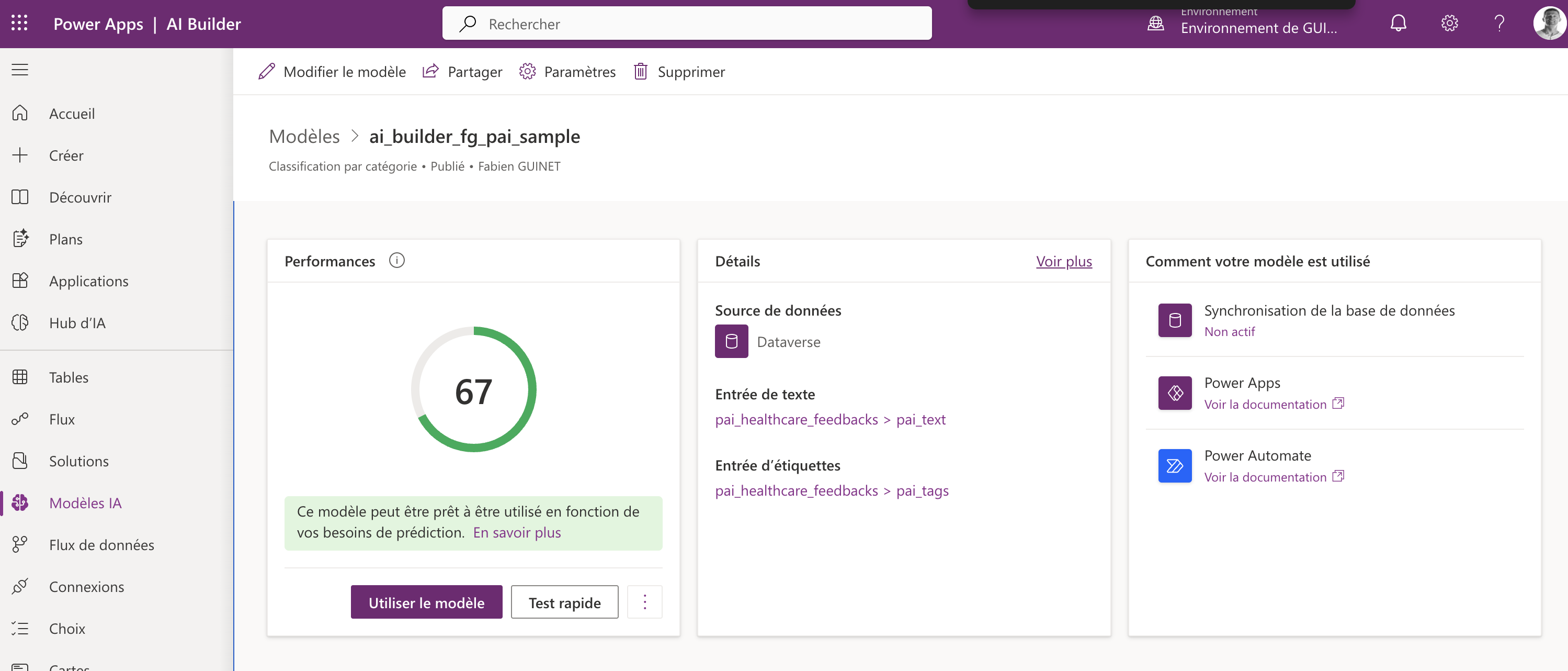
    you are right, I type the model name because it is not proposed in the list even though, as you can see in the screen shot, it is dully published:
  • stampcoin Profile Picture
    5,058 Super User 2025 Season 2 on at
    one more thing, double check the AI model and you flow are in the same Environment.
  • FG-07051013-0 Profile Picture
    4 on at
    You are right Power Automate is on globaltelko envirnoment (with no other option)
     
    and Power Apps  |  AI Builder is on my personal environment "GUINET,Fabien" (because it was not possible to create a table on globaltelko environment)
     
    Am I stuck ? 
     
  • stampcoin Profile Picture
    5,058 Super User 2025 Season 2 on at
    When you create the AI model,  you have to select the Environment first.
    Then, it will stay in your environment. 
    Please try that and let me know.
     
  • stampcoin Profile Picture
    5,058 Super User 2025 Season 2 on at
    Does the suggestion work for you ?

Under review

Thank you for your reply! To ensure a great experience for everyone, your content is awaiting approval by our Community Managers. Please check back later.

Helpful resources

Quick Links

Forum hierarchy changes are complete!

In our never-ending quest to improve we are simplifying the forum hierarchy…

Ajay Kumar Gannamaneni – Community Spotlight

We are honored to recognize Ajay Kumar Gannamaneni as our Community Spotlight for December…

Leaderboard > Power Automate

#1
Michael E. Gernaey Profile Picture

Michael E. Gernaey 522 Super User 2025 Season 2

#2
Tomac Profile Picture

Tomac 364 Moderator

#3
abm abm Profile Picture

abm abm 243 Most Valuable Professional

Last 30 days Overall leaderboard