Hi everyone,
I am building a procurement vendor agent in Microsoft Copilot Studio using the new agent experience and have connected Dynamics 365 Business Central MCP as a tool.
The MCP connection appears to be working correctly. The connection shows as active, authentication is configured as Maker, and the available Business Central tools are enabled. For example, I have tools for retrieving vendor-offered prices and item-vendor details.
However, when I test the agent with a request such as
“Get Vendors List”
the agent does not invoke the Business Central MCP tool. Instead, it responds with something similar to
“I only have bash and file tools available, so I should check the workspace/data directory…”
It then says that there is no connector/search tool available and that it cannot retrieve the Business Central data.
I also noticed the response contains an instruction such as:
skill: search-before-answer

However, I have no Skills configured in the agent. The only configured tool is Dynamics 365 Business Central MCP.
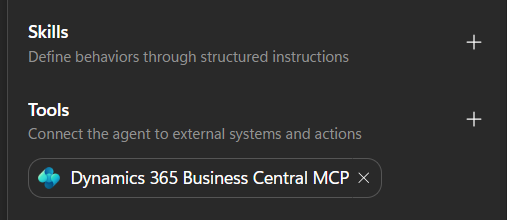
My agent instructions explicitly state that it is a Dynamics 365 Business Central procurement agent, that it must use real Business Central data, and that it should use the configured tools when analyzing vendors, prices, quality, delivery, etc.
Why is the new Copilot Studio experience referring to “bash and file tools” and search-before-answer when those are not configured in my agent? Is this coming from the new agent orchestration/harness, and how can I make the agent correctly invoke the Business Central MCP tools?
I would also like to understand whether MCP tools need specific descriptions/tool names for the new orchestration experience to select them correctly.
Thanks!


