web
You’re offline. This is a read only version of the page.
close
Skip to main content

Announcements

News and Announcements icon
Community site session details

Community site session details

Session Id :
Power Platform Community / Forums / Power Automate / Issues copying an atta...
Power Automate
Answered

Issues copying an attachment from one list to another using Power Automate

(0) ShareShare
ReportReport
Posted on by 253
A bit of an odd one, but here it goes.

I am 90% of the way finished with this flow, I am just running into one hiccup that I can't figure out.
Here's the gist of it.

We have two SharePoint Lists that serve as file cabinets. (Yes, I know, that's what document libraries are for; but we needed the ability to update many columns for tracking purposes. So a list with Attachments it is.)
We have these sort of master template documents on one list, and I am building a flow to populate the secondary list with the copies of the template based upon a column which lists applicable locations.

I.E.

SP List 1
ITEM with associated tracking info - Needed at X, listed locations in the Relevant Locations column.
 
SP List 2
A file cabinet where applicable documents for each location are sorted.
_________________________________________________________________
When I run the flow, it grabs the related item, pulls the attachment information, creates the appropriate item with tracking info in List 2.
Everything is going great, it creates the new item and even pulls the attachments properly.
Where I am running into issues is adding the attachment to the appropriate folder (associated with the new Item on the second list).
Here is the error I keep getting.


Here is how the action is formatted.
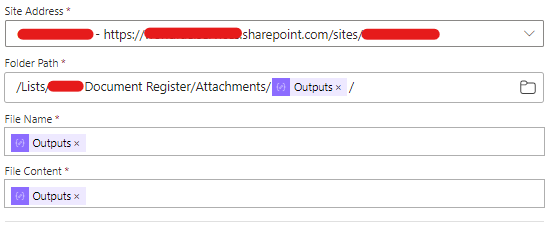
The Folder Path uses the List Item ID as the path to the folder where the file should be stored within the database to show up as an attachment on the item.
I have tried it with and without the extra "/" at the end.
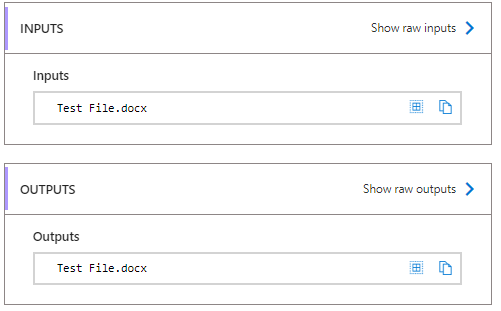
The file name is just the file name being carried over from the previous action where it got the attachment contents; which works.
(Technically, it is a compose action using this code.)
items('For_each_3')?['DisplayName']
The File Content is another portion of code using 
{
 "contentBytes": {
 "$content-type": "@{body('Get_attachment_content')?['$content-type']}",
 "$content": "@{body('Get_attachment_content')?['$content']}"
 }
}
This appears to be working as well (I have used it in the past for a similar flow and was able to attach the Files to an email).
The whole issue comes in when I try to add the file to the newly created item. It keeps giving the error, claiming that it cannot create a folder.
I'm at a loss here.

Please help; how can "Create" a new file in the appropriate place with the file contents of the original?
Categories:
I have the same question (0)
  • Suggested answer
    SudeepGhatakNZ Profile Picture
    14,394 Most Valuable Professional on at
    Are you referring to SharePoint list or libraries?
    The folder content type is only supported in libraries
  • Verified answer
    Tmalonson Profile Picture
    253 on at
    I am using a Share Point List.
    But I figured it out!

    1. It turns out that Create File only creates folders (as you mentioned).
    A colleague pointed out that I should instead be using the Add Attachment action.

    2. After switching to the new action, I was still using code to try and pull the attachment contents which seemed to be corrupting the contents of the file.
    After switching to using Add attachment, it would upload a file, but it would be corrupted and unusable.

    3. To resolve the issue of using a code within a Compose action, I just move my For Each() action further up into the flow which let me pull the 
    dynamic variable - Attachment Content directly into my Add Attachment() action. 
    This has resolved the corruption issue.

Under review

Thank you for your reply! To ensure a great experience for everyone, your content is awaiting approval by our Community Managers. Please check back later.

Helpful resources

Quick Links

Introducing the 2026 Season 1 community Super Users

Congratulations to our 2026 Super Users!

Kudos to our 2025 Community Spotlight Honorees

Congratulations to our 2025 community superstars!

Leaderboard > Power Automate

#1
Haque Profile Picture

Haque 286

#2
David_MA Profile Picture

David_MA 256 Super User 2026 Season 1

#3
Expiscornovus Profile Picture

Expiscornovus 225 Most Valuable Professional

Last 30 days Overall leaderboard
