web
You’re offline. This is a read only version of the page.
close
Skip to main content

Notifications

Announcements

Community site session details

Community site session details

Session Id :
Power Platform Community / Forums / Power Automate / How to add an owner to...
Power Automate
Suggested Answer

How to add an owner to a Security Group using Power Automate

(0) ShareShare
ReportReport
Posted on by 4
Updated with solution:  
Here's the successful parameters of the Office 365 groups Send an HTTP request V2 action:
Method: POST
URI: https://graph.microsoft.com/v1.0/groups/{id}/owners/$ref
Content-type
: application/json
Body:
{
"@odata.id": "https://graph.microsoft.com/v1.0/users/{id}"
}


I've built a flow that creates security groups and adds members to it but I can't seem to figure out how to add an owner.
 
From what I've found, I'll need to use an HTTP request and Bing provided this answer
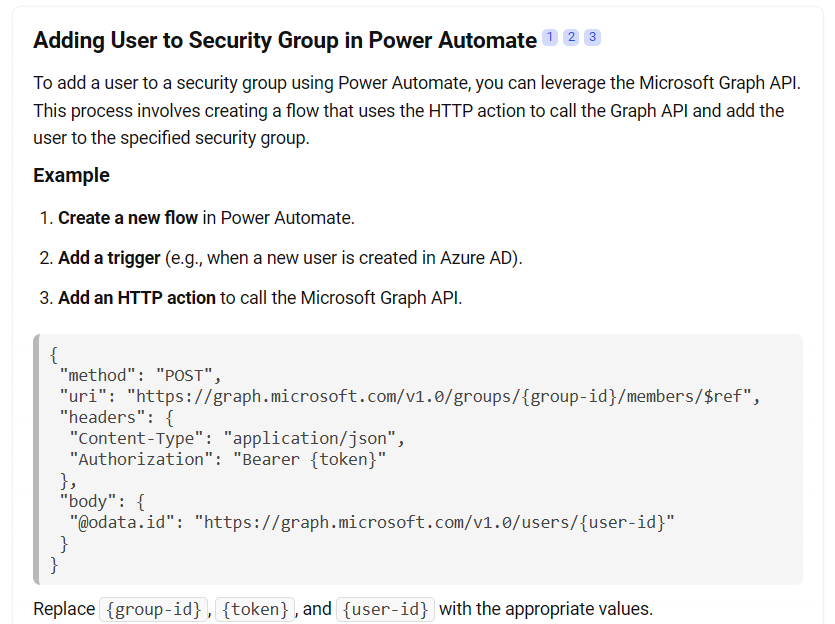
which I think has potential to work but I'm not sure what to replace "token" with. 
 
Has anyone successful created an action to do this?
Categories:
I have the same question (0)
  • Suggested answer
    StretchFredrik Profile Picture
    3,395 Super User 2025 Season 2 on at
    Hello,
     
    There should be an action called add user to group, that way you dont have to use the http method. 
     
    If my response solved your issue, please mark it as ✅ Accepted Answer and give it a like.
  • Suggested answer
    BhaskarDhone Profile Picture
    1,392 Super User 2025 Season 2 on at
    it’s possible using the “HTTP with Microsoft Entra ID (Azure AD)” no need to manually generate access tokens.
     
    Refer this blog on how to call graph api


Under review

Thank you for your reply! To ensure a great experience for everyone, your content is awaiting approval by our Community Managers. Please check back later.

Helpful resources

Quick Links

Forum hierarchy changes are complete!

In our never-ending quest to improve we are simplifying the forum hierarchy…

Ajay Kumar Gannamaneni – Community Spotlight

We are honored to recognize Ajay Kumar Gannamaneni as our Community Spotlight for December…

Leaderboard > Power Automate

#1
Michael E. Gernaey Profile Picture

Michael E. Gernaey 519 Super User 2025 Season 2

#2
Tomac Profile Picture

Tomac 296 Moderator

#3
abm abm Profile Picture

abm abm 232 Most Valuable Professional

Last 30 days Overall leaderboard
