




 Share
Share Report
I am trying to send a daily notification email listing different task members in HTML Table using Power Automate. However, my flow is only listing the same people for each task. Here's the flow I built to receive the following email:
1. Selected "Recurrence" Daily
2. Seleted "Get Items" to retrieve dynamic content from SharePoint List 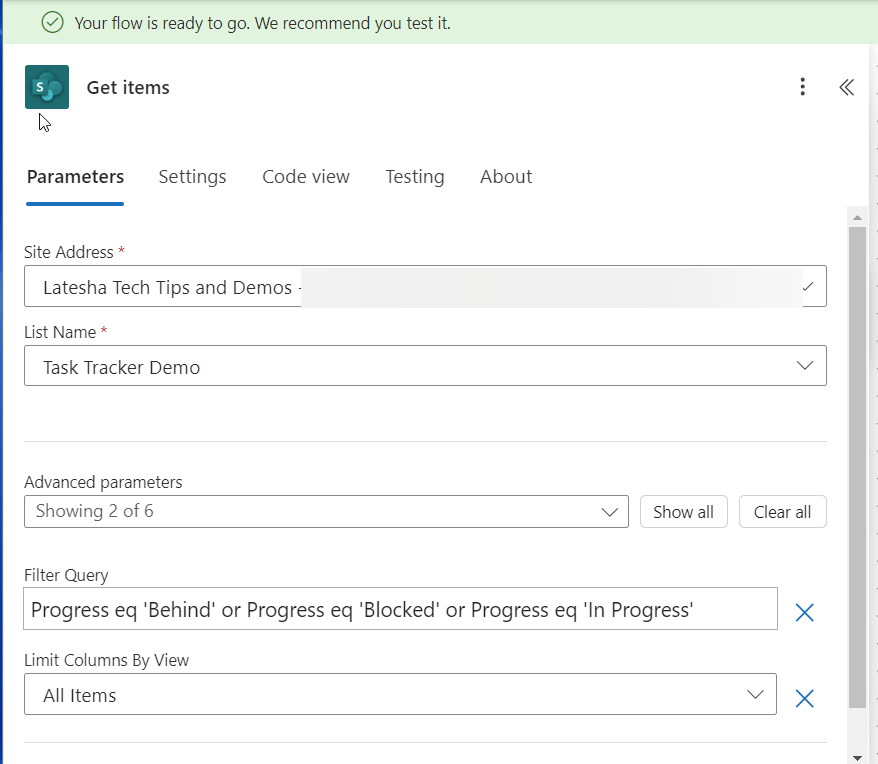
3. Added "Compose" to Format Day and Time for Email Subject Line
4. Initialized variable to reuse it in HTML table: "varAssignees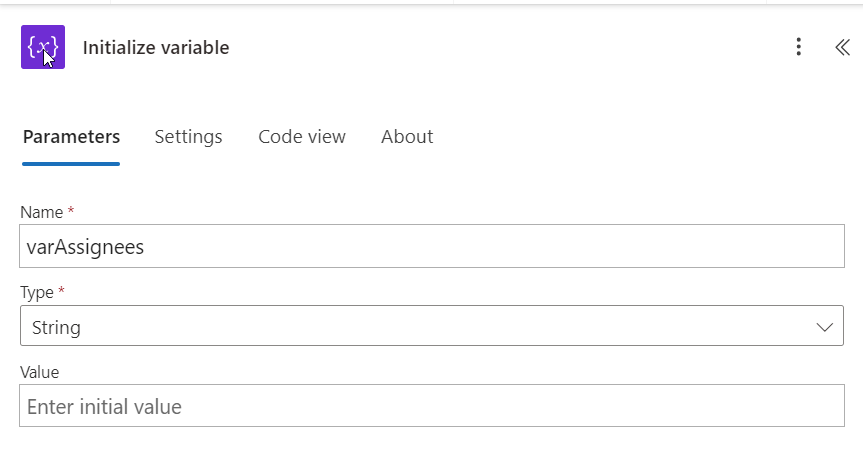
5. Added "Composed" to retrive "AssignedTo" or people picker column from SharePoint List. Power Automate adds "For Each" for this task.
6. Add "Select" to retrieve "DisplayName" since that is what I need for my HTML table.
7. Add "Join" to have the display names joined together by semicolon, but the brackets appear in the email output by the task member names.
8. Added "Set Variable" to reuse the initial variable I created for HTML table.
9. Added "Create HTML Table" to insert into Outlook table.
10. Added "Send Email" to generate daily notification with task members and their assignments. However, the "Assigned To" tasks are repeating the same names on each row.
Categories:
I have the same question (0)
 All responses (
 Answers (





 957
957


