Below is an image of the new format for conditions in Flow. Look at the no code control we have here with real conditional logic. What an improvement and one I am sure the community and users will embrace overall. Well done to the Flow Team, one of several great improvements I am seeing on my Twitter time line just now.
Full detail at this link: Build more powerful conditions in flows and more

Image credit: https://flow.microsoft.com/en-us/blog/build-more-powerful-conditions-in-flows-and-more/
If you are following a blog post/tutorial or forum post that has used an expression where standard logic just wouldn't do at that time, then here is what you will now need to do from now on.
As an example, using a blog post like Call Office 365 Service Communications API and Return New Service Health Notices – Part 3. This defines a condition with using the old format.
So what used to be:
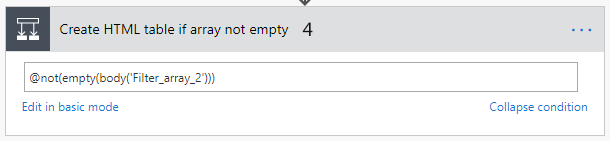
Has now become:
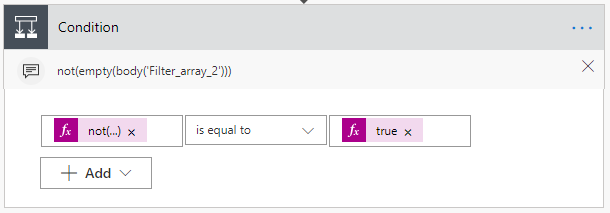
Full details at Flow: So Where has “Edit in advanced mode” Gone on Condition Actions
I hope this can be helpful to some in the future (and the present).
Alan







